The Dark Rock Pro 6 and Dark Rock 6 are a huge upgrade over Be Quiet’s previous air coolers. Where it had previously struggled to keep up with our picks for the best air coolers, these new arrivals are amongst the top performers in my testing.
Be Quiet hasn’t lost its eye for aesthetics, either. The all-black design of the Dark Rock 6 duo looks even more impressive out of the box than previous models. In that sense, Be Quiet has something of a unique selling point here: it’s turned an imposing mass of aluminium into a pretty thing.
Yet there’s an elephant in the room. Despite my appreciation for the upgraded performance, aesthetics, and easy installation, I just can’t look past the price attached to these two coolers. Both are very expensive, at $110/$130 for the standard/Pro models, respectively. That’s one helluva markup on some of the excellent air coolers we rank highly today, an added cost of around $60–$100. When air coolers are seen as the more affordable alternative, these prices just don’t add up.
Buy if…
✅ You just want the looks: If you’re eyeing up either of these coolers because you think they’ll fit your build aesthetics, that’s a reasonable consideration in itself.
Don’t buy if…
❌ You want the best performance per dollar: You can spend a lot less on an equally capable cooler.
Specifications
Dark Rock 6 | Dark Rock Pro 6 | |
Dimensions (mm) | 102 x 139 x 162 | 147 x 140 x 169 |
Fan(s) included | 1x 135 mm | 1x custom 135 mm, 1x 120 mm |
Manufacturer rated TDP (W) | 220 | 300 |
Socket support | AM5/AM4 + LGA 1851/1700/1200/1150/1151/1155 | AM5/AM4 + LGA 1851/1700/1200/1150/1151/1155 |
No. of heatpipes | 6 | 7 |
Connector | 4-pin PWM | 4-pin PWM (7-pin between fans) |
Accessories | Screwdriver, thermal paste | Screwdriver, thermal paste |
Price | $110/€90 | $130/€110 |
The Dark Rock 6 comes with a Silent Wings 135 mm fan. That’s a whole 15 mm larger than the one found on this cooler’s predecessor, the Dark Rock 5. That’s one clear benefit of the newer model: a big fan can push more air at lower RPM compared to a small fan. The 135 mm fan used here can spin up to 2000 rpm.
This is also a “custom-designed” fan for this cooler, rather than the off-the-shelf Silent Wings 4 found on the previous model. That said, from what I can gather, and I only have a smaller Silent Wings 4 for comparison, the main difference between this custom-designed fan and the Silent Wings 4 is a slightly smaller hub. I have measured the hub on both and they are roughly 5 mm apart—so that’d explain the 135 mm sizing on the newer custom models.
The Dark Rock 6 also comes with a semi-passive mode. There’s a small switch hidden on the side of the fan shroud, marked ‘P’ and ‘Q’. No prizes for what these both mean.
- Performance mode: runs the fans based on whatever you’ve set on your motherboard header—the cooler’s single fan uses a 4-pin PWM connection.
- Quiet mode: overrides the fan header to reduce RPM at certain duty cycles, and switches it off entirely below 40%.
The Dark Rock Pro 6 adds another 120 mm fan into the mix. The two fans are connected together with a 7-pin connector. It also includes one extra heatpipe compared to the standard model, seven to six, which makes it that bit more capable, as you’ll see in the thermals section below.
Thermals
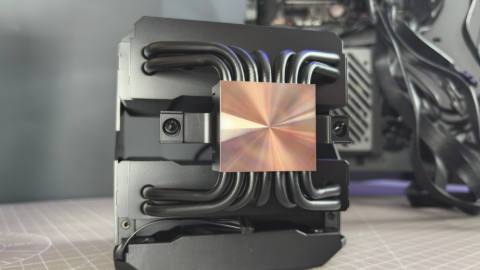
The Dark Rock Pro 6 and Dark Rock 6 are very capable air coolers. Both manage to keep a Core i7 14700K at a reasonable temperature under load. The Dark Rock 6 generally performs similarly to the Arctic Freezer 36, if at times even outperforming our pick for the best budget air cooler, except at higher power draw. Meanwhile, the Dark Rock Pro 6 performs very well compared to the rest, if only falling short of the mighty Thermalright Peerless Assassin.
Thermal performance
The chart below shows the delta over ambient, accounting for any fluctuations in ambient temperature between tests
Max ΔT
Avg ΔT
| Product | Value |
|---|---|
| Be Quiet! Dark Rock Pro 6 | 34 Max ΔT, 28 Avg ΔT |
| Be Quiet! Dark Rock 6 | 34 Max ΔT, 30 Avg ΔT |
| Be Quiet! Dark Rock 5 | 37 Max ΔT, 33 Avg ΔT |
| Arctic Freezer 36 | 34 Max ΔT, 31 Avg ΔT |
| Arctic Freezer 36-S A-RGB | 34 Max ΔT, 31 Avg ΔT |
| Thermalright Peerless Assassin 120 SE | 32 Max ΔT, 28 Avg ΔT |

They also both easily outperform the Dark Rock 5 (non-Pro) in my testing. That was, by far, the worst performer of the lot in my latest batch of testing, which shows just how significant a leap this new lineup has been by way of performance for Be Quiet.
Thermal performance
The chart below shows the CPU package temperature temperature as recorded in HWInfo
Max °C
Avg °C
| Product | Value |
|---|---|
| Be Quiet! Dark Rock Pro 6 | 54 Max °C, 48 Avg °C |
| Be Quiet! Dark Rock 6 | 54 Max °C, 50 Avg °C |
| Be Quiet! Dark Rock 5 | 58 Max °C, 54 Avg °C |
| Arctic Freezer 36 | 61 Max °C, 58 Avg °C |
| Arctic Freezer 36-S A-RGB | 57 Max °C, 54 Avg °C |
| Thermalright Peerless Assassin 120 SE | 54 Max °C, 50 Avg °C |
I test at a few different fixed voltages: 1.275 V, 1.325 V, and 1.4 V. This gives a decent idea of the sort of wattage each cooler can manage, which helps when sizing these up for use with other chips outside of Intel’s power-hungry 14th Gen. The top level, 1.4 V, is a bit of a torture test, and most air coolers struggle to keep a chip from thermal throttling.
Aesthetics
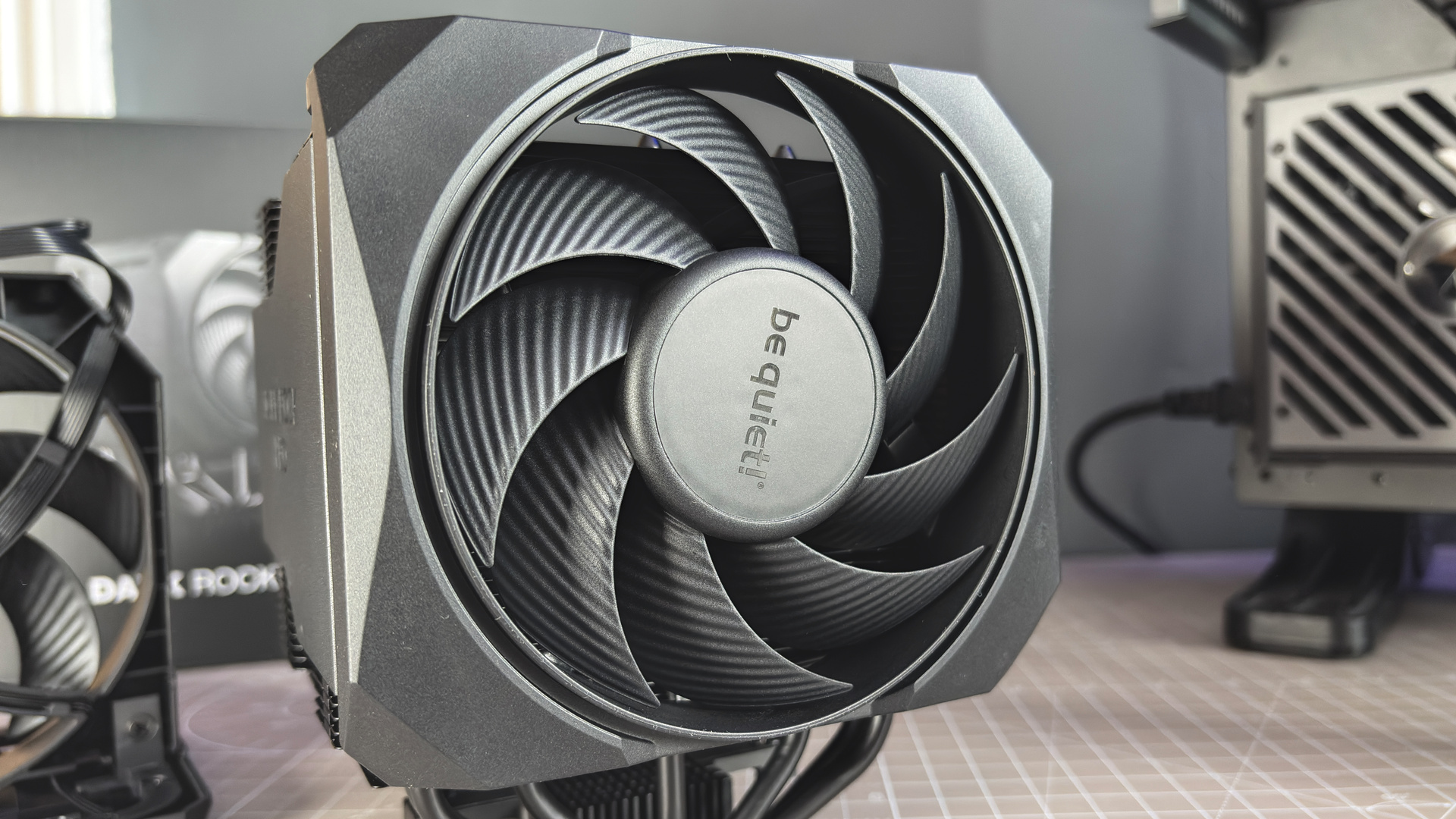
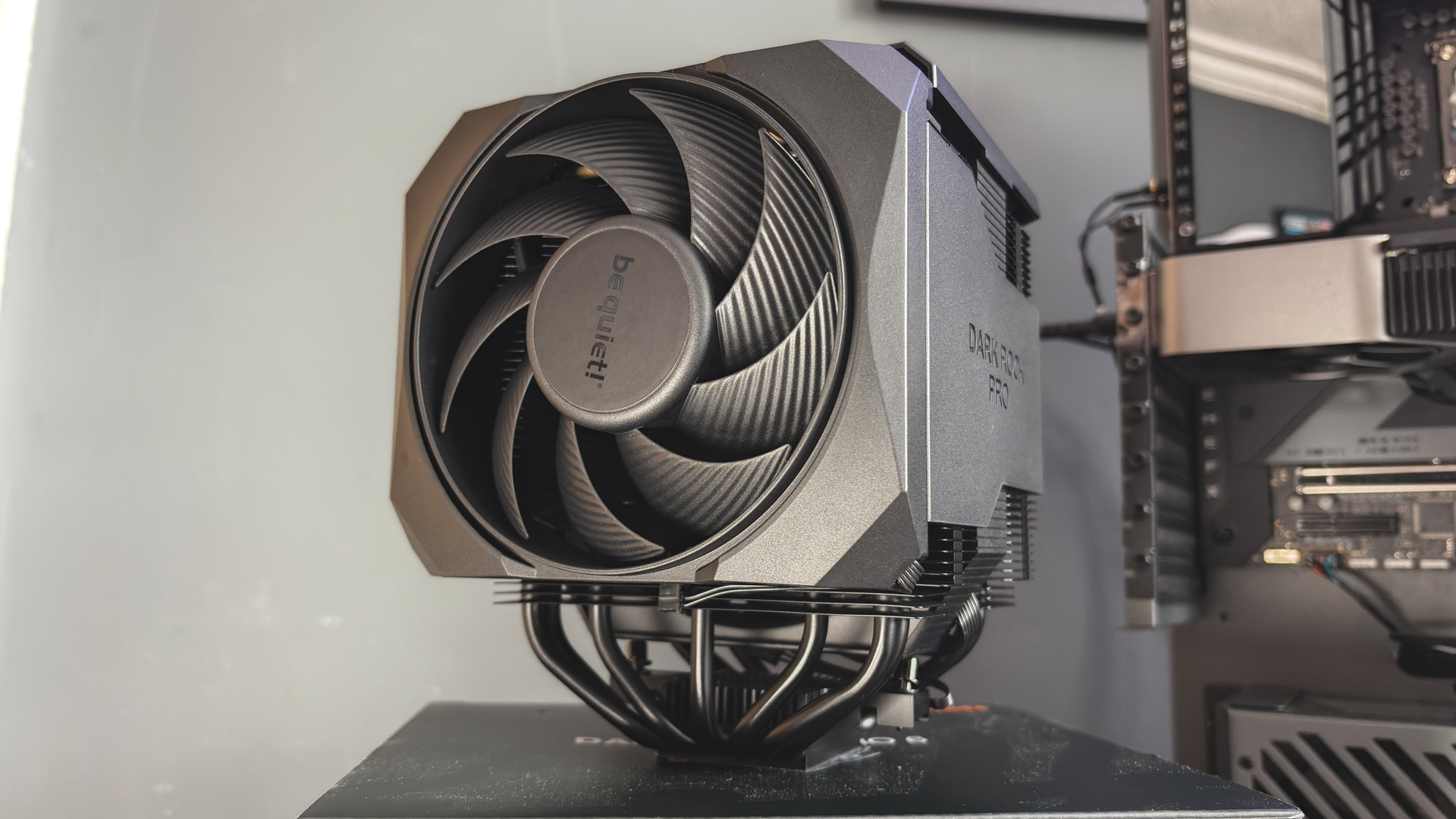
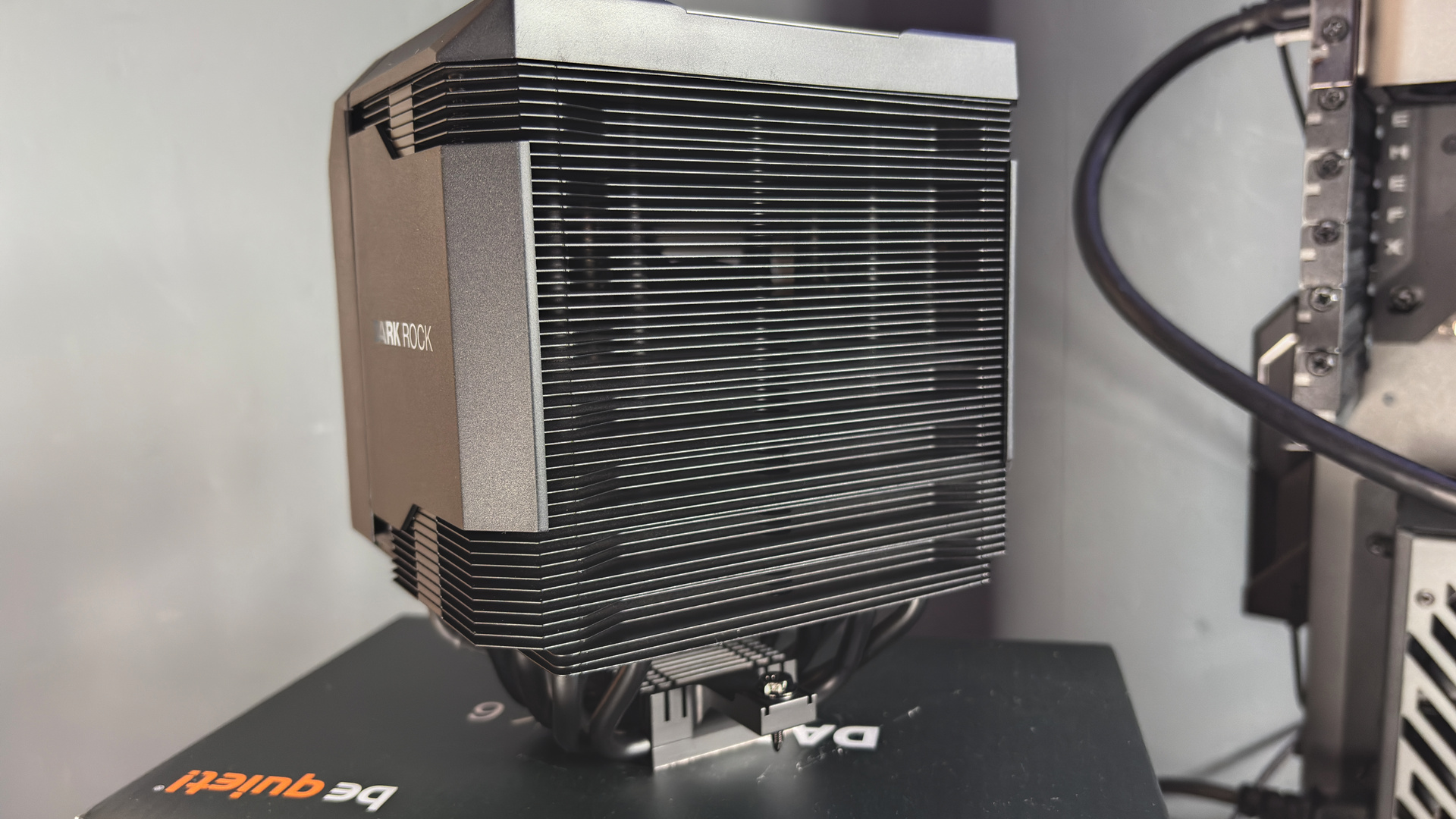
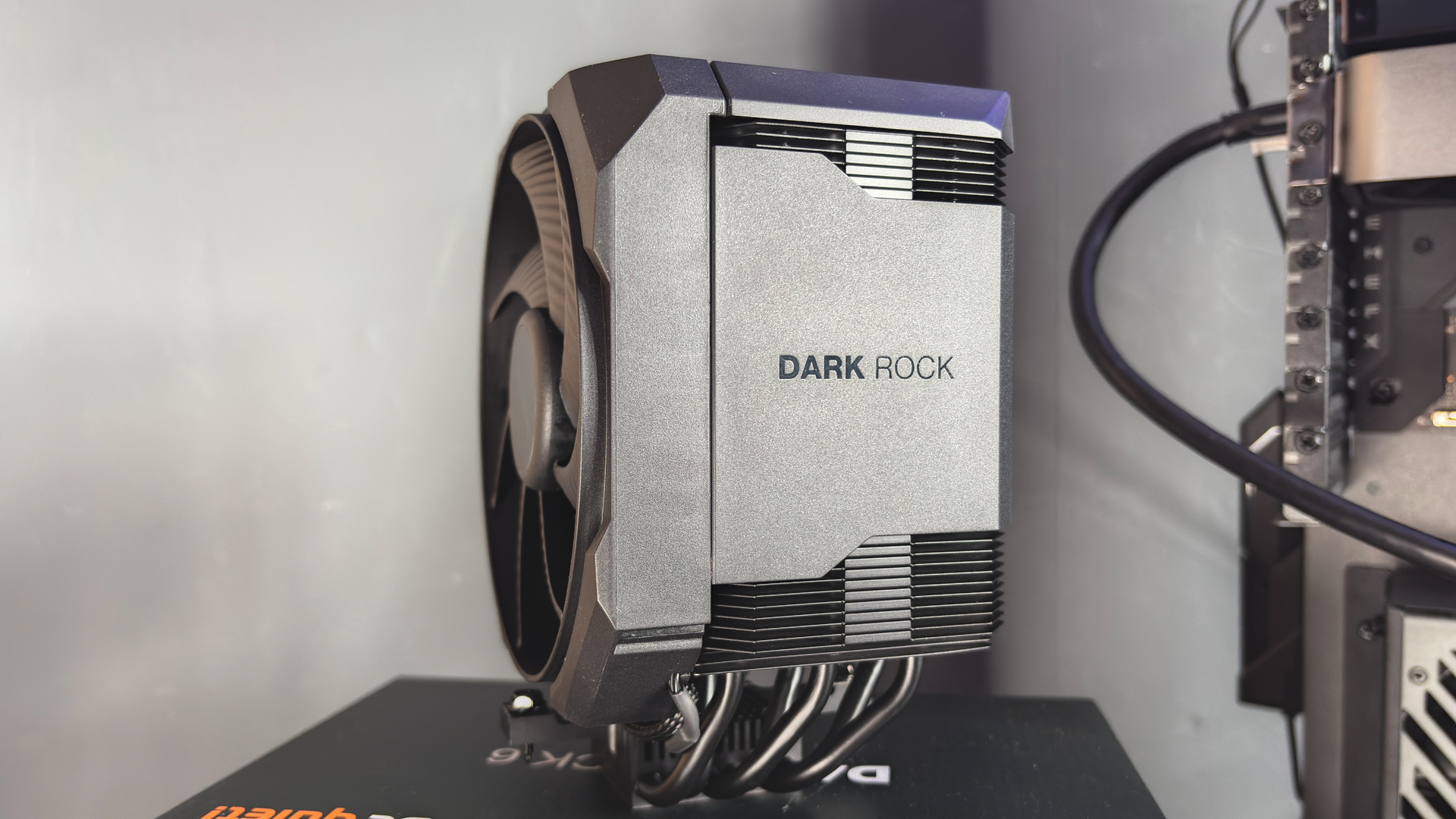
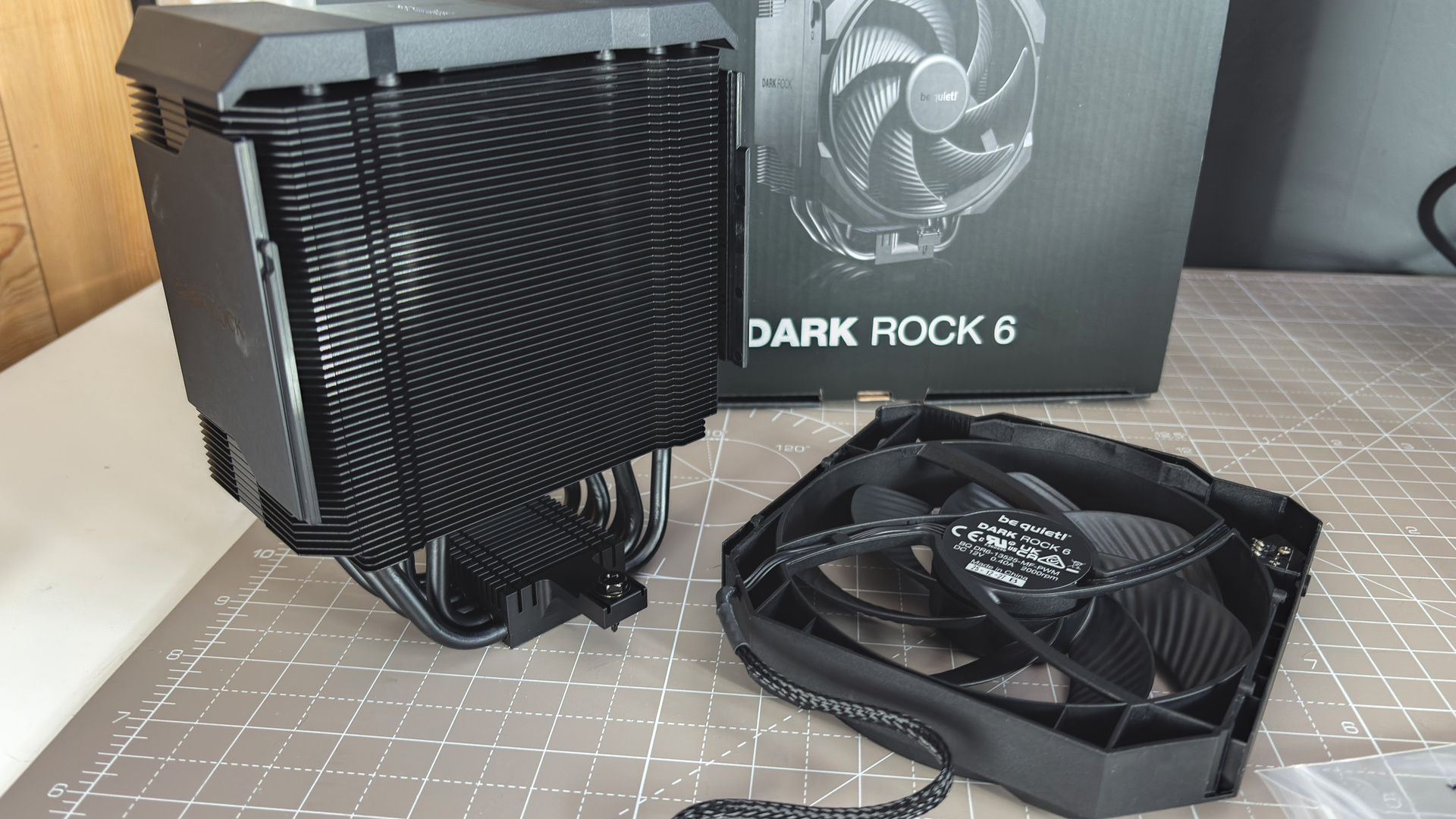
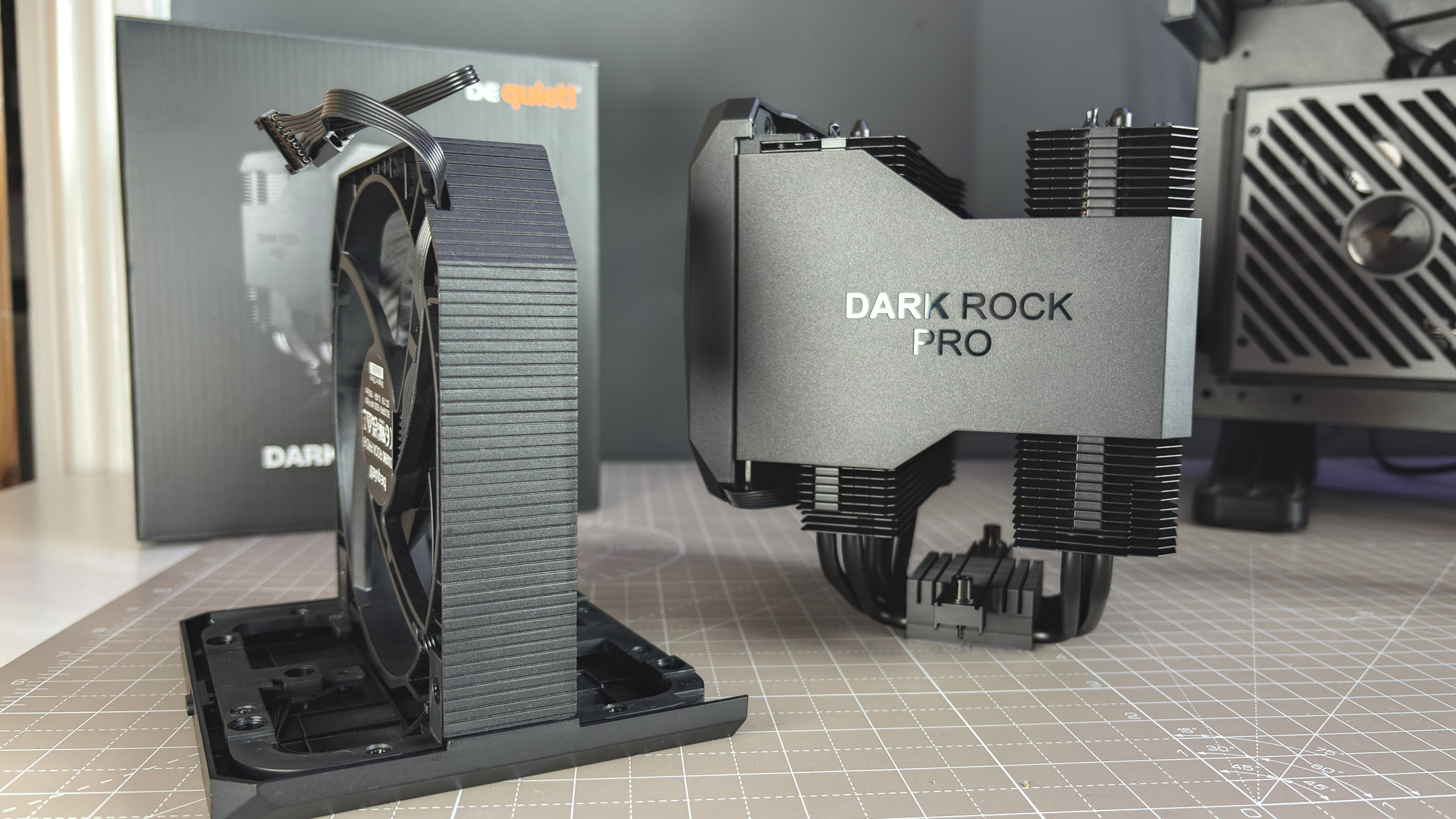
Both coolers look great. Be Quiet has always made a good-looking air cooler, but it has tweaked a few smaller details on its latest models to offer a cleaner appearance. They’re totally black, from head to toe, with only the small exception of the Be Quiet name etched onto a plate with a metallic finish—that’s a little bigger on the Dark Rock Pro 6 to cover the extra fan.
They’re much nicer units to look at than some of the cheaper units with bare aluminium on display. Similarly, with the fans totally covered, the newer models look a lot cleaner than their predecessors, which have one fan clear to see. So in terms of aesthetics, I think Be Quiet has made a marked improvement here with both models, even if the Pro is a bit of a lump.
Installation
Upon unboxing the Dark Rock 6, I noticed its packaging is entirely made of cardboard, an improvement over the foam previously used on the Dark Rock 5. Inside the cardboard accessories box are two mounting options: one for AMD, which covers AM5/AM4; and one for Intel, which covers LGA 1851/1700/1200/1150/1151/1155.
Be Quiet! also includes an extra long screwdriver in the box, as it has done with previous models, which comes in handy for what comes next.
Installation on Intel systems requires attaching four screws to the corners of the rear plate, held in place with small O-rings. That’s the fiddly bit; the rest of the process is less so. Four thumbscrews affix to the threads on the rear plate, holding both sides to the motherboard. Onto this fit two metal brackets—being careful to note the correct orientation—held in place by four additional screws. The cooler has two more captive screws that line up with holes on the bracket, and the cooler can be tightened into place.
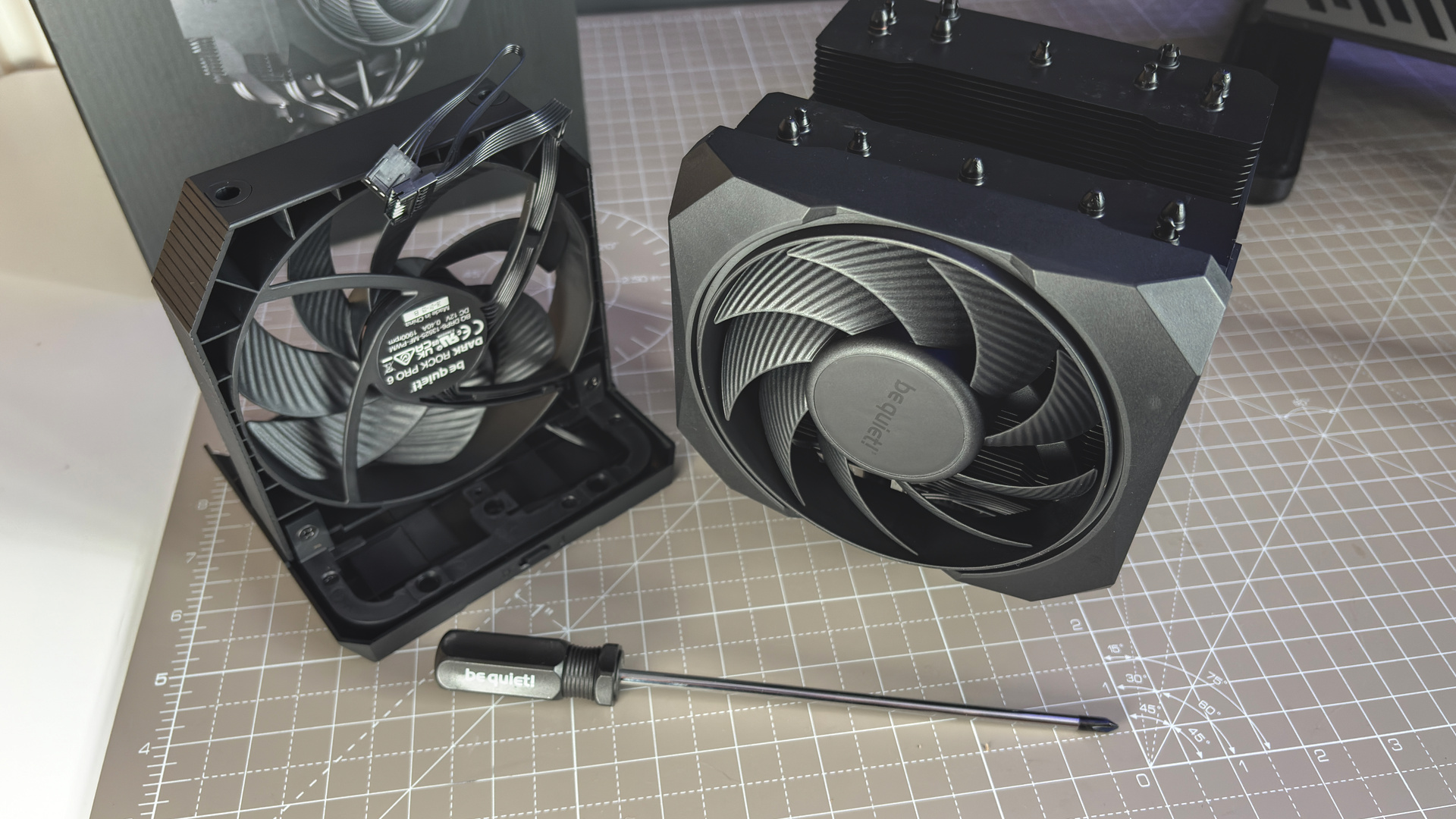
Installation on AMD systems is a little more straightforward. Remove the bracket included on most motherboards, replace it with the metal brackets included with the Dark Rock 6, then screw it all down with the two screws on the cooler.
Don’t forget thermal paste—luckily, there’s some in the box.
The whole process is more or less a match for the Dark Rock 5. The only major difference is the fan, which instead of using metal clips as per the Dark Rock 5, slides into place on the Dark Rock 6. It can also be adjusted to make room for RAM, though that’s not really an issue on the Dark Rock 6, as it doesn’t extend above the RAM anyway. The only downside with this sorta approach is that you can’t just replace the fan with a third-party model without jury-rigging it—sometimes simplest is best.
Sound
In my testing with a TopTes TS-501B sound meter sat at 40 cm away from my open test bench, both the Be Quiet models performed reasonably well compared to the others that I’ve tested in the same setup. They’re not the quietest by any measure—that still goes to the Freezer 36 using the older P12 fan—nor do they massively outperform the Dark Rock 5.
Noise levels
Fan noise | 40 cm away
@100% (dBA)
Noise floor (dBA)
| Product | Value |
|---|---|
| Be Quiet! Dark Rock Pro 6 | 48 @100% (dBA), 35 Noise floor (dBA) |
| Be Quiet! Dark Rock 6 | 49 @100% (dBA), 35 Noise floor (dBA) |
| Be Quiet! Dark Rock 5 | 49 @100% (dBA), 35 Noise floor (dBA) |
| Arctic Freezer 36 | 40 @100% (dBA), 35 Noise floor (dBA) |
| Arctic Freezer 36-S A-RGB | 47 @100% (dBA), 35 Noise floor (dBA) |
| Thermalright Peerless Assassin 120 SE | 50 @100% (dBA), 35 Noise floor (dBA) |
Though it should be said that no air cooler I’ve tested makes much of a ruckus compared to a large liquid cooler.
Value
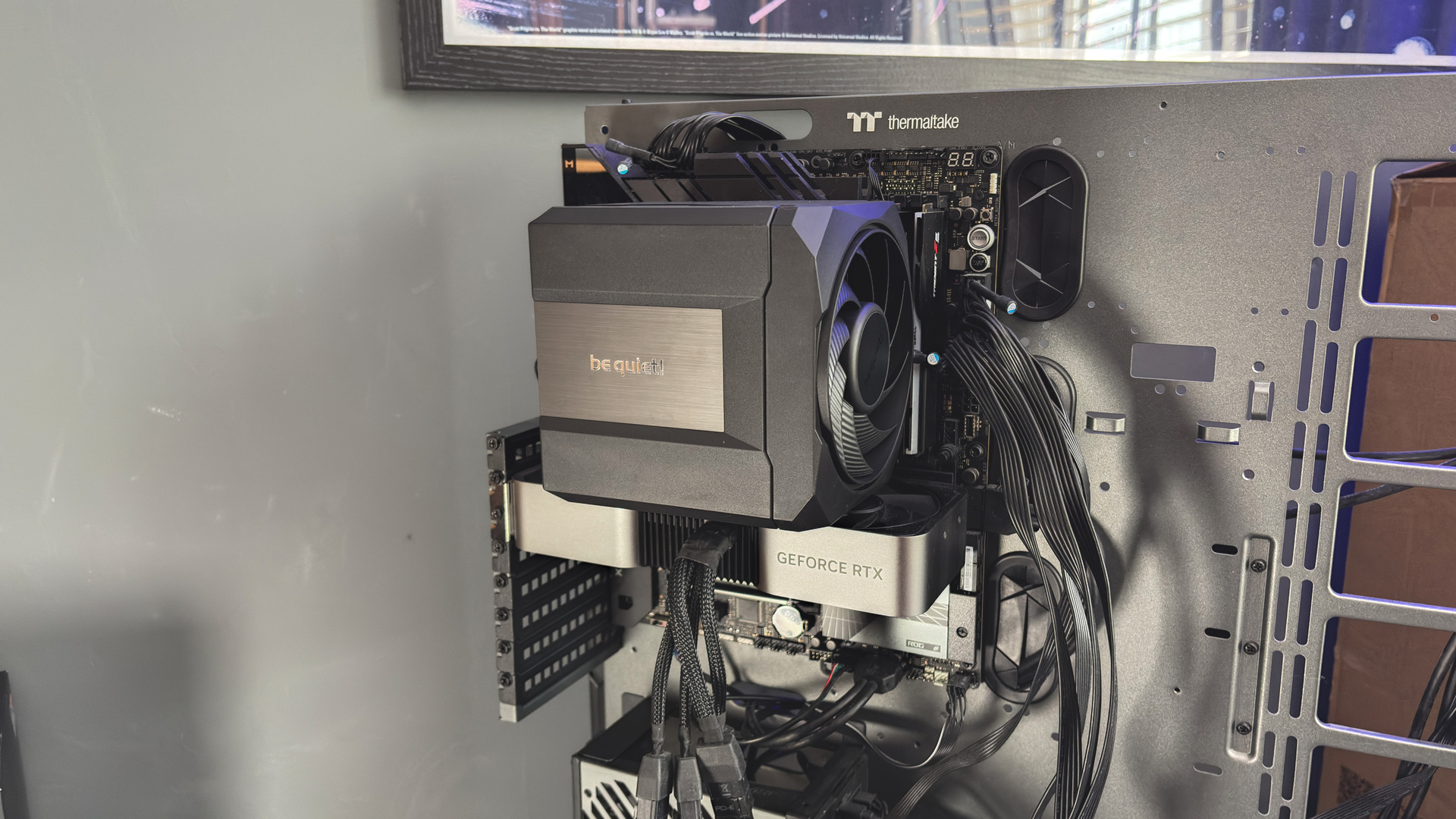
The Dark Rock 6 costs $110. It’s a little cheaper than the Dark Rock Pro 6, which includes two fans, at $130, but nevertheless that’s a high price in today’s market. The Thermalright Peerless Assassin is a fraction of the cost at $40, as are the Arctic Freezer 36 and Freezer 36-S, and all very capable coolers in their own right, as my tests show.
In terms of the Dark Rock 6, there’s often only a couple of degrees between the Pro and standard models in testing, if anything. The dual fans are a benefit not enjoyed by the standard model, which will help keep temps down without needing a super aggressive fan curve. Beyond that, the standard model appears the better buy. Though I find it hard to justify either option versus a cheaper cooler—most of all the Thermalright Peerless Assassin.
Ultimately, it comes down to the cost/benefit of an air cooler. Even as someone who will happily eschew liquid for air in my own build, the draw for many will be cost, size, and compatibility. The Dark Rock 6 doesn’t offer much by way of affordability—costing more than a couple of the best liquid coolers—and it’s not much of a fit for an awkward-sized Mini-ITX or unusual Micro-ATX chassis. As such, I struggle to see where it fits in the market.
Both of the new Dark Rock 6 models are better than the older Dark Rock 5, and by some margin, but for considerably more money. The Dark Rock Pro 5 is $85 and the Dark Rock 5 is $65 (noted as expensive in our review), making for an increase of 52% and 69%, respectively, for the latest series.
About Author