
Steam is adding a feature to add hardware specs to Steam reviews. This should make it easier to find reviews with similar rigs to your own, or parse when performance complaints are actually on the reviewer.
As shared in the most recent Steam client beta patch notes, Valve has “Added the option to attach hardware specs when writing or updating a Steam User Review on a game’s store page.”
This new option should make it much easier to guess why one may be having performance issues, or to estimate how your rig should perform relative to others. Naturally, it will only give users the option, and reviewers could still choose not to share their specs. Steam also doesn’t share how (or if) it will be verifying those hardware specs. Though, presumably, the best way will be to search your system specs the same way it does for the Hardware Survey.
Any user can add their specs in their Steam review right now by just adding it to the text of the review, but this addition seems to be about a specific space in reviews to add hardware. This should help users navigate reviews in a similar way to the ‘product received for free’ disclaimer or the number of play hours. I have joined the Steam client beta, but haven’t yet been given this option.
This is not the only beta addition that is helpful to us hardware geeks. Users will be able to add “anonymised frame rate data” that “will help us learn about game compatibility and improve Steam. This feature is currently in Beta with a focus on devices running SteamOS.”
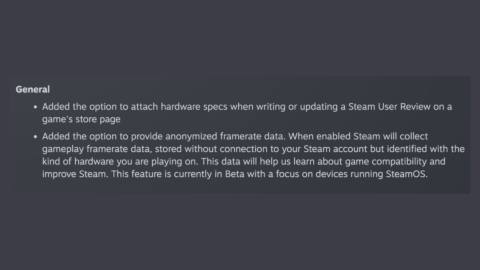
If you choose to enable the feature, Steam will collect the frame rate data, without connecting it to your Steam account and will pair it with your hardware when collected. The focus on SteamOS is an interesting nod, especially as we approach the launch of the Steam Machine this year.
Naturally, with these being in the Steam client beta, you will need to join the beta to see them as they roll out. You can join it by going into ‘settings’, then ‘interface’, and ‘Client Beta Participation’. From here, you should be able to join ‘Steam Beta Update’. You will be prompted to restart, which will then give you access to the beta.
The hardware specs addition has the potential to add to the quality of users’ reviews going forward, so it gets a thumbs up from me. That is assuming users actually use it.
About Author