
The Logitech G Pro X2 Superstrike has me the most excited that I’ve been over a gaming mouse since the launch of the original Logitech G Pro X Superlight back in 2020. The Superlight offered something new by shaving down its weight into ‘ultralight’ territory while retaining a solid shell. That was a genuine leap forward for competitive gaming. Now, it feels like we’re at another one of those stages where there can be a real leap forwards, and it’s once again being given to us by a Superligh– sorry, a Superstrike.
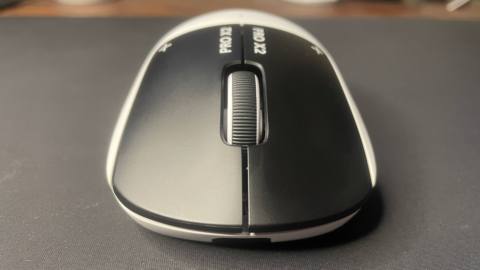
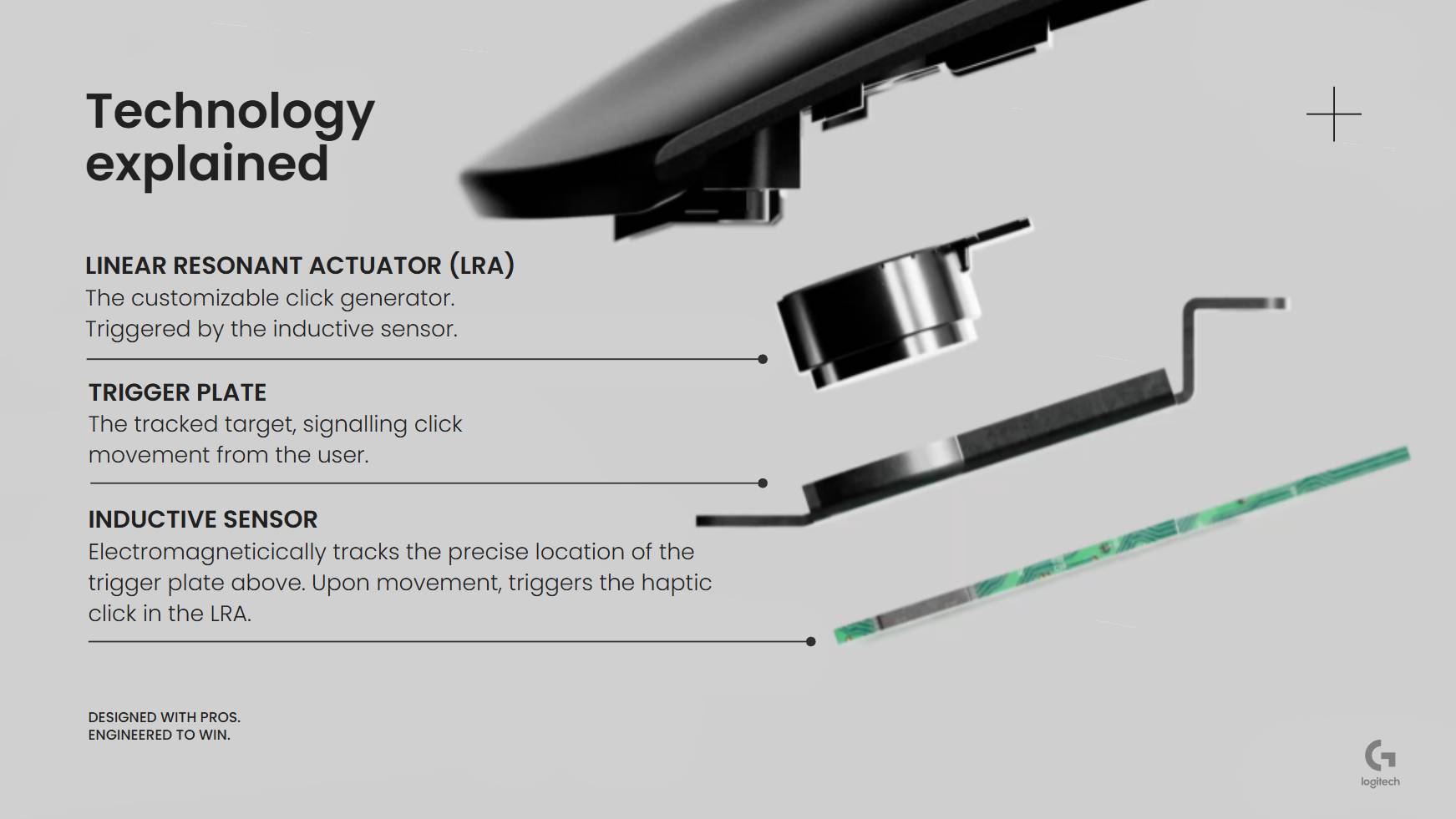
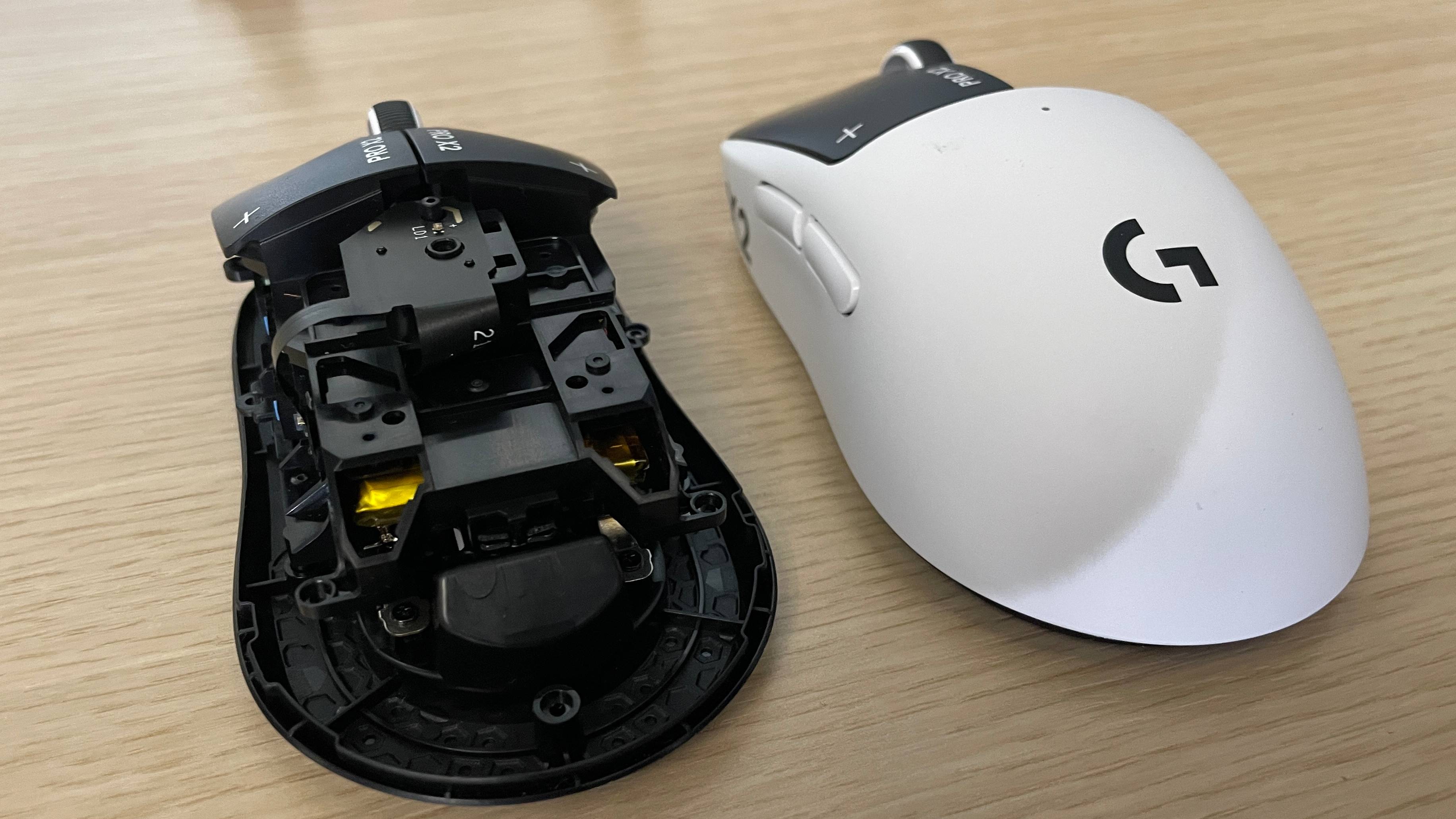
They’re easy to confuse at a glance because the bulk of the Superstrike is identical to the previous Pro X Superlight 2, except for one crucial area: the switches. The Superstrike doesn’t have your regular mechanical or optical switches, rather it uses what Logitech is calling a Haptic Inductive Trigger System (HITS), ie, a mix of inductive sensing for input and haptic feedback for the click sensation.
The simple way to think about this is that it’s similar to Hall effect technology in gaming keyboards, allowing adjustable actuation and rapid trigger thanks to analogue input. Which is a big deal, because no gaming mouse has had this before. Before you say it, no, not even the Swiftpoint Z series, as that uses a mechanical click and pressure pads rather than inductive magnetism.
In practice, this means you can set the actuation of the Superstrike’s left and right clicks wherever you like, choosing between 10 subdivisions of the full 0.65 mm button travel distance. The main benefit to this is that you can set the clicks to register with a very light actuation force—on level one or two in the software, for instance—which means you can click and shoot with a very light touch.
Buttons: 5
Connectivity: Lightspeed Wireless 2.4 GHz / Wired USB-C / PowerPlay
Sensor: Hero 2
Switches: Haptic Inductive Trigger System
Feet: PTFE (curved edges)
Max DPI: 44,000
Weight: 59–61 g (depending on puck)
Max acceleration: 88 G
Max speed: 888 IPS
Polling rate: Up to 8,000 Hz (wireless) / 1,000 (wired)
Battery life: 90 hr at 1 kHz playing shooters
RGB lighting: None
Included extras: Dongle, extender, USB A-to-C cable, grip stickers, puck with skates, cleaning cloth
Price: $180 / £160
The idea is to reduce the time between having your crosshair on your enemy and seeing that muzzle flash, giving you a competitive advantage. You can also enable rapid trigger, which allows you to click again as soon as you start lifting up from your previous click, rather than having to wait until the mouse button goes back up past a certain midway point.
I’m sure there will be some who suspect all this to be an unnecessary gimmick, but I’m also sure there were some who thought the same of Hall effect technology when that came to gaming keyboards—and just look at the keyboard market now.
After spending many hours testing it in Counter-Strike and other games, the Pro X2 Superstrike’s HITS technology has me convinced. It can be a real boon to competitive gaming performance.
I’ve never enjoyed clicking a mouse as much as I do with this one. So much so that I’m finding myself clicking and highlighting sentences at random while writing this review, treating it as a veritable fidget spinner for my insatiable fingers, battery life be damned.
It just feels so quick. Logitech says most of the pro gamers who have tested this mouse put it straight at the lowest level of actuation and leave it there, and I can see why. I’ve done exactly the same, and I don’t think I’ll go back to anything else now.
I have gone back to other mice that I like just to see how they compare, and while there are things one might prefer about these, such as lighter weights and different shapes, the snappy click response of the Superstrike feels way better than any other click I’ve used. It almost feels like I simply have to think ‘shoot’ and my mouse shoots, making it more of an extension of my body than any other mouse I’ve tried.
I haven’t found myself accidentally clicking other than once in a blue moon, either, and that’s at the lowest actuation level. If I did, I could just raise the actuation level slightly.
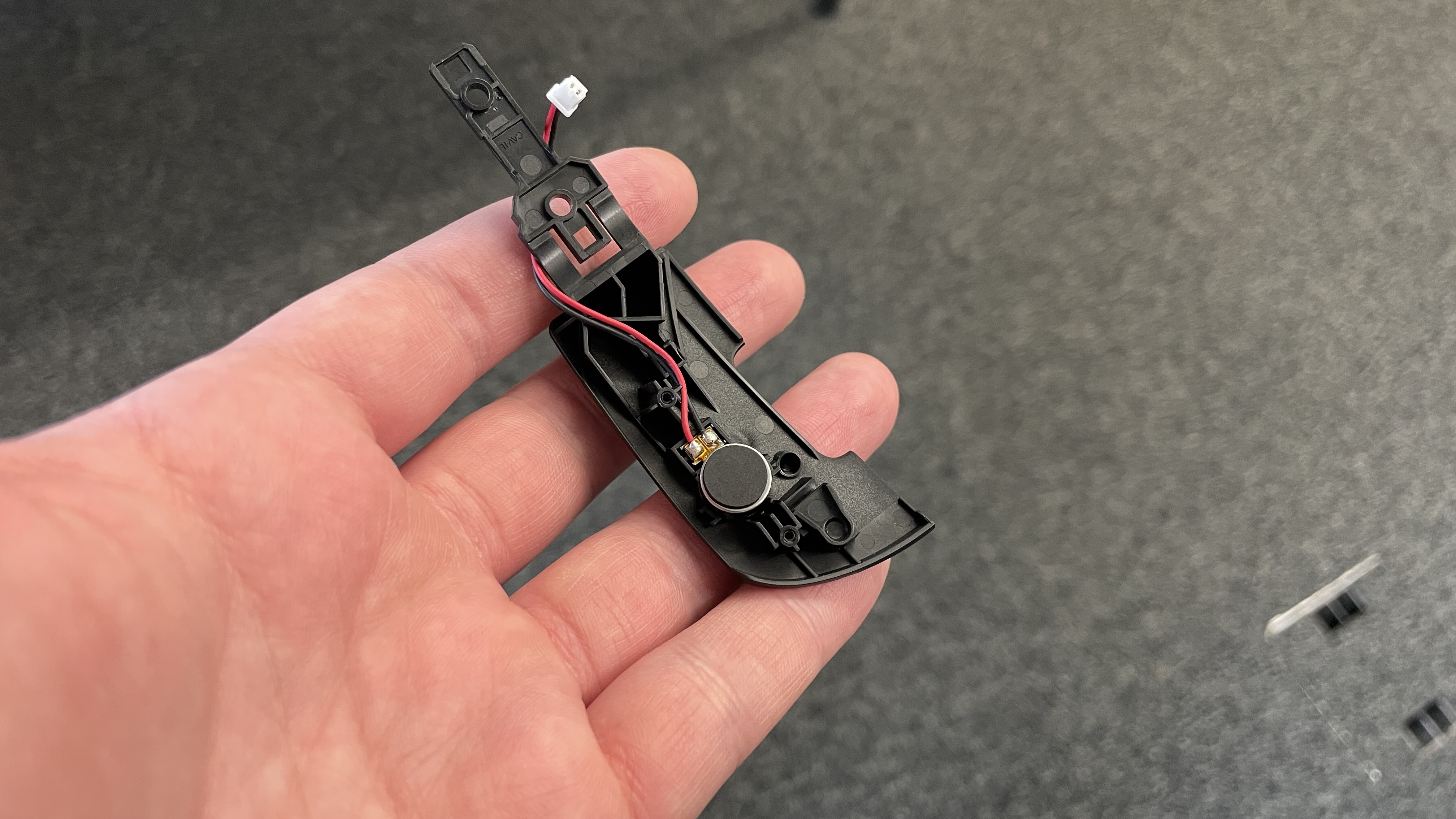
All this would be hampered by poor haptics, but thankfully Logitech’s solution here feels fantastic. The small linear resonance actuators underneath LMB and RMB have been adjusted to mimic a mouse click, and while it’s not identical to what you might be used to, to my fingers at least, it doesn’t feel so much like a buzz as it does an actual click. At least, that’s how my brain seems to interpret it when I’m not focusing hard on the sensation.
After just a day or two using the mouse, I found myself preferring the sound and feel of these ‘clicks’ to a standard, sharp, traditional mechanical or optical-mechanical click. The strength of the haptic vibrations can be controlled in the software, too, and while I started on level two or three, I’ve now reduced this to the first level, for just a light buzz. This should help with battery life, and it’s also the quietest.
This quietness is something I should take a moment to highlight, actually. If you enjoy the muted thunk of Topre keyboard switches, or similar quieter switches, I reckon you’ll like the minimal sound of these clicks. They feel tactile enough, but they’re nowhere near as audible as most normal mouse clicks.
Though you might be surprised to read, in my testing so far, I haven’t found it to significantly improve my AimLab scores or CS2 headshot percentages.
That’s to be expected, though, as I’m not a pro gamer who was already making the absolute most of his standard clicks. The extra performance ceiling this technology opens up isn’t actually affecting my scores yet. Which isn’t to say it won’t in future; indeed I hope it will as my aim improves and I get even more comfortable with the mouse.
At any rate, there’s less of a hard physical cap to my reaction times using this, so the possibility is there. And that’s a possibility that I do feel in-game. While it might not have translated into improved scores just yet, each shot that I take feels so snappy it’s practically instantaneous—once I’ve actually lined up my crosshair, that is.
And therein lies a very important caveat that should not be understated: click latency is only one part of the aim-and-shoot process. It’s important to remember this when confronted by Logitech’s claims that this technology equalises pro and non-pro gamers in some way. The company says its testing shows that the difference in click latency between pros and non-pros decreases from 14 ms to just 3 ms when using the Superstrike compared to a standard mouse.
And while this might be true, don’t forget that the technology does little to help the time taken to recognise an enemy, flick your crosshair to them, micro-adjust to line up the headshot, and then make the decision to click. In other words, it might help during those final few milliseconds, but it won’t play your game for you.
Not that that diminishes the achievement of the technology here. As has probably come across by now, I’m incredibly impressed with it.
It’s even useful for non-FPS games like MOBAs or RTS games, if those are very click-happy games. I dusted off my decade-old Starcraft 2 skills (plat Protoss, baby) to test it out, and once I’d warmed up my muscle memory I found spam highlighting and clicking those worker probes and guiding my scout around the enemy base to be an absolute joy with this mouse.
In fact, the only scenarios where it might not be of much benefit is either in casual games where it doesn’t matter how fast you shoot or perform other actions, and games that are very tracking-heavy, where you’ll be holding down your clicks rather than repeatedly placing them and tapping or bursting. But even there, it certainly won’t hinder anything, and your initial shot will be able to connect quicker.
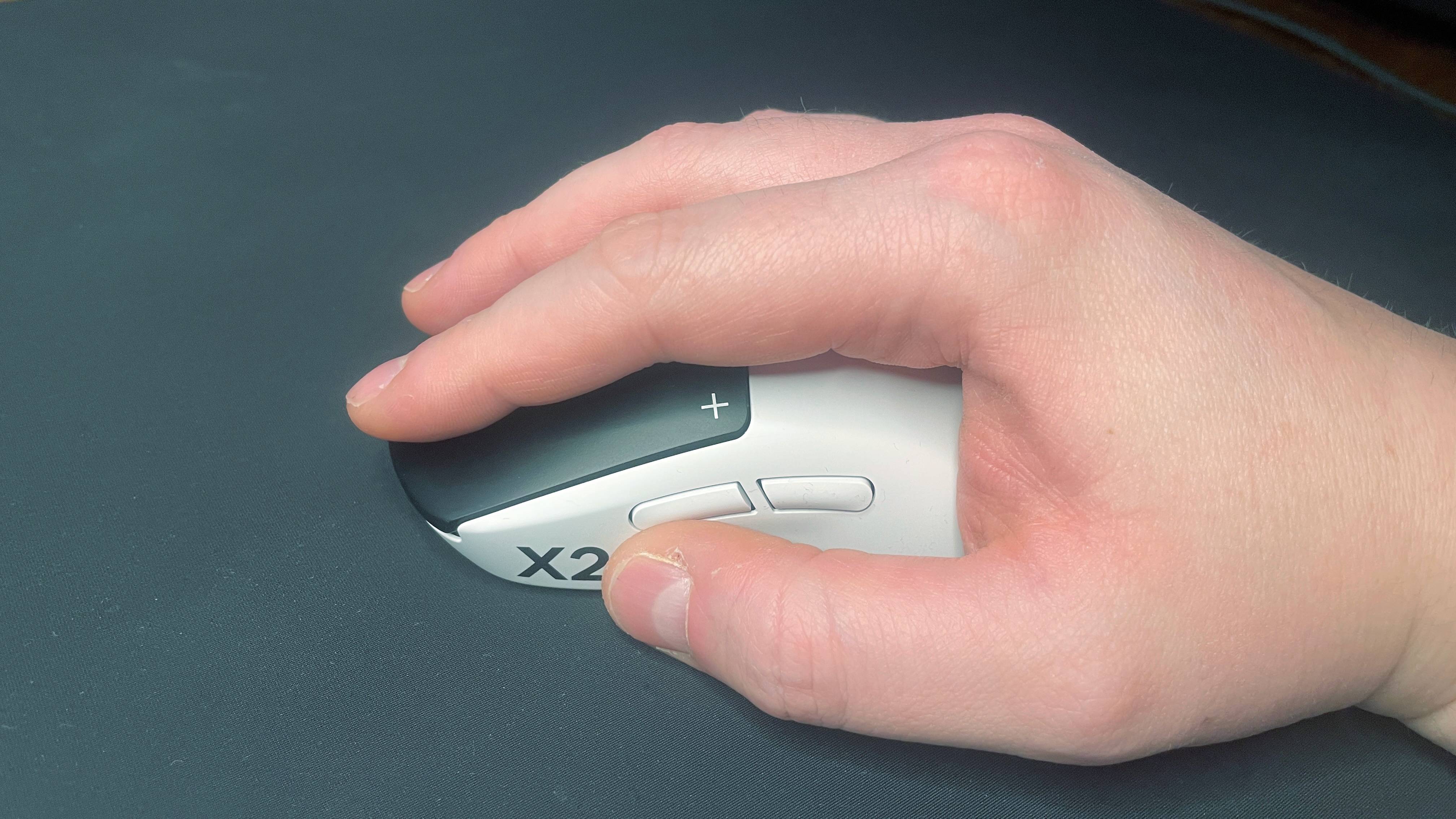
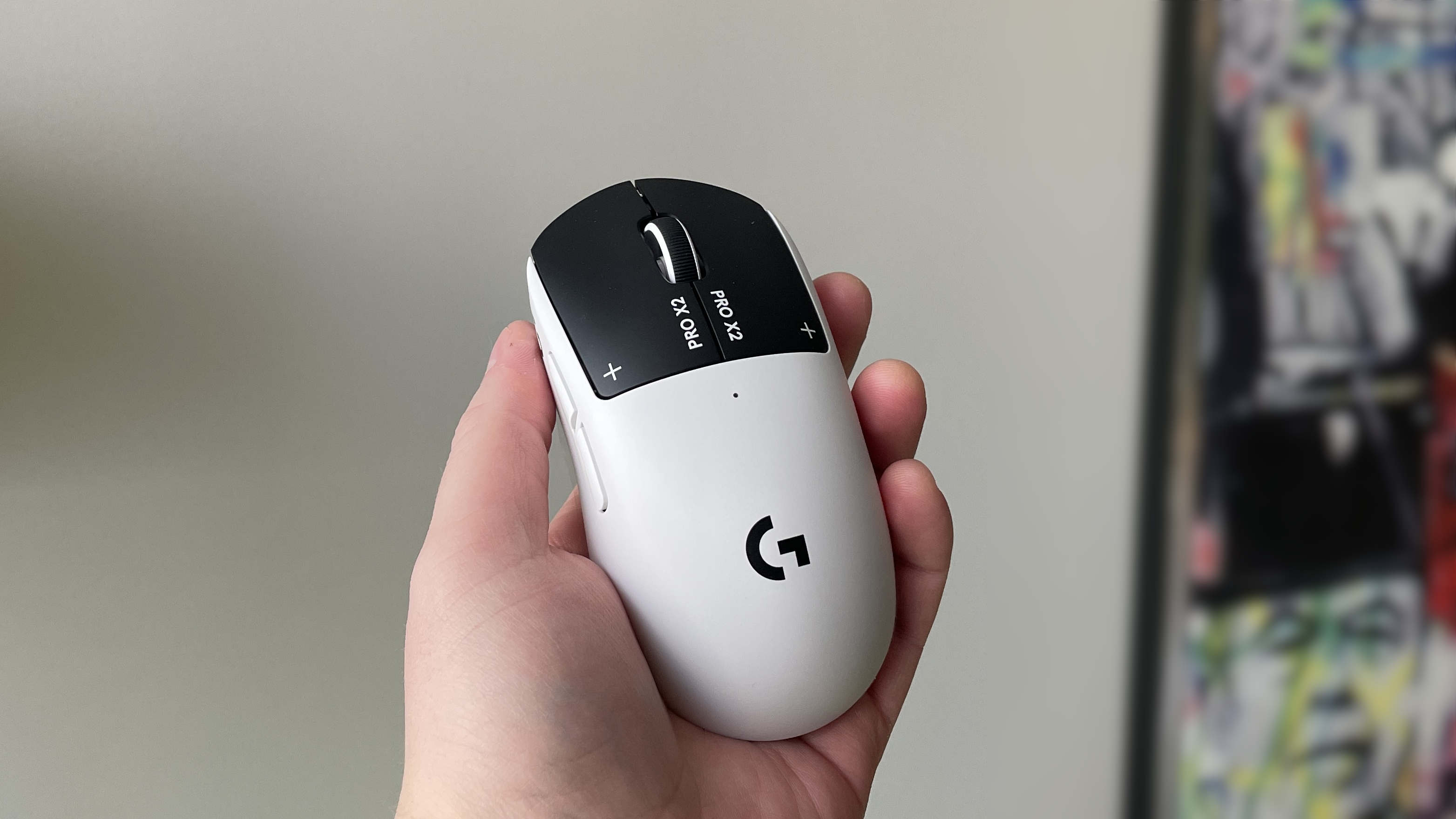
The rest of your mouse is a standard Superlight 2 affair, from size to shape, feel, and even weight. Which is no bad thing, of course, given the Superlight is such a great mouse. The classic G Pro shape suits a bunch of different grip styles—anything but pure fingertip grip, really—making it a pretty safe choice if you’re not sure what shape mouse you prefer.
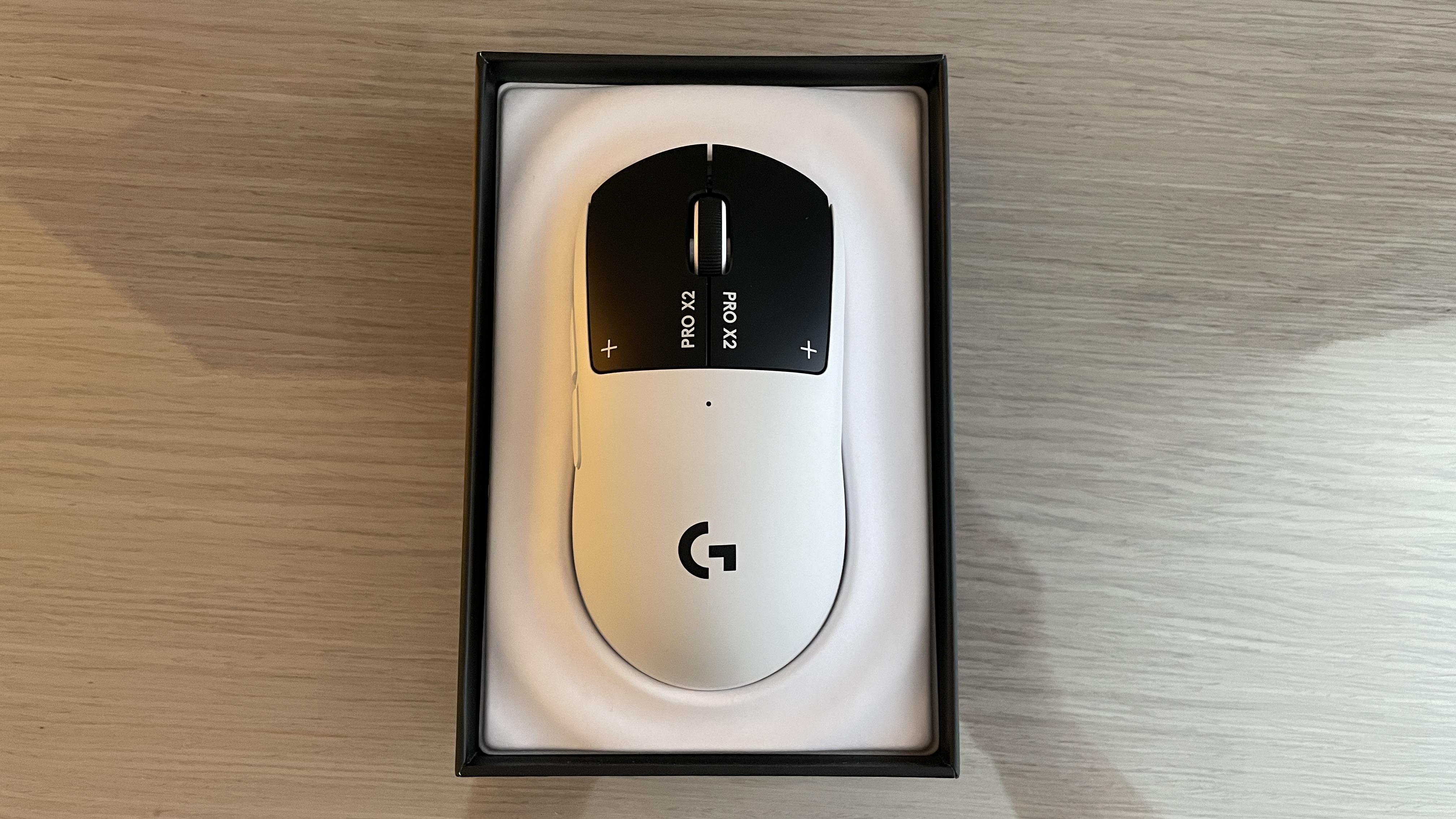
It’s got a gorgeous colour scheme. Its surface texture is slightly chalky, just like other premium mice these days such as Pulsar ones. If you have dry hands you might find it a little slippy to use, but it should be okay if your hands warm up a little, and if not then Logitech has included some sticker grip tape that you can put on to help. The scroll wheel also feels plenty responsive, and the side buttons are, well, nothing to write home about but definitely not mushy.
Its weight is the only area where there might be some contention. Over the past couple of years we’ve seen some big leaps in gaming mouse weight reduction, for instance with the 36 g Corsair Sabre V2 Pro, so the 59–61 g Superstrike does feel a little like a remnant of the previous ultralight era. It’s 61 g with the PTFE-clad puck fitted, 60 g with the plastic one, and 59 g without one fitted at all.
This is a little disappointing, but Logitech is cramming a whole bunch of new tech into here. There are additional new and presumably relatively heavy electrical components in there—the haptic motors, for starters—and with that in mind, the weight makes sense. It’s about the same weight as the previous Superlight, with about 90 hours of battery life at 1 kHz polling, assuming a number of clicks per second that matches standard FPS gaming.
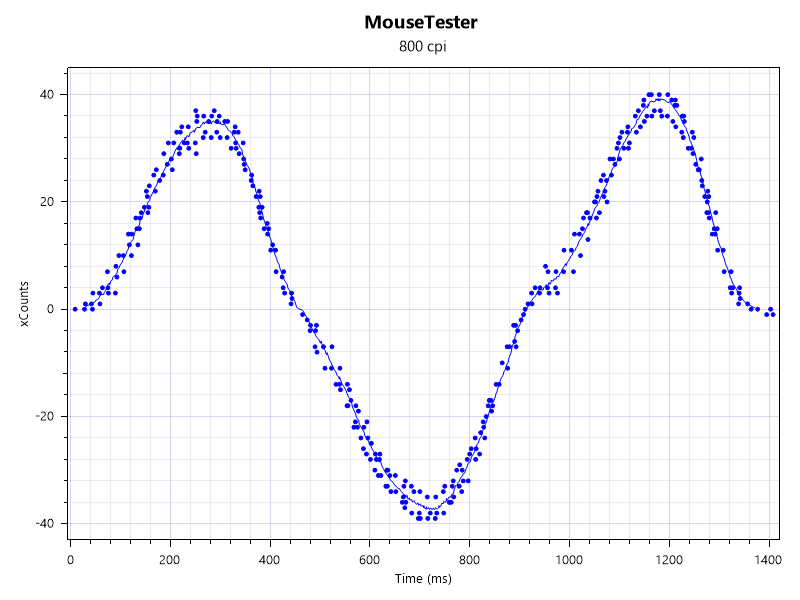
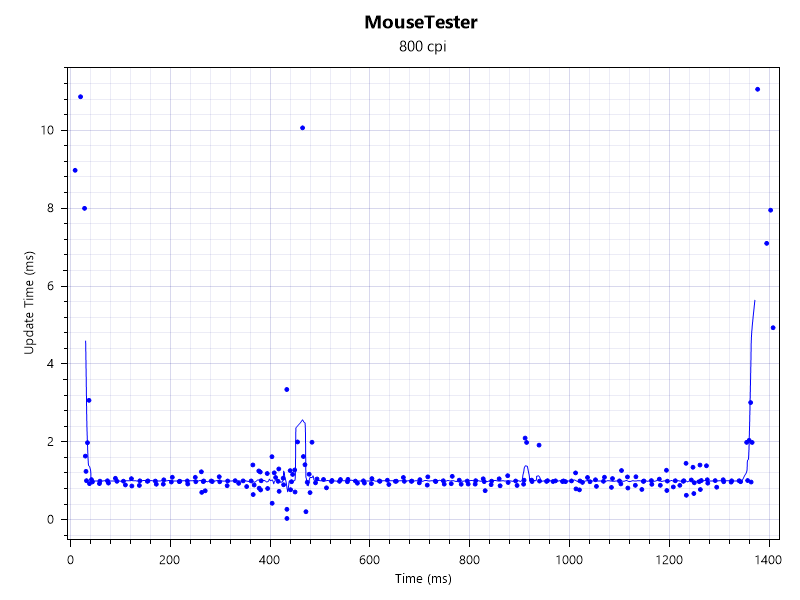
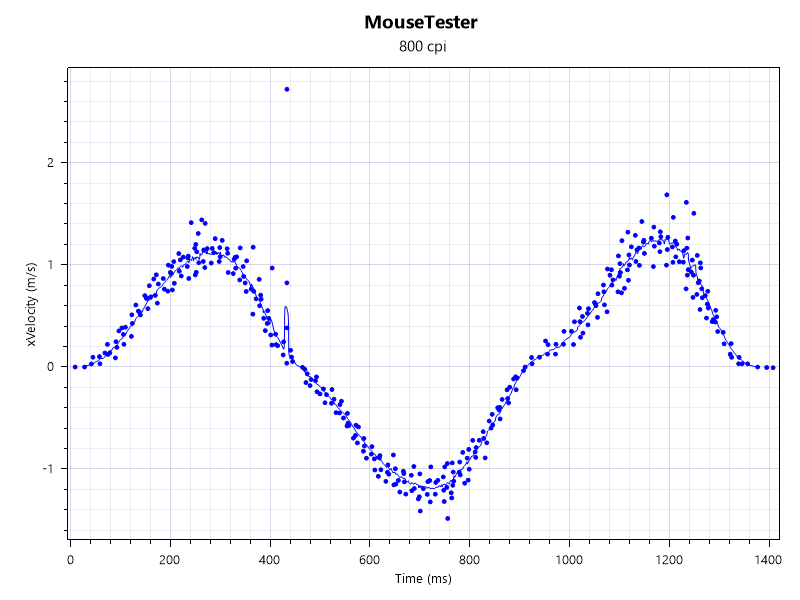
That battery life staying so high despite the new electronics is no doubt in part due to the energy-efficient Hero 2 sensor we’re familiar with. As we already know, this sensor performs well, and this bore out in my testing. MouseTester shows it’s slightly less reliable in its tracking than the Sabre V2 Pro, but honestly all these modern sensors are so close that they’re indistinguishable in practice. I’ve had zero problems with the Superstrike’s tracking.
The only real downside I’ve found to the Logitech G Pro X2 Superstrike doesn’t come from the mouse itself, rather its software. G Hub offers plenty—actuation, haptics, and rapid trigger adjustments, as well as different game profiles—but it doesn’t save anything to the mouse itself.
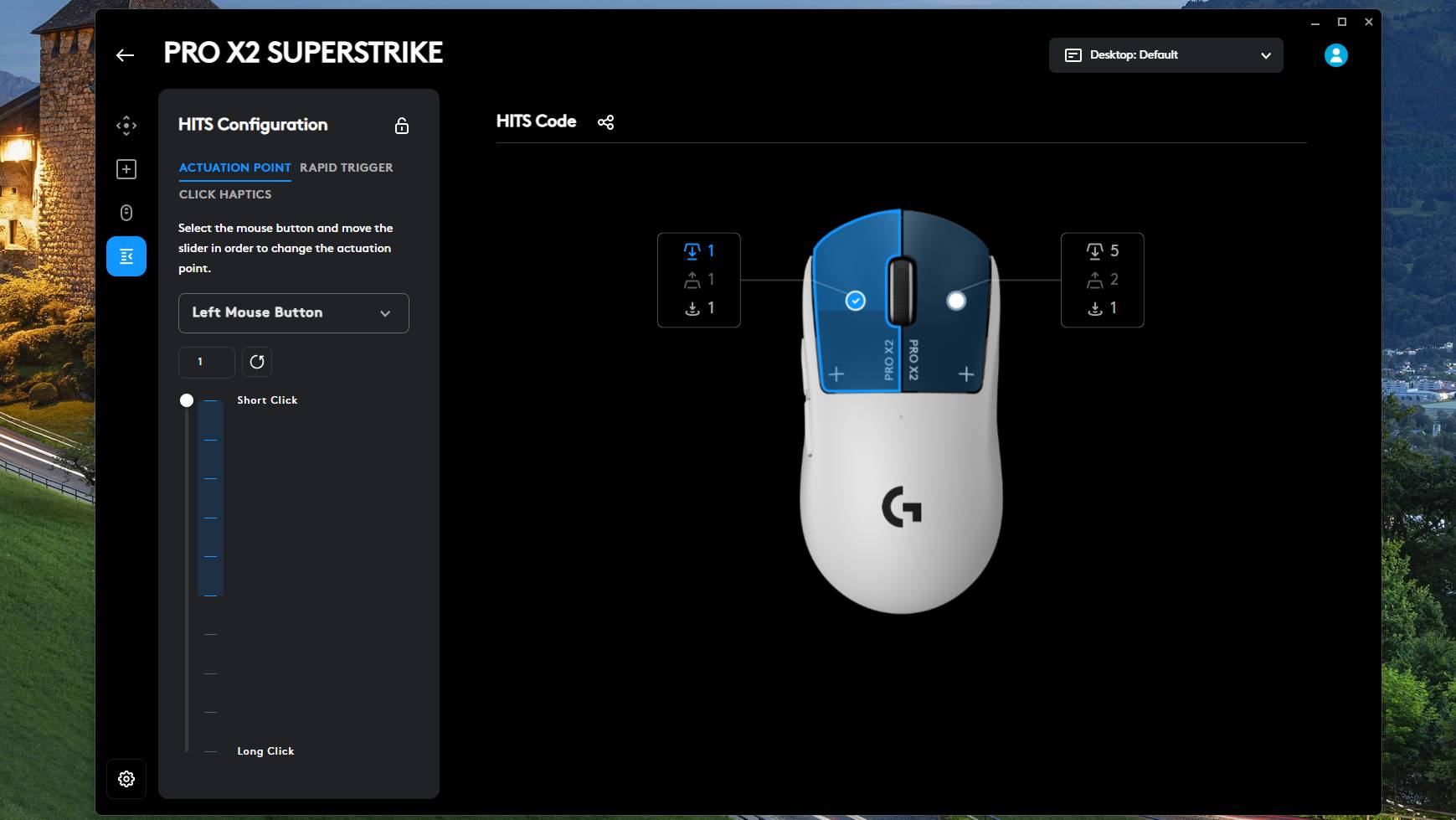
I tried turning off the haptics completely—a fun test, but not very practical for actual use—closing out the app, preventing it from starting at boot-up, and restarting my computer. The haptics booted right back up again, meaning the settings you choose don’t save to your mouse, and you need G Hub running to have your settings stick.
The lack of web-based software is a real downside these days. Doubly so is not being able to save settings changes to the mouse.
✅ You play competitive FPS, RTS, or MOBAs: The reduction in click latency offered here is real and it feels great. Games where you do less clicking and lots of tracking might not get so much out of it, but anything that requires speedy clicks should benefit.
❌ You use fingertip grip: As great as the new tech is, getting the right mouse shape is still more important. The Superstrike’s staple G Pro shape suits claw, relaxed claw, and palm grip, but there will be better options for fingertip grippers.
Still, I can’t hold it against the mouse too much. It’s a bleeding-edge product that’s delivering something genuinely new to the esports and competitive gaming market. I’ll take having to keep G Hub running for that; it’s a worthy sacrifice. Even if it does cost, err, $180/£160. Again: it’s bleeding-edge and genuinely game-changing, so it tracks.
The only question still remaining is whether it’s worth using a mouse with this HITS tech over one that’s much lighter without HITS tech. I’ve tried both and although it’s not a perfectly clear victory, I do think I’ll stick with the Superstrike. Which is saying something, because I really love lightweight mice and was convinced I’d stick to the sub-45 g bracket until now. I feel the aim-and-shoot skill gains offered by low actuation and rapid trigger are probably greater than those offered by a 20 g reduction to an already low weight.
I suppose there is one additional question: How long will it be before other companies follow suit? We’ve already been told that the technology could be used in cheaper mice, so there could even be budget options to look forward to. Until then, though, I’ll be keeping my mitts on the Superstrike, AKA, the most exciting mouse of recent years.
About Author