
Security warnings and updates for PCs, their components, and the software they run are everyday occurrences. So much so that we never really give them much attention: We just download the patch and carry on as normal. However, Asus has warned that many of its Intel motherboards are vulnerable and can allow access to system memory, which is enough to make anyone sit up and pay attention.
Asus does point out on its security advisory page that although the problem is widespread and has a CVE rating of 7 (High severity), the vulnerability does require local access to the motherboard in order to gain access to the system RAM.
The problem relates to the IOMMU (Input-Output Memory Management Unit) and add-on PCIe devices. The former has all kinds of protection mechanisms for direct memory access (DMA) operations, but Asus doesn’t fully activate them on its Intel motherboards until just before the operating system is able to take over DMA protection duties.
In other words, between first booting up the motherboard and the OS managing DMA operations, there’s a window of opportunity for someone to use a PCIe device to gain access to system memory. That’s obviously not a good thing, hence Asus’ security advice and its subsequent BIOS updates.
It’s not just one or two motherboards that are affected by this vulnerability: any Asus motherboard that uses an Intel Z490, W480, B460, H410, Z590, B560, H510, Z690, B660, W680, Z790, B760, or W790 chipset will need a BIOS update. Basically, only its latest boards for Arrow Lake processors and its much older platforms are safe.
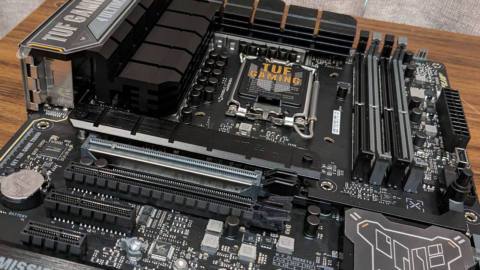
If you’re wondering why the problem exists in the first place, it’s to improve the level of compatibility between the motherboard and any PCIe device you care to install. Some will be a bit picky about DMA protections during the initial boot phase, so it will be interesting to know if such devices throw up any problems once the motherboard’s BIOS has been updated.
For maximum security, Asus recommends that you “download and update the BIOS to the specified version from the official website and, in the BIOS Setup Utility, configure the IOMMU DMA Protection setting to ‘Enable with Full Protection.’ And avoid using unknown add-on devices that have not obtained security certification.”
With so many Intel motherboards potentially at risk, there’s no guarantee that your board will already have a BIOS update to resolve the problem, so keep checking to see when the new firmware comes through. In the meantime, just don’t let anyone near your beloved gaming PC. Especially if they’ve got a dodgy-looking PCIe card that they want to test in your rig.
About Author