Fans, coolers, power supplies, graphics cards, and, from today, a case are officially available in Noctua trim. Great news for Noctua fans; less so those that think PCs should be bright and bold rather than brown and beige. Thankfully, I’m into the Noctua look.
The Antec Flux Pro Noctua Edition is the Austrian cooling company’s spin on an Antec staple. The Flux Pro was launched a year and a half ago and has been generally very well received; Noctua is changing a few key things with its version, though the fundamentals remain the same.
Here’s what’s new with the Flux Pro Noctua Edition:
- 4x NF-A14x25 G2 fans
- 2x NF-A12 G2x25 fans
- 1x NA-FH1 fan controller
- Noctua branding on the front/side/top
- Brown colourway
- Cute Noctua fan keyring
The whole package is priced at $400—not a cheap chassis, by any means. Though it does offer a saving compared to the total cost of purchasing each individual component separately: identical fans, controller and case, as sold separately today, would set you back $467.
The classic Antec Flux Pro includes six fans—Tranquil 140 and P12R reverse—in its $180 MSRP. If you just want the general look, including the same real walnut surround on the front panel, and without the much higher price tag, that’s your best bet.
Though there are also ample reasons to upgrade. I’ve previously tested the NF-A12x25 G2 and come away impressed by the high volume of airflow it produces throughout the RPM range—even at lower speeds. That’s important when you’re running fans on a curve, as most will be, as you can get away with lower speeds where others may not produce as good results. Lower speeds, less noise. When you’re bumping up to 140 mm fans, as offered here, those benefits are only improved upon by the slower speed of the larger fan.
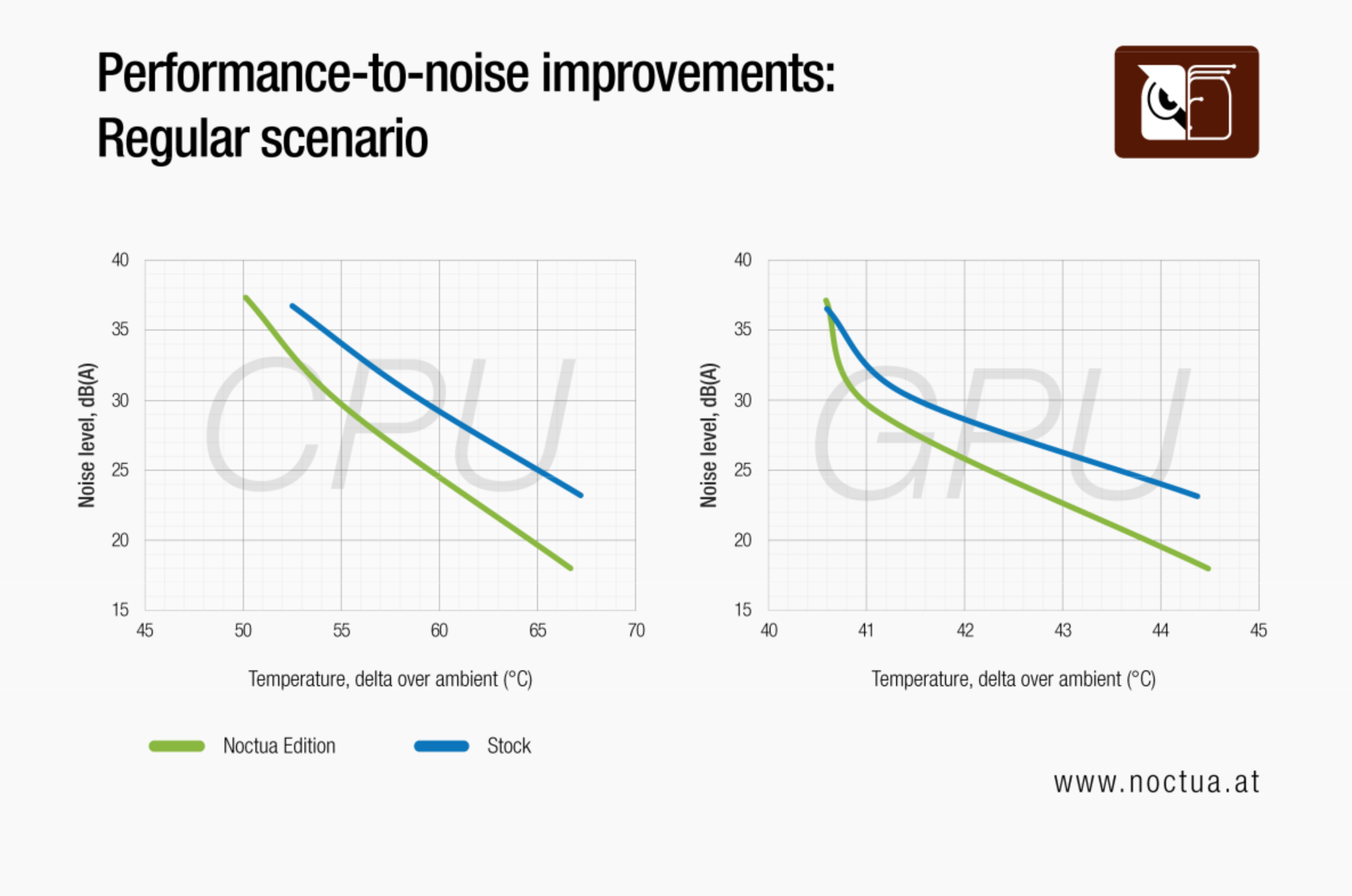
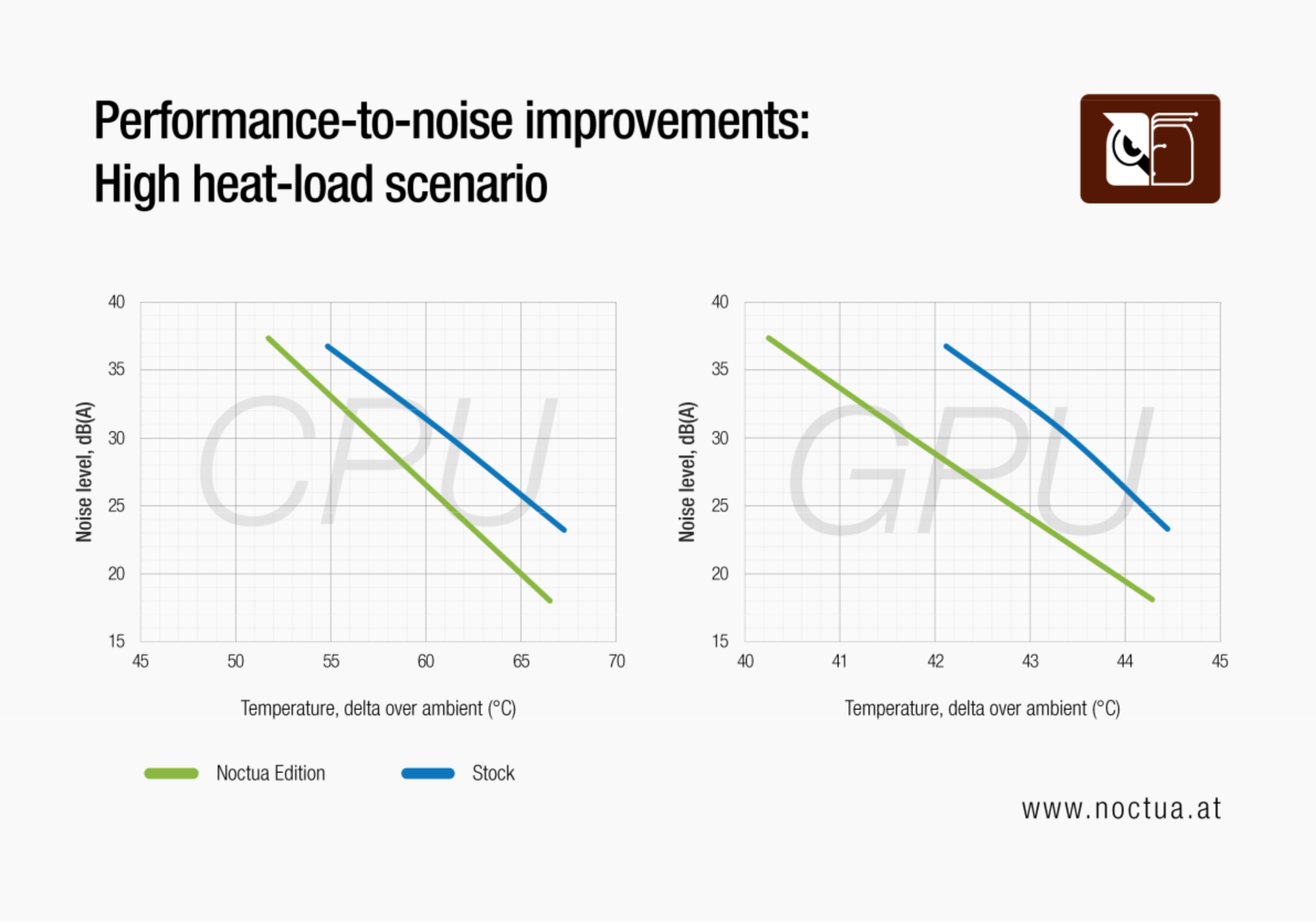
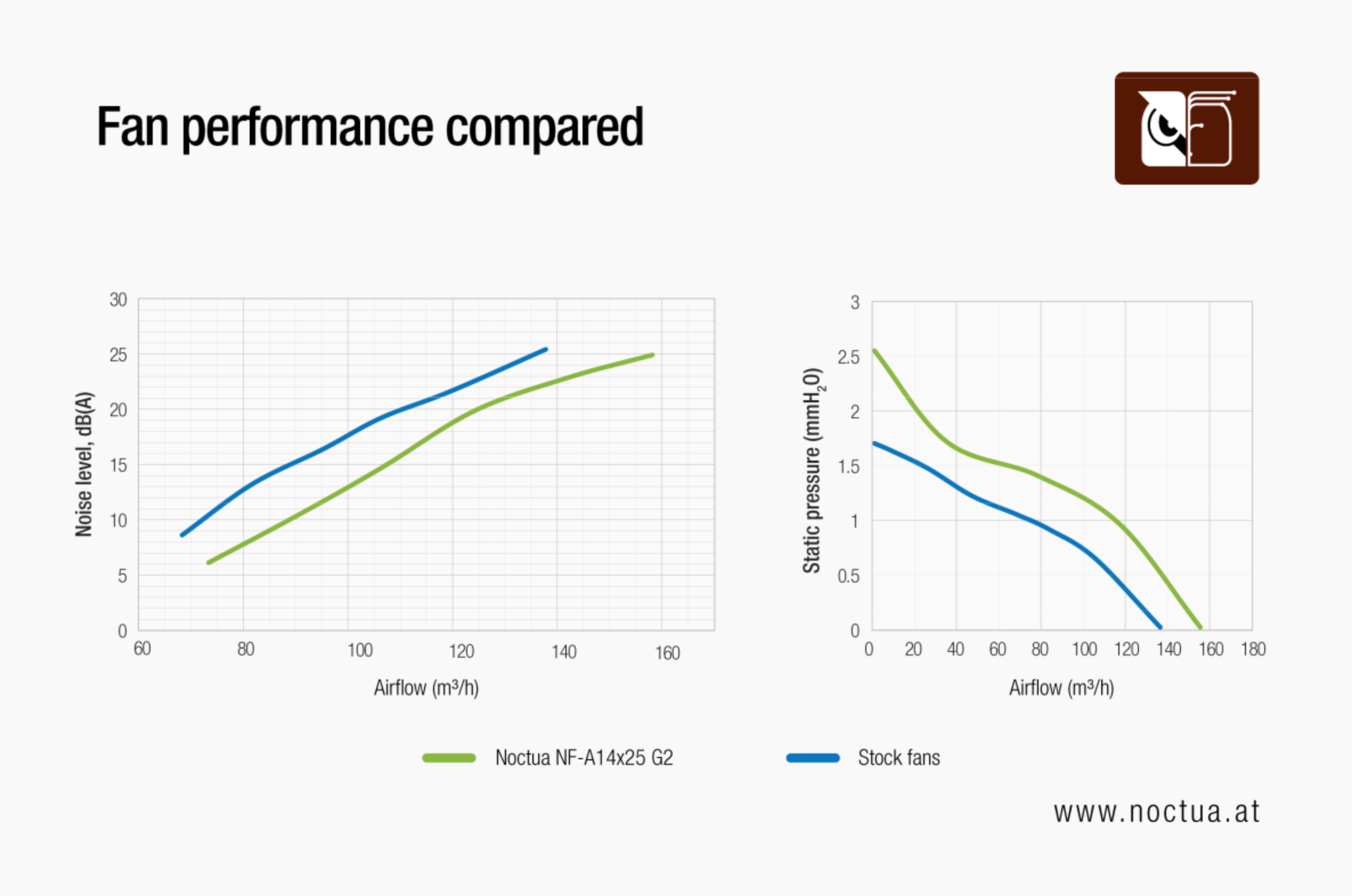
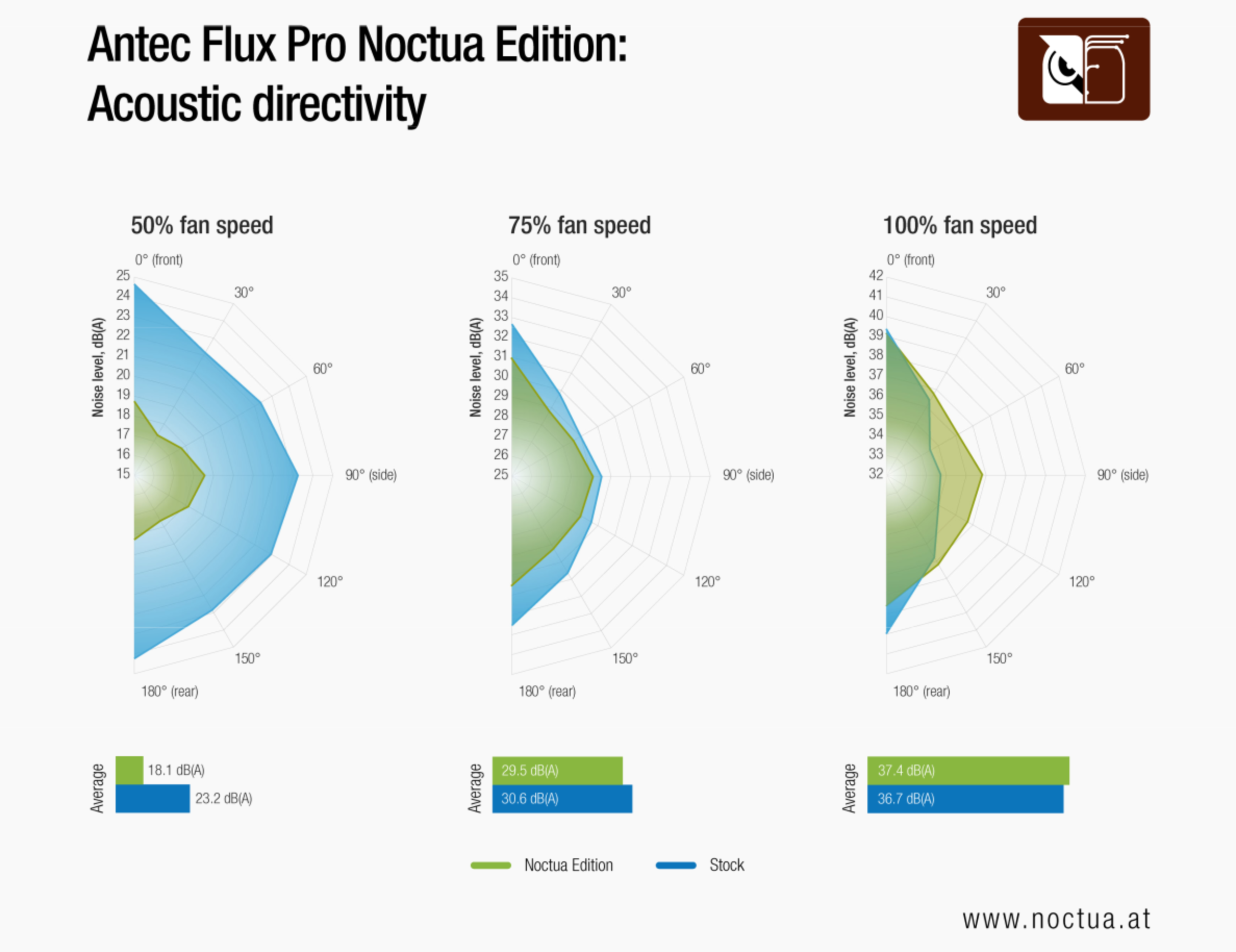
Noctua’s own testing suggests the NF-A14x25 G2 consistently produces higher airflow with lower noise than the Flux Pro’s stock fans. That translates to lower temperatures, by a single degree Celsius to as much as four, when running at the same noise level to the stock fans. Noctua even goes as far to offer test results for acoustic directivity, this being the noise level as measured by a microphone facing the case at different angles. I’m going to include a screenshot of this below, simply because I’ve not had that provided to me before.
Form factor: ATX
Dimensions: 530 x 245 x 545 mm
Motherboard support: E-ATX, ATX, Micro-ATX, ITX
Expansion slots: 8
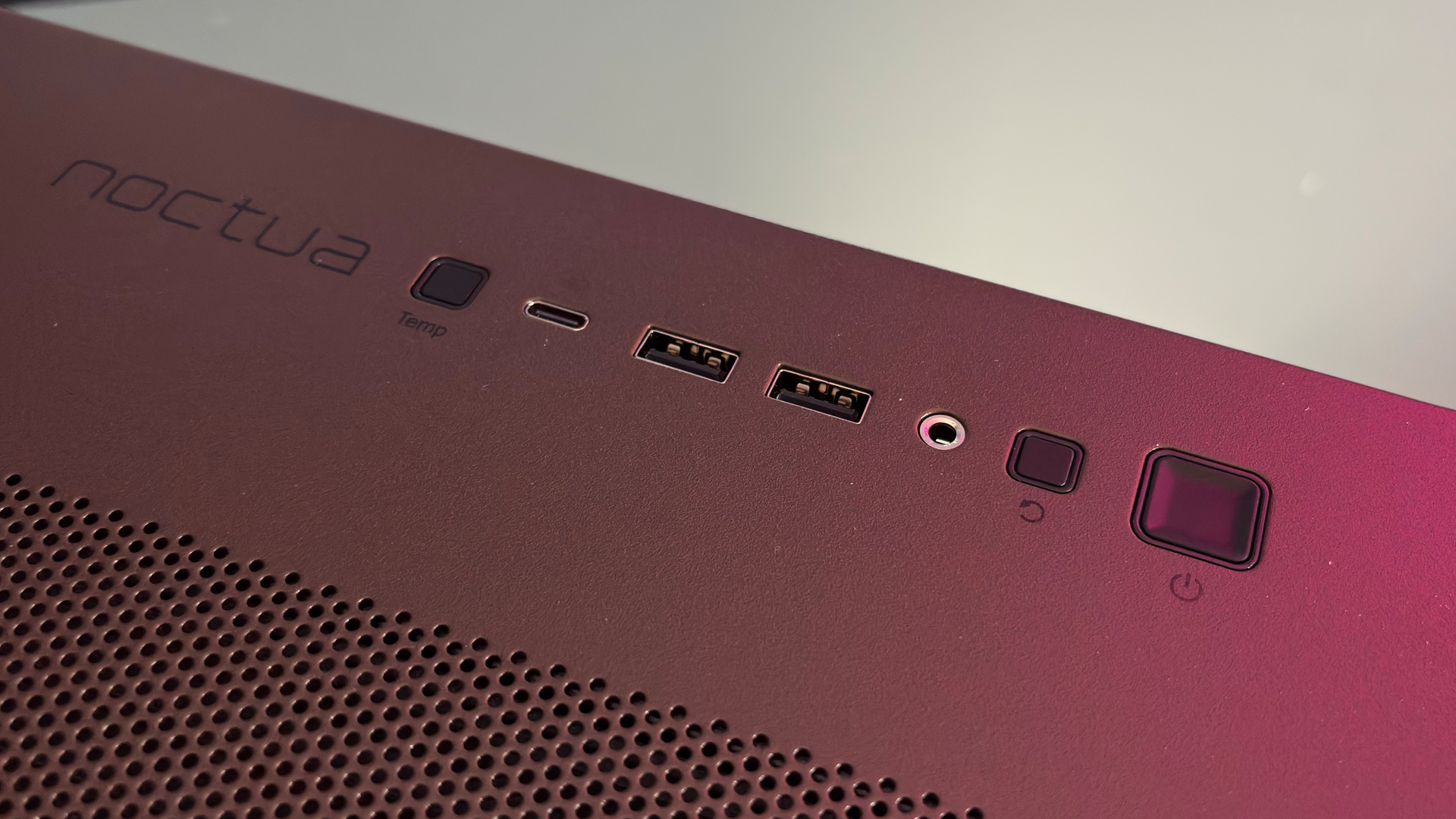
Front IO: 2x USB 3.0, 1x type-C 10Gbps, 1x headphone/mic combo jack
Total fan support: Up to 3 x 140 mm FRONT; up to 3x 140 mm TOP; up to 3x 120 mm PSU SHROUD; up to 2x 140 mm BOTTOM; Up to 1x 140 mm REAR
Fans included: 4 x 140mm NF-A14x25 G2 PWM, 2x NF-A12x25 G2 PWM
Radiator support: Up to 420 mm TOP + FRONT
Graphics card support: Up to 455 mm
Storage: 6x 2.5-inch; 4x 3.5-inch
Weight: 17.7 kg
Price: $400/€400
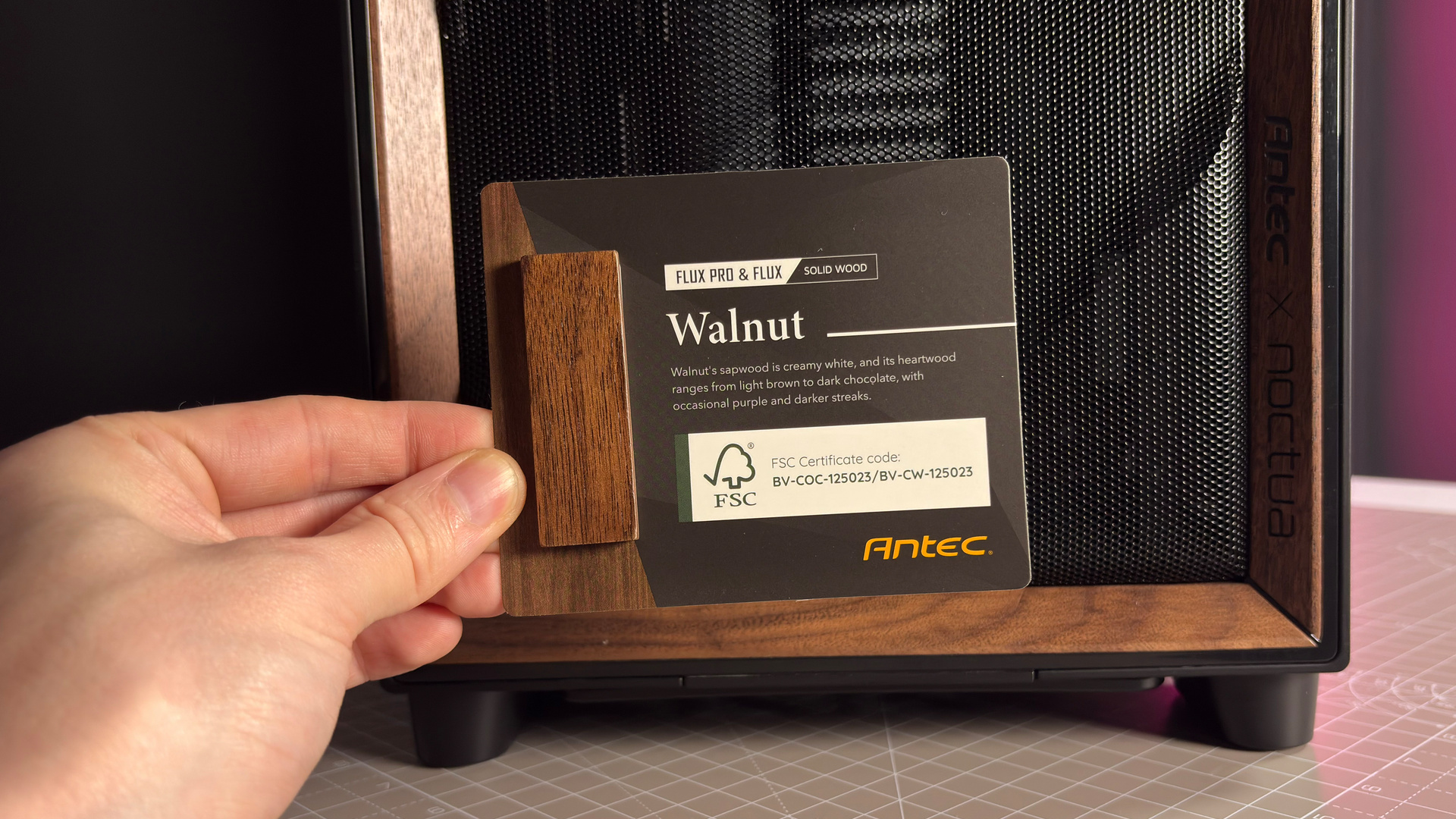
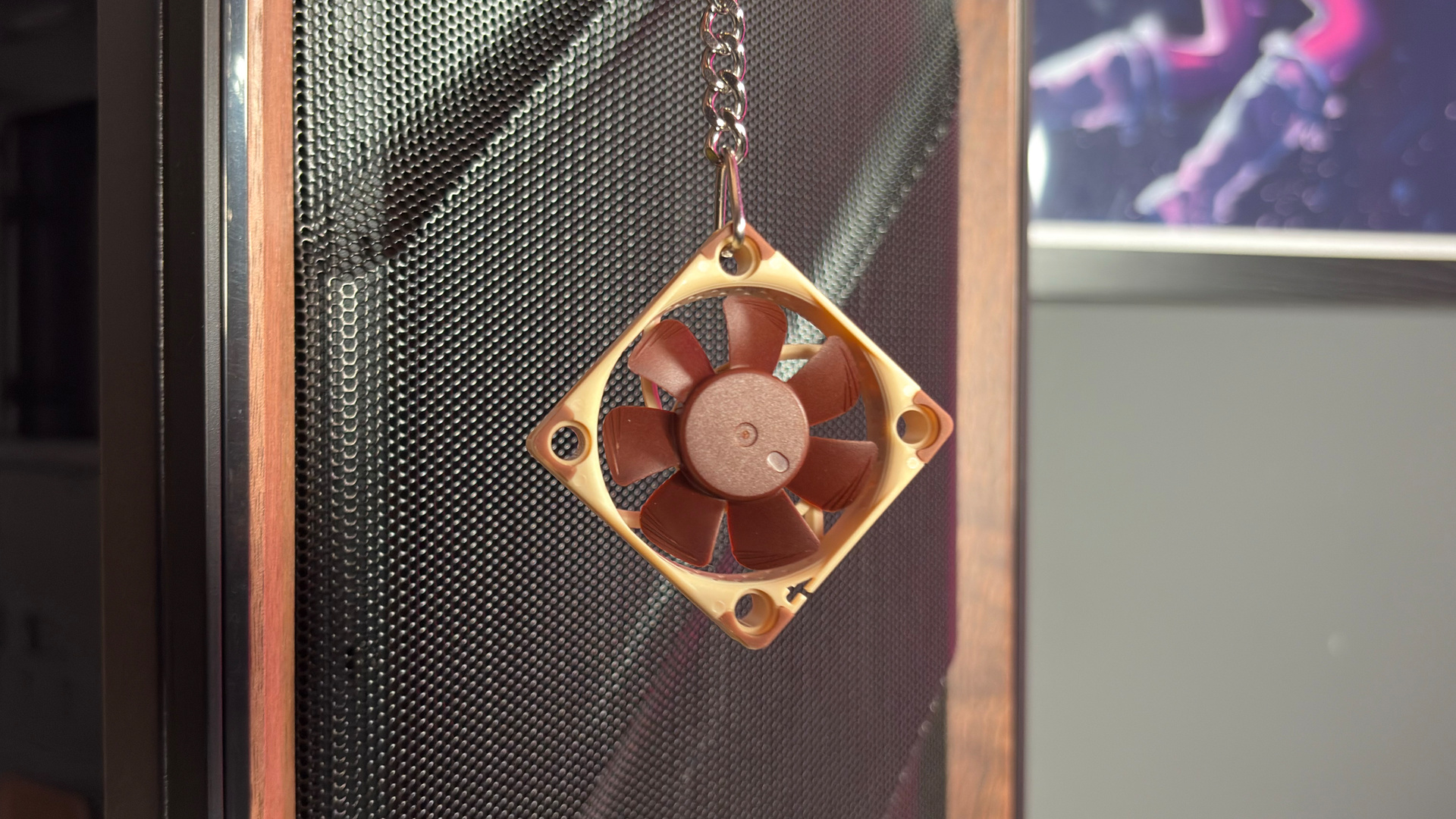
Let’s get into my own experience here. Upon removing the case from its box and foam insert—the good type that doesn’t explode into lots of tiny white specks that stick to everything—my first impressions are very positive. The accessories are stored in a neatly divided plastic container, the fans packed separately with their accessories, and the front I/O comes with protective inserts. There’s even a small sample of walnut to mark its authenticity and a tiny Noctua fan keyring included.
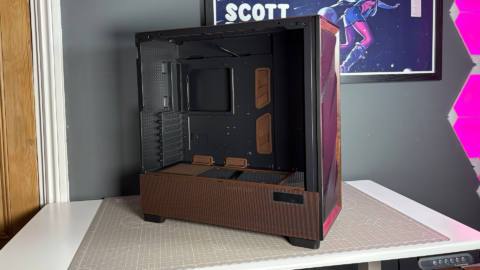
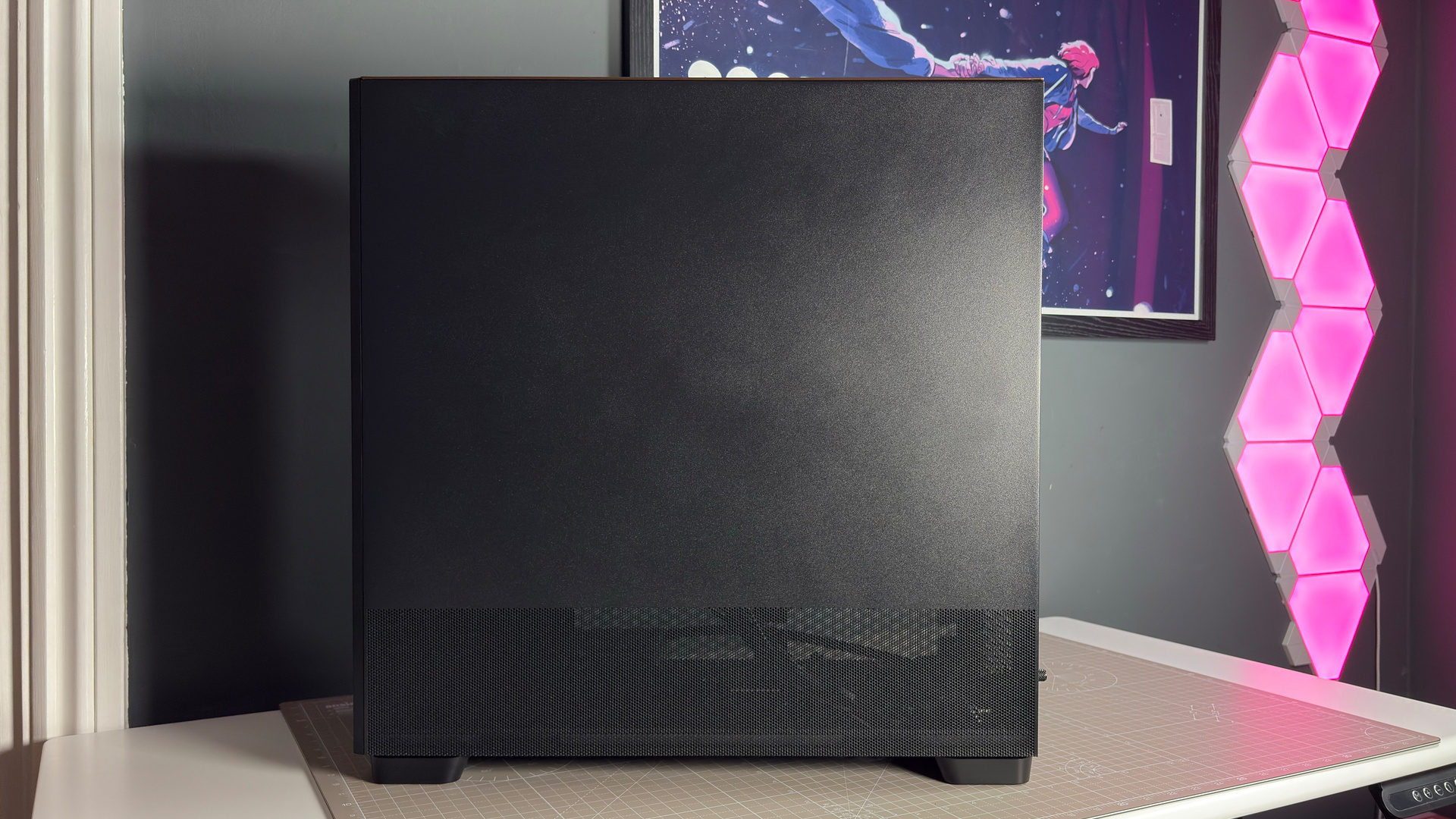
The Flux Pro Noctua Edition looks better suited to the office of a 1960s advertising executive than a modern gamer’s den. That suits me to a T—I’m not chain smoking in my suspenders all day but I appreciate the finish.
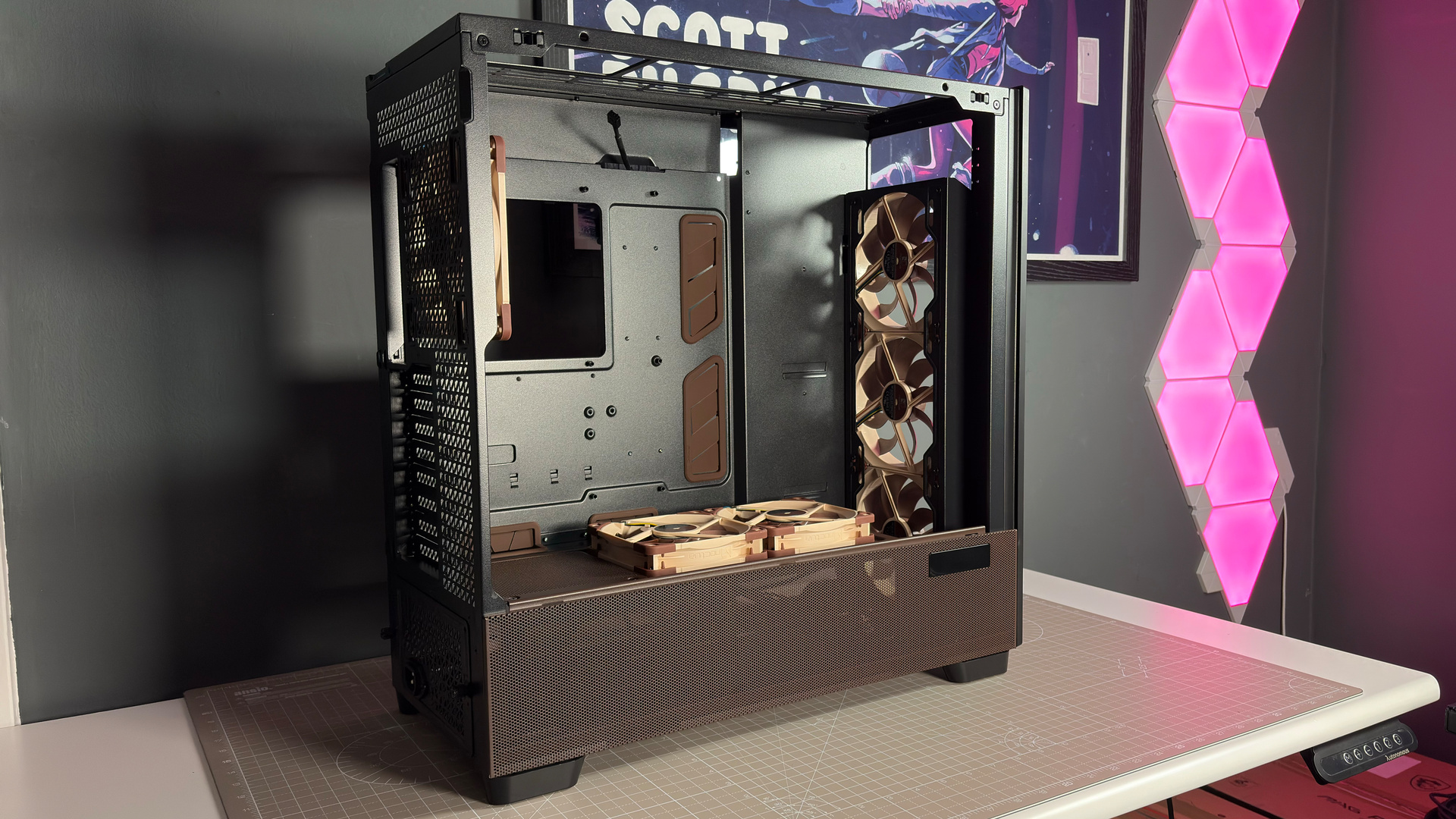
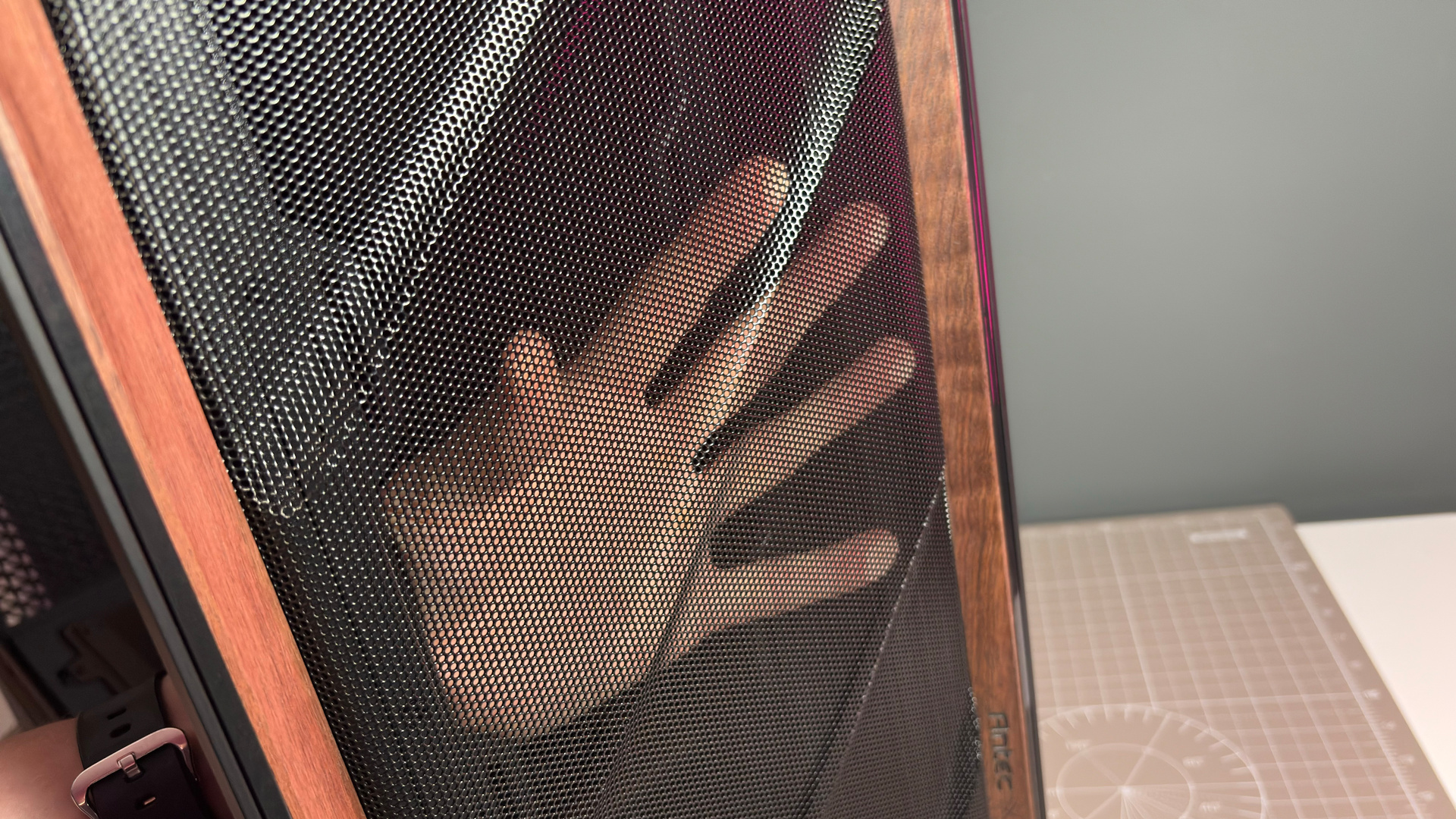
The walnut looks great. In part, I feel, due to there only being a small amount of it. It surrounds a mesh panel, featuring a lovely design pressed into the metal itself. You can see right through the front panel, suggesting to me that it would impede the airflow to the fans since installed behind it very little. That’s true, as I’ve tested it. As measured with my anemometer, the front mesh reduces airflow by just 0.4 m/s—from 2.7 m/s to 2.3 m/s.
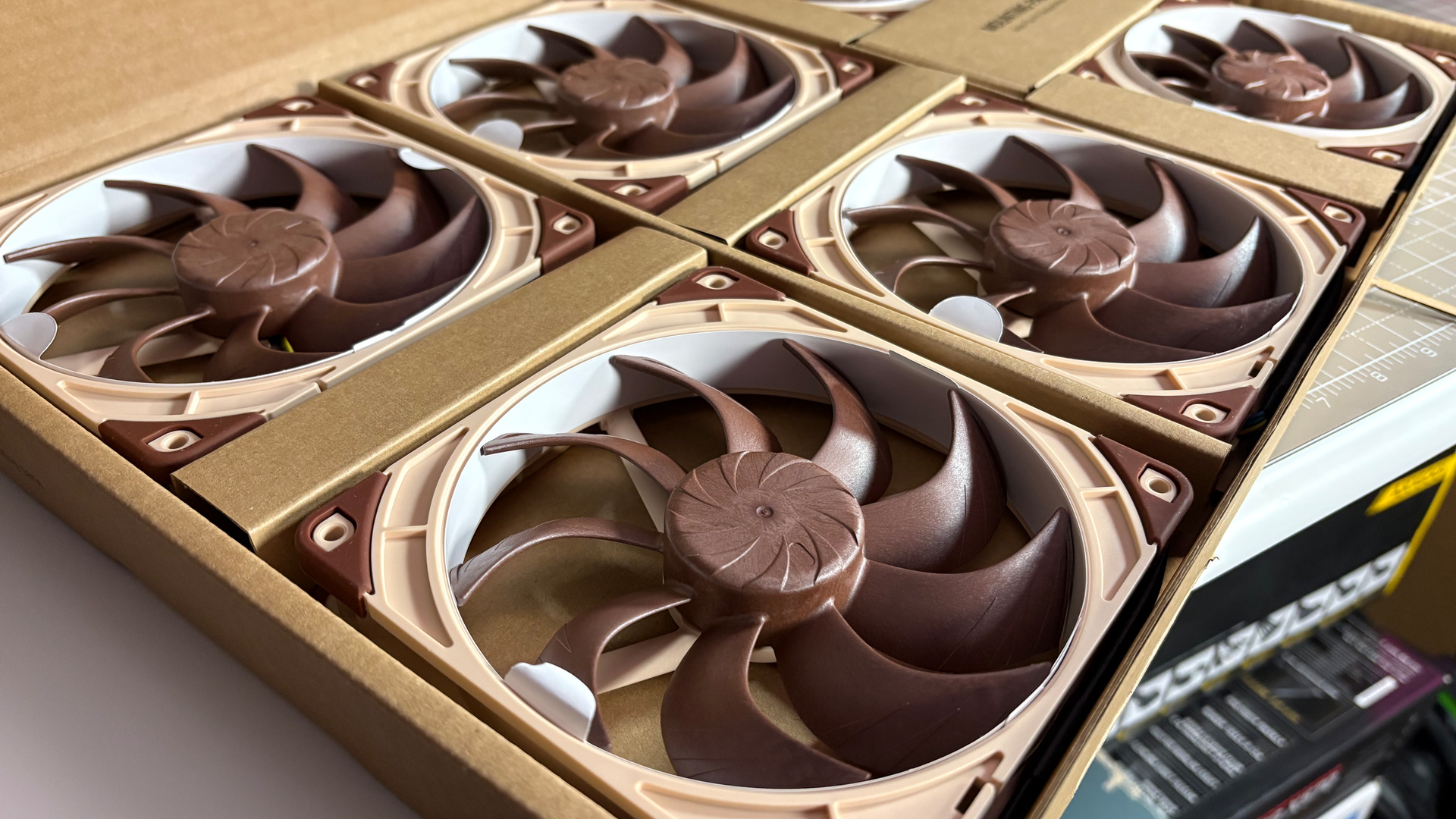
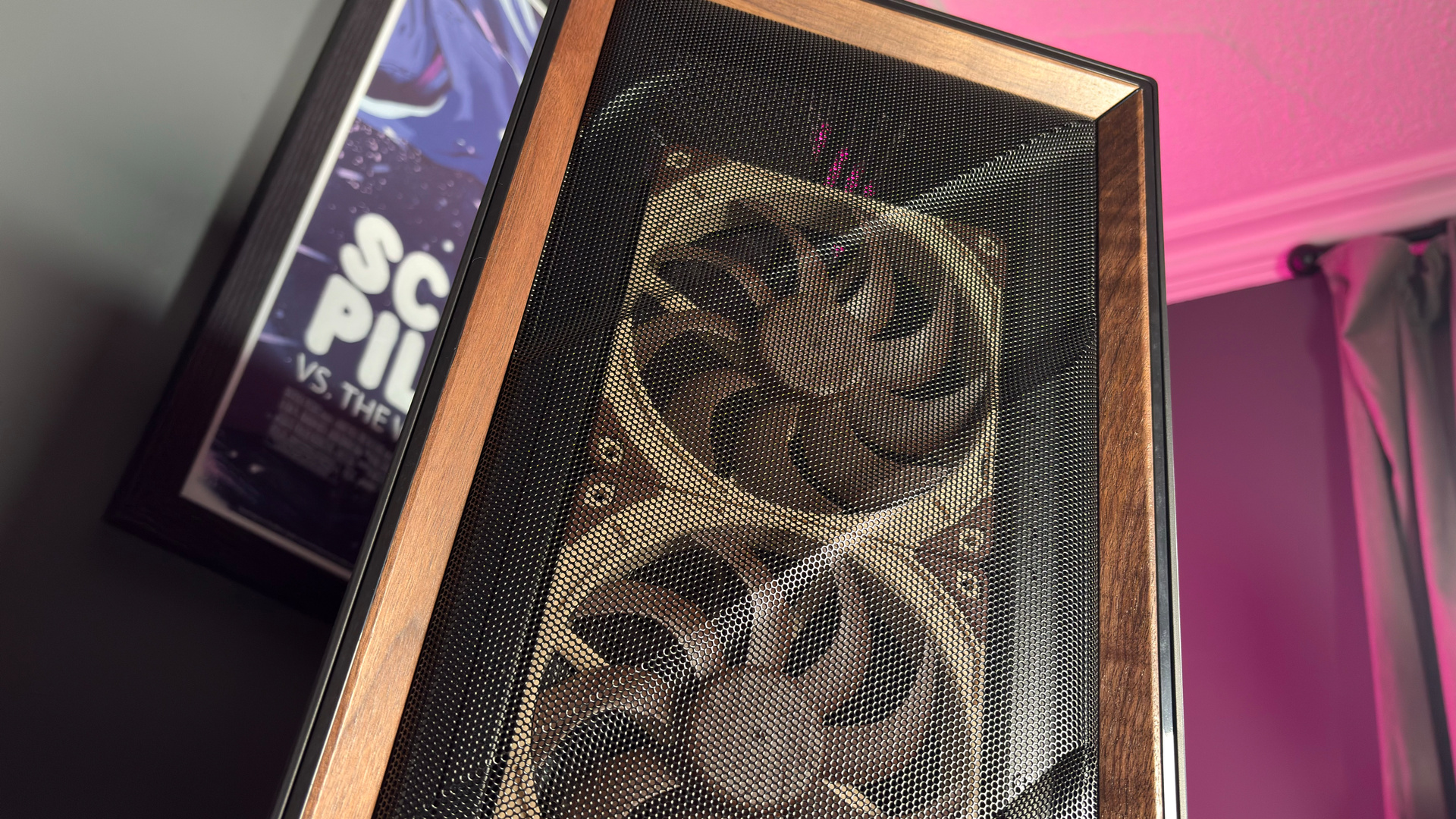
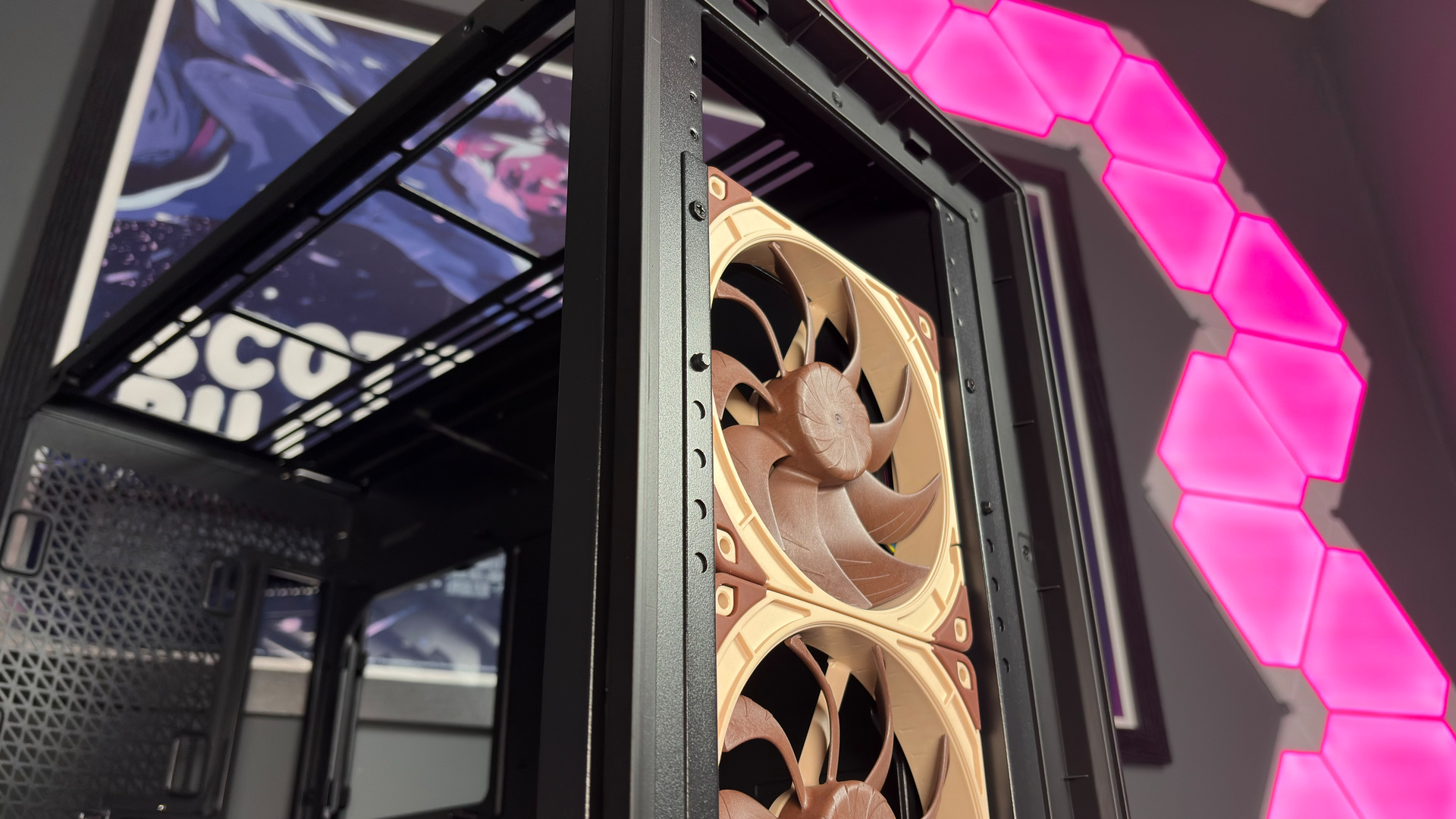
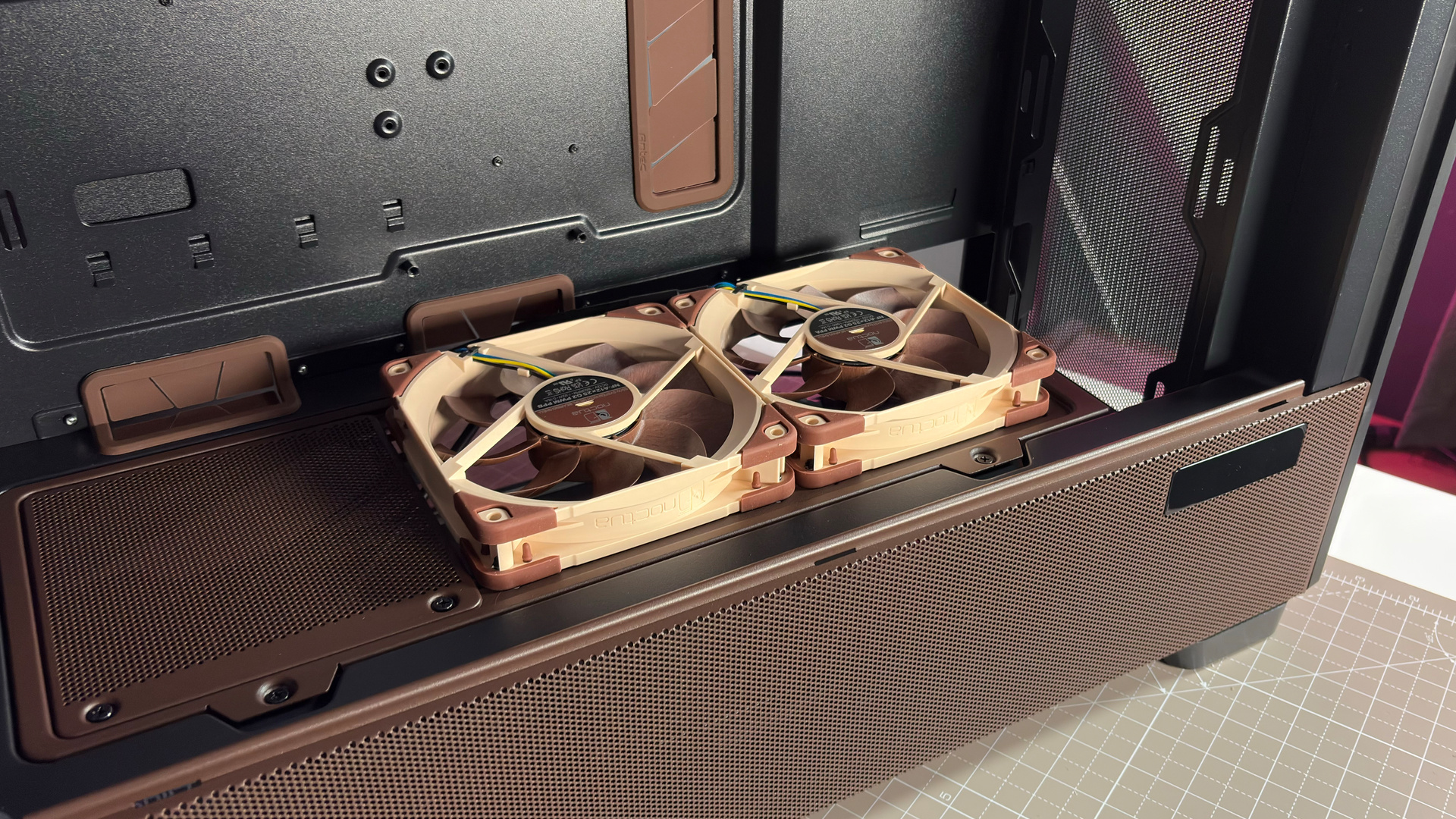
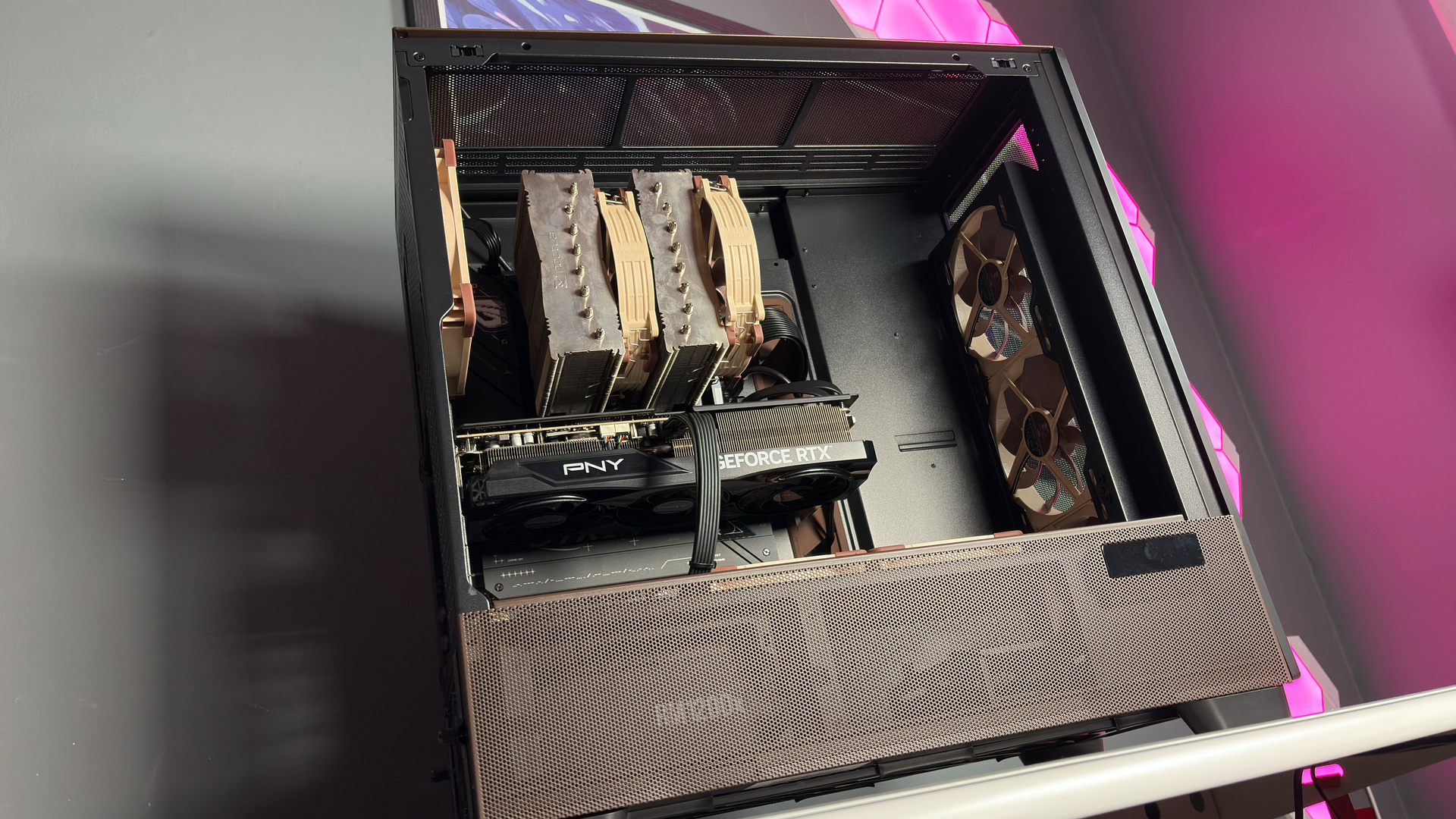
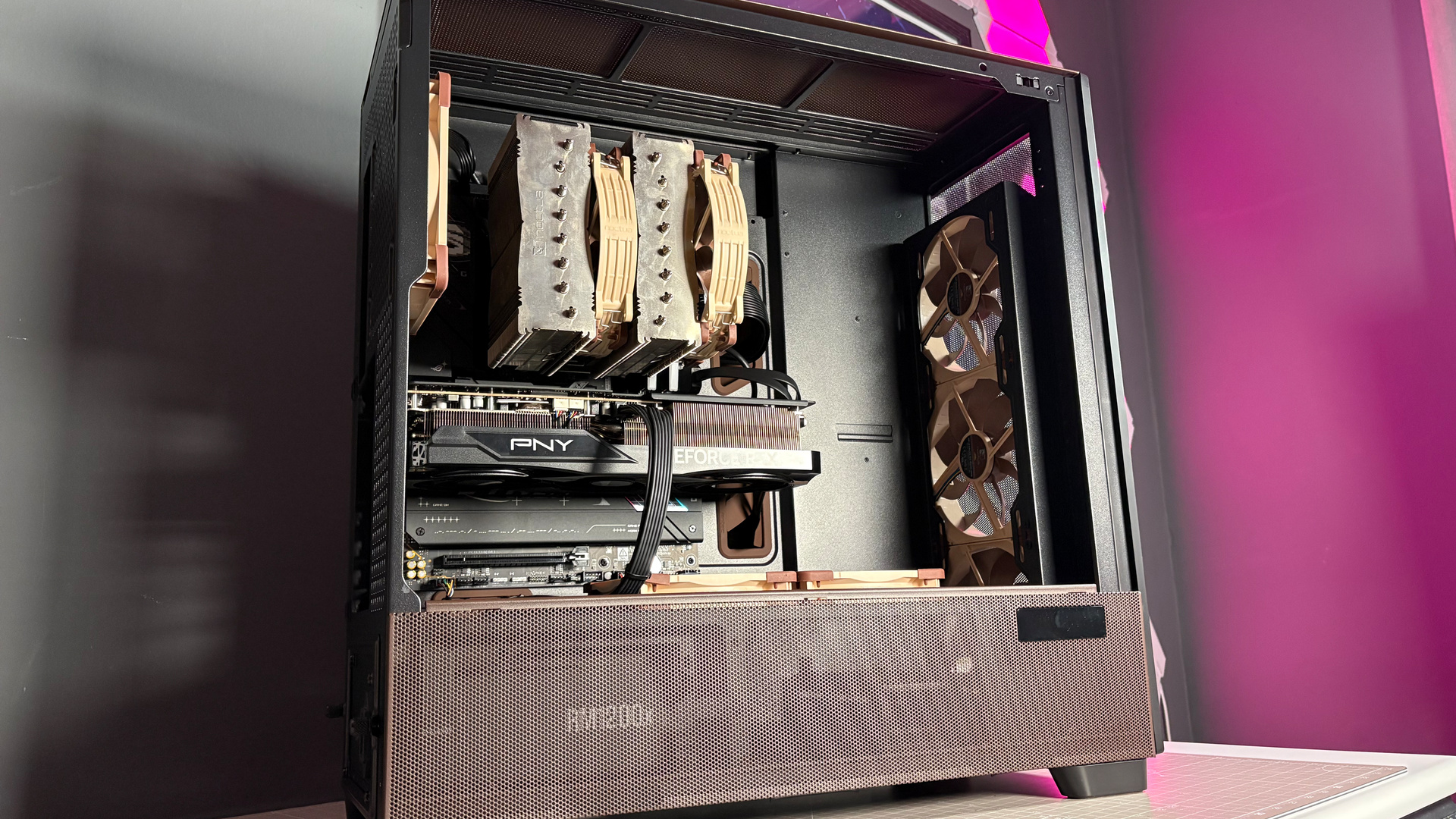
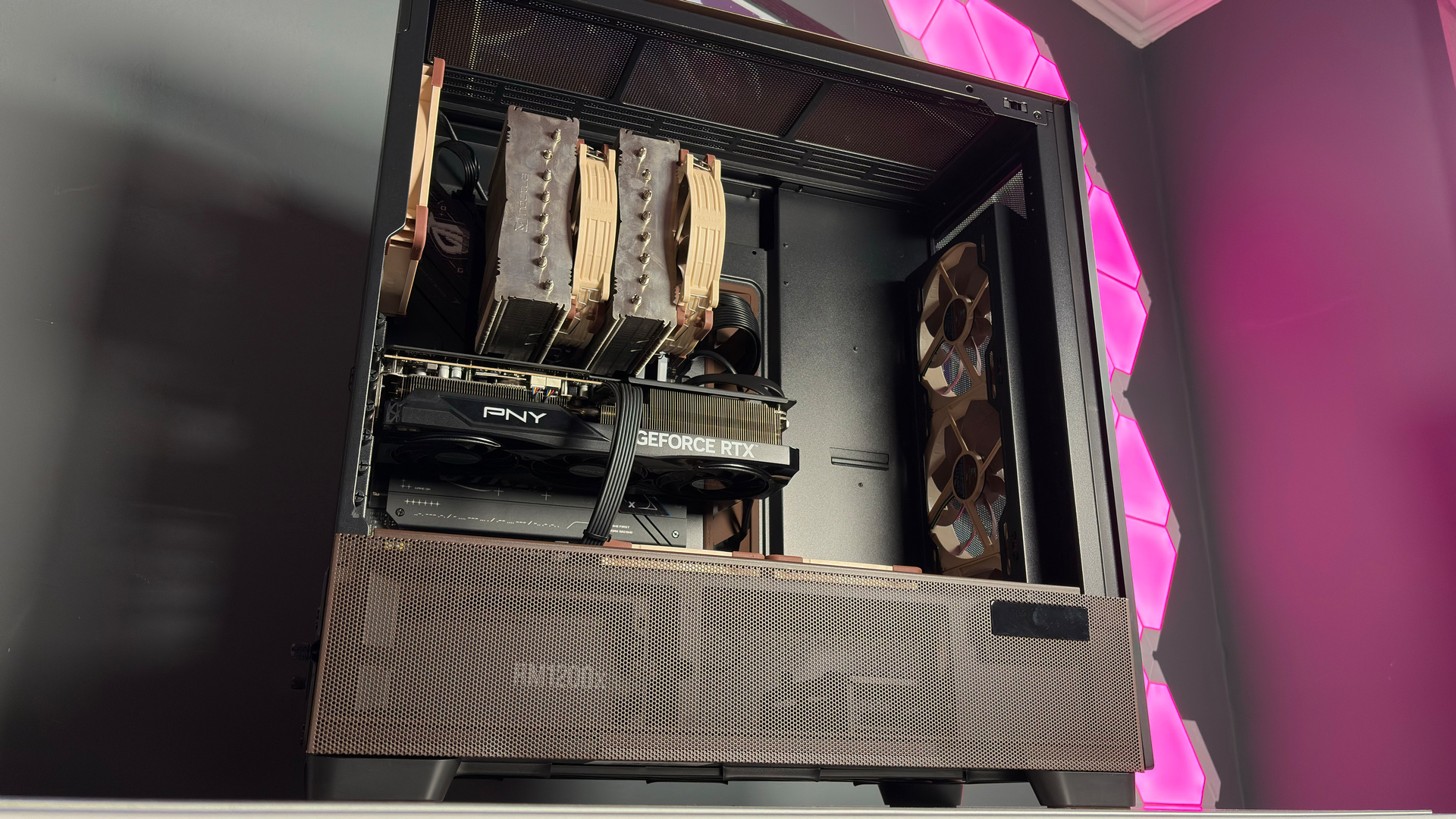
The fan layout recommended by Noctua includes three NF-A14x25 as intake, one in the rear as exhaust, and two NF-A12x25 above the PSU shroud as intake. So that’s what I’ve gone for in my test build. I’ve opted for a trusty Ryzen 7 9800X3D here, onto which I’ve squished a Noctua NH-D15 G2. Though there’s ample room above to install a radiator, up to 420 mm.
I recently reviewed the RTX 5080 Noctua Edition, however, I’d already sent it back by the time this came in. Boo, that would’ve been nice.
You can install a similar sized radiator in the front of the case, should you wish to, or even in place of the fans atop the PSU shroud. The PSU shroud is adjustable with plates included in the box. Though I’d be wary of mounting a radiator in this position, unless you’re building a custom loop with some sort of reservoir or distro plate at a higher point in the build, as you’re bound to get bubbles in the pump. That will very likely reduce the lifespan and cause it to run louder.
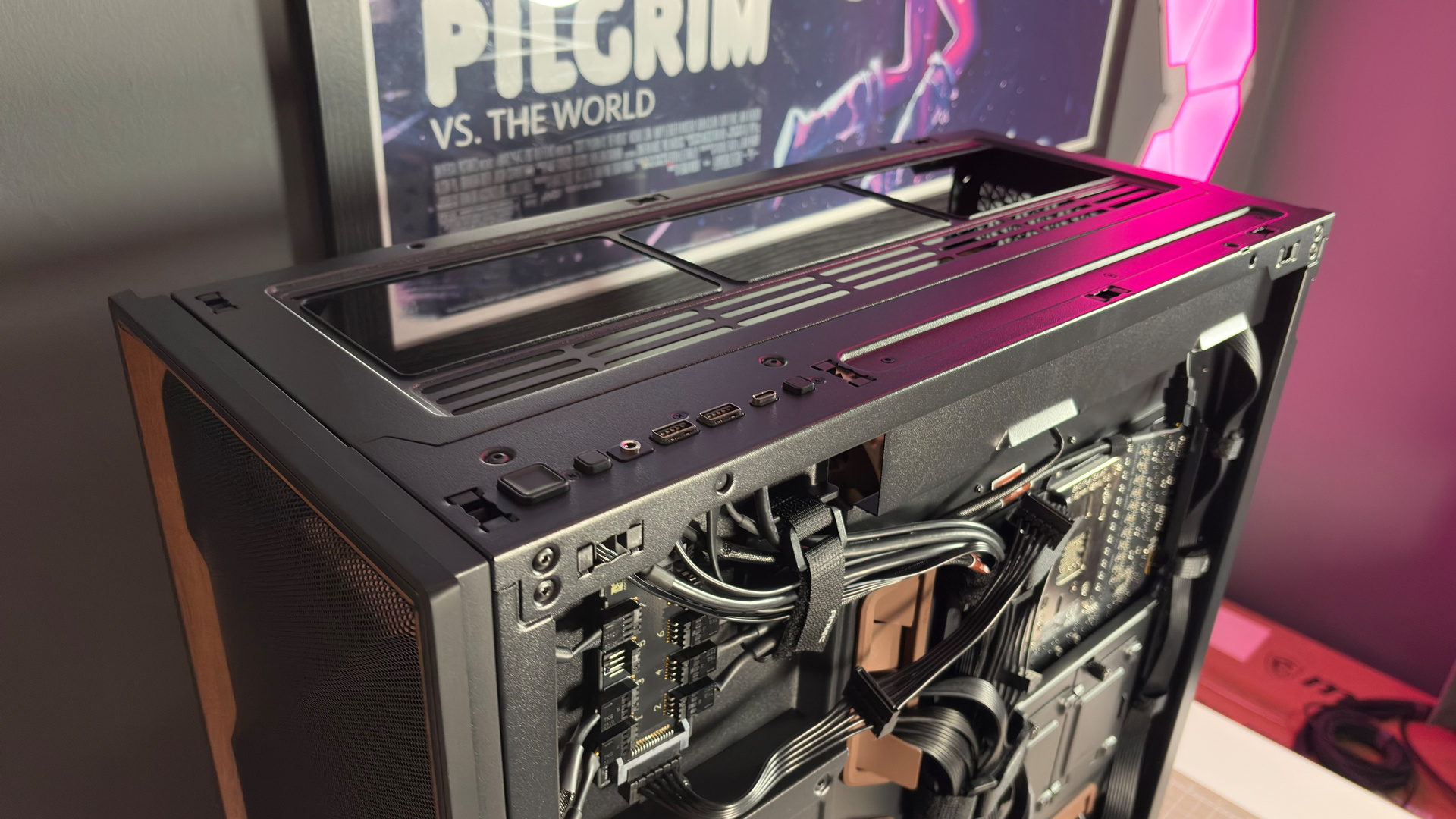
With my fans installed in the recommended locations, I set about running Metro Exodus Enhanced Edition for an extended five-run test. Then, because I’d like to know whether those bottom-mounted fans make much of a difference, I uninstalled both and ran the test again. Here are the results:
Antec Flux Pro Noctua Edition – fan testing
Metro Exodus EE | 5x benchmark loop | Ultra
Avg GPU (°C)
Avg CPU (°C)
| Product | Value |
|---|---|
| 2x NF-A12x25 | 61 Avg GPU (°C), 49 Avg CPU (°C) |
| No lower fans | 64 Avg GPU (°C), 48 Avg CPU (°C) |

✅ You want peace and quiet: Noctua fans deliver superb airflow even at low rpm, which is great for dropping your fan curves without increasing temps too much.
❌ You want the best value: The standard Antex Flux Pro is already a premium case with plenty of fans. It might not be as quiet, but it’s plenty for most.
So, those two fans do make a big difference. For the graphics card, anyways, though that makes complete sense. A waft of fresh air direct to your GPU does go a long way, even if the CPU appears to be largely unaffected by the additional airflow. You can also check the temperatures on the fly using the small screen mounted into the side panel on the case. It looks pretty smart, too.
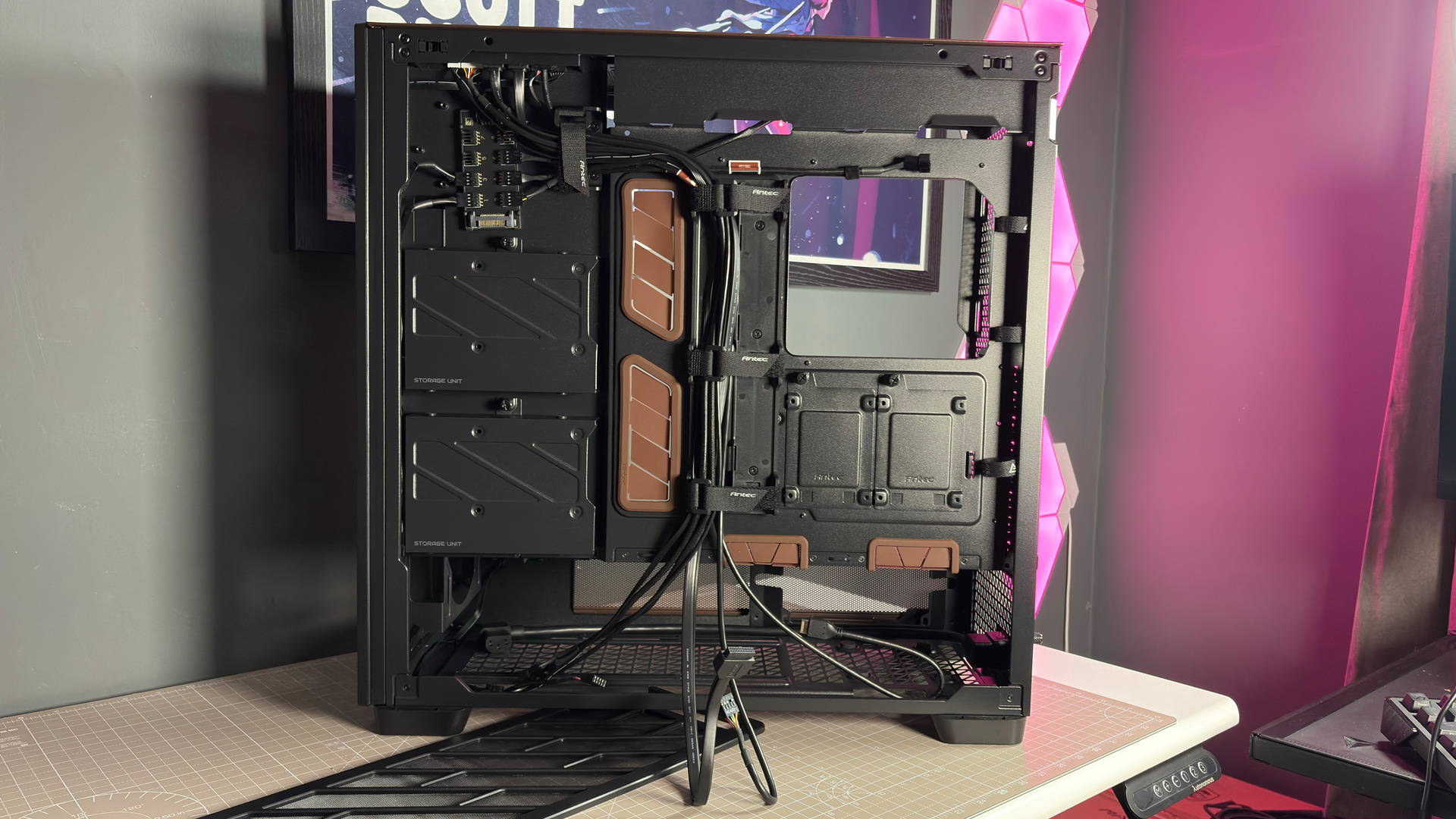
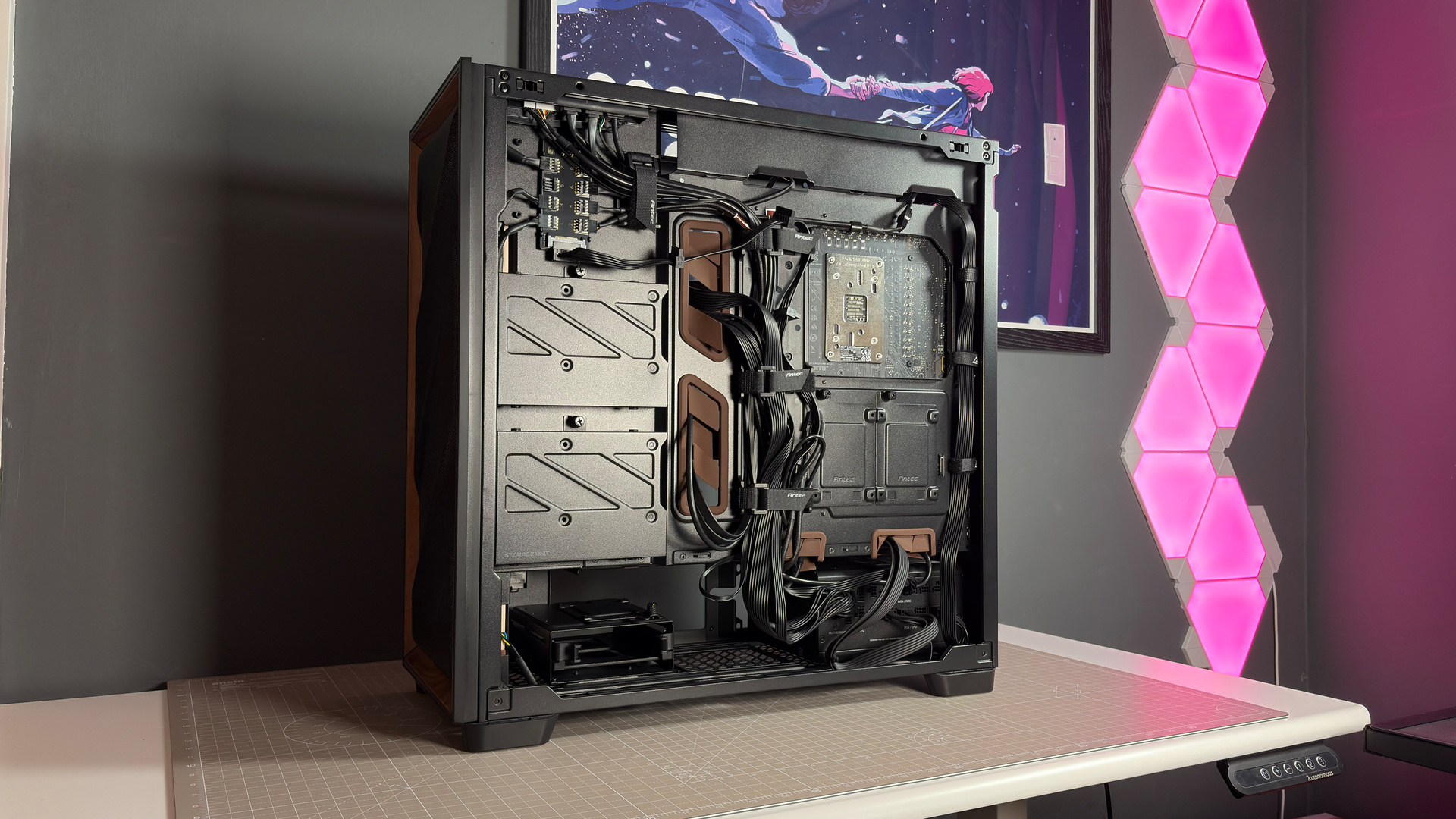
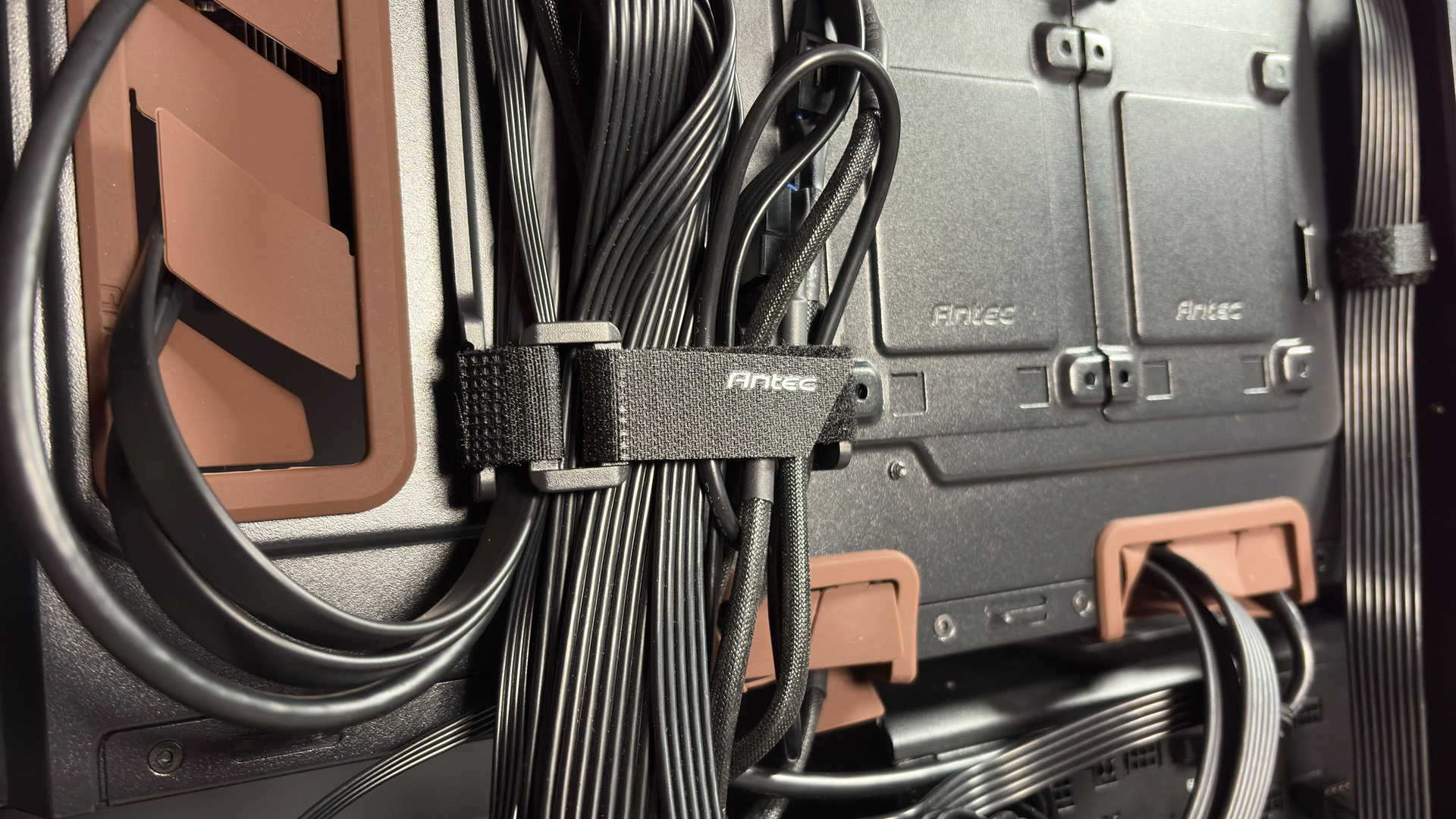
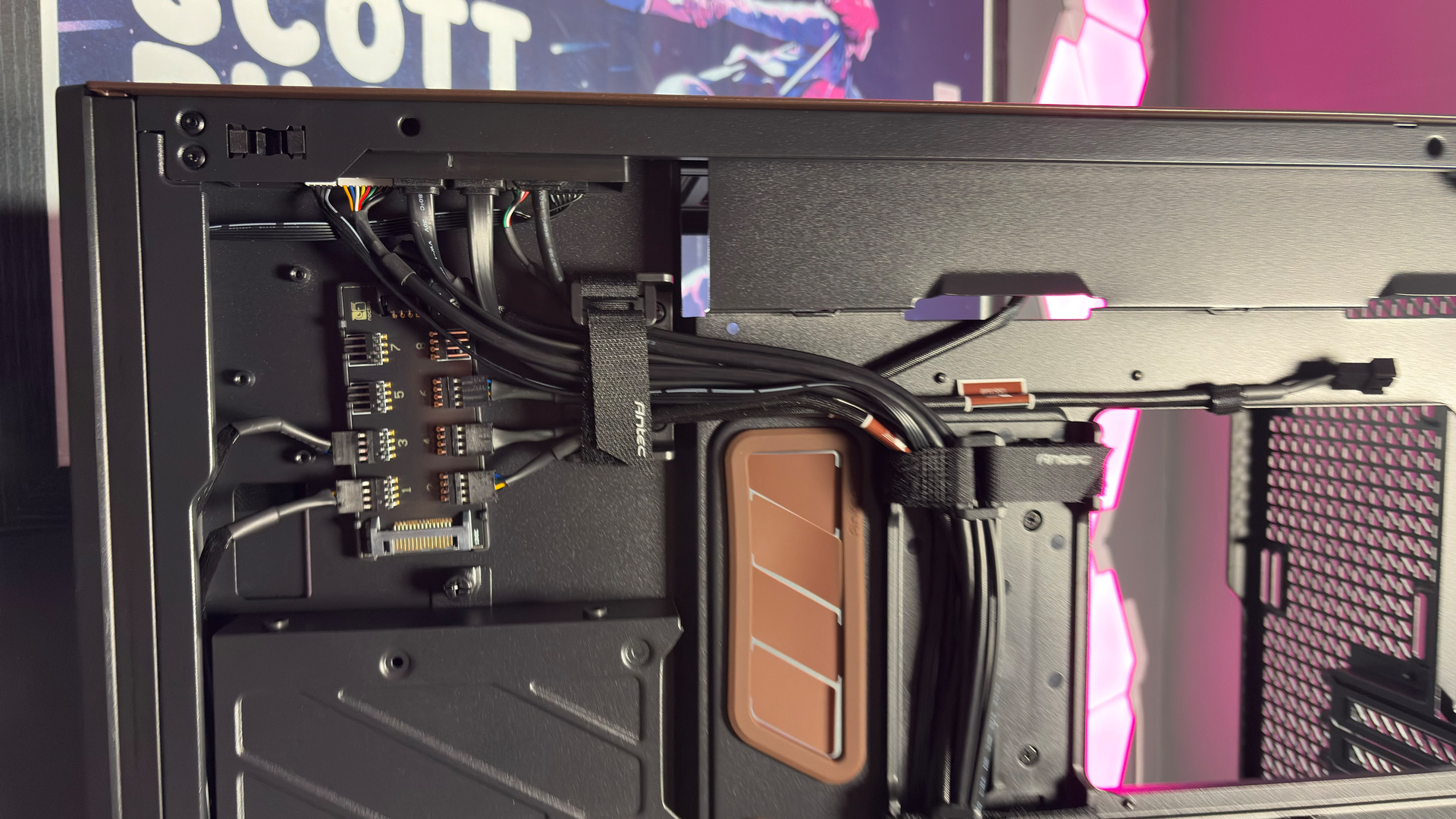
To the rear of the case, the panel pops off easily without tools (as do all panels on the Flux Pro) to reveal ample cable management options. A handful of Velcro straps for the main channel and more to the rear.
The PSU is mounted to the side, with a cable provided to reroute the external power connector back to the usual spot. This is usually pretty handy, as it means you can easily access the power connectors on the side of the power supply. Though, I’m using a Corsair Shift PSU, which already does that, so it’s not compatible. Luckily, there’s a spare panel included in the box to switch it to a normal set-up.
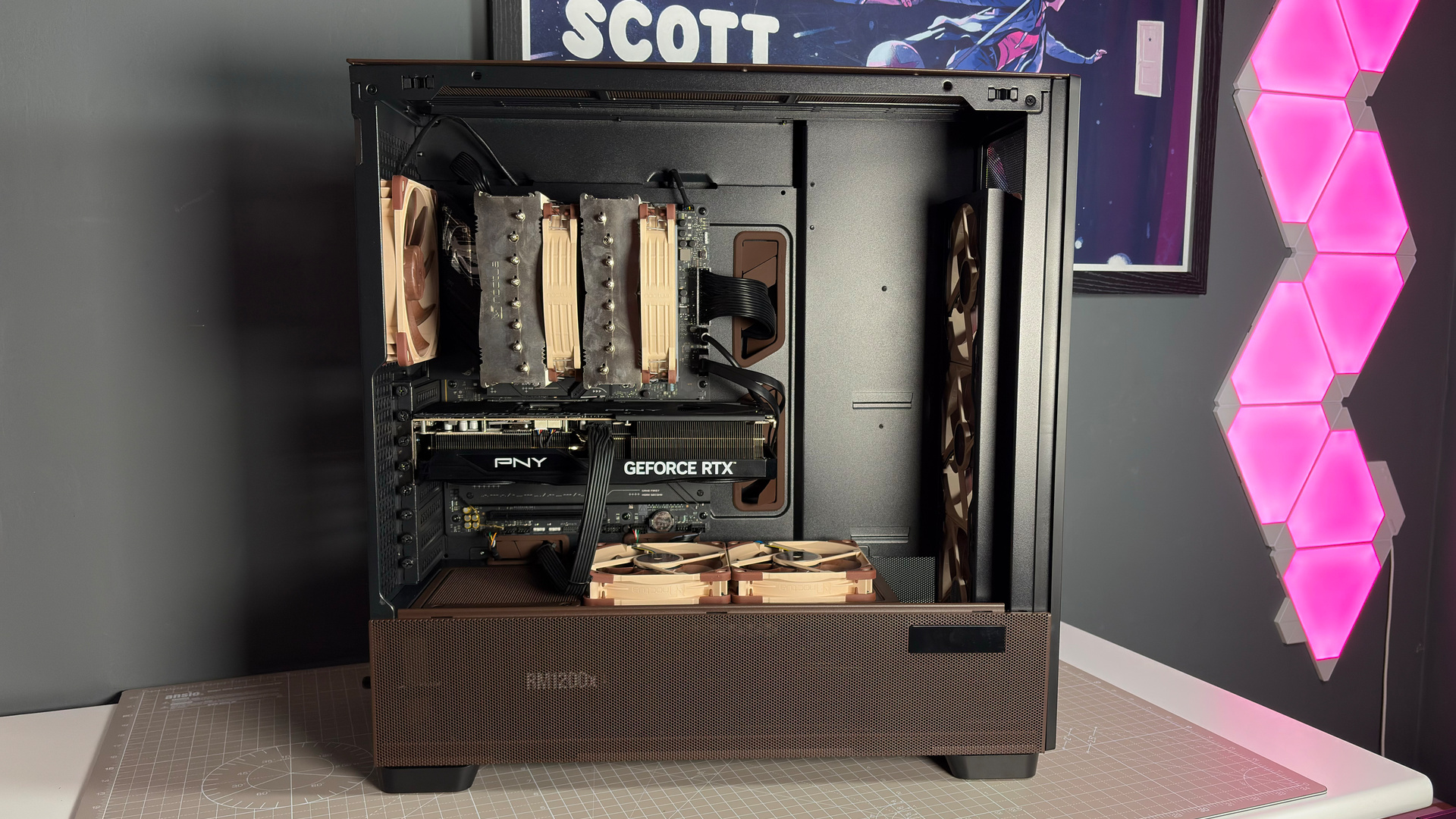
The added benefit of the Noctua Edition here being the NA-FH1 fan controller, magnetically attached the top left of the motherboard panel. That comes with Noctua’s own extension cables already connected and lined up to exactly where you need them for the standard fan layout. That saves some time during the build.
Altogether, you’re scoring an already very capable case in the Flux Pro with the added benefit of the best PC fans. That is a potent combination, but you’d expect as much for the price. There’s no denying that a full build using Noctua fans has become a very expensive proposition these days, though no doubt a well-cooled and quiet one for the added investment.
About Author