I’ve had quite the journey with the Obsbot Tiny 3, a real emotional rollercoaster. First was the elation I felt unboxing it (how did they manage to make a webcam so cute?). Then, came the unease after learning the wild price difference between the Obsbot Tiny 3 ($349) and its more budget-friendly sibling, the Tiny 3 Lite ($199). Once I spent some time testing the webcam, though, it sort of started to win me over again. Like I said: an emotional rollercoaster.
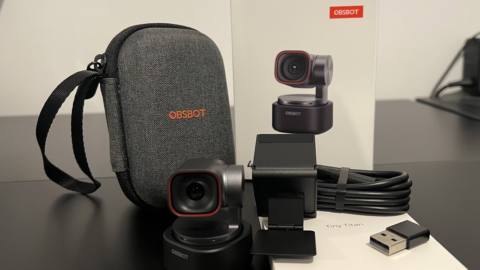
At less than two inches tall and weighing a little over 2 ounces, the Tiny 3 is the smallest webcam in Obsbot’s Tiny line, and very likely one of the smallest webcams you’ll ever use. Portability really seems to be at the heart of this cam’s design. Not only is it light enough to perch comfortably on even the slimmest of laptops, it comes with a palm-sized, hard-shell carry case that neatly fits the webcam, its removable magnetic mount, a USB-C to USB-C cable, and a USB-C to USB-A adapter. If you’re a hybrid worker or fancy yourself something of a ‘digital nomad’ type, the Tiny 3 is an attractive proposition.
Of course, there’s no value in having a webcam that looks good if its video doesn’t. And thankfully, the Tiny 3 really knocks it out of the park. It houses a 50 MP 1/1.28-inch CMOS sensor (roughly comparable to that of the iPhone 15 Pro) and delivers impressively detailed footage in 4K at 30 fps, and 1080p at 120 fps. Freckles, pores, and peach fuzz are captured with real fidelity (whether you like it or not), and the Tiny 3’s attentive autofocus constantly makes sure you don’t get lost in the scene.
Thanks to its expansive ISO range, its image is strikingly clean and virtually devoid of noticeable noise in both low light and hard light environments. This is probably the biggest advantage it has over its Lite counterpart, which doesn’t quite have that same flexibility.
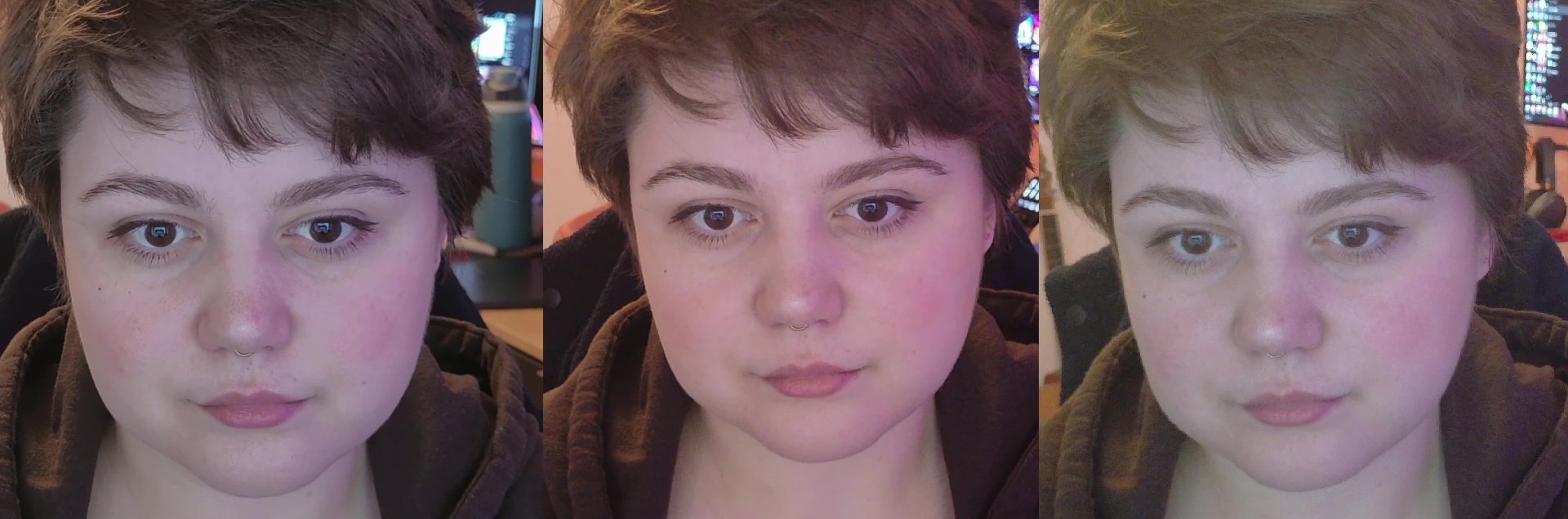
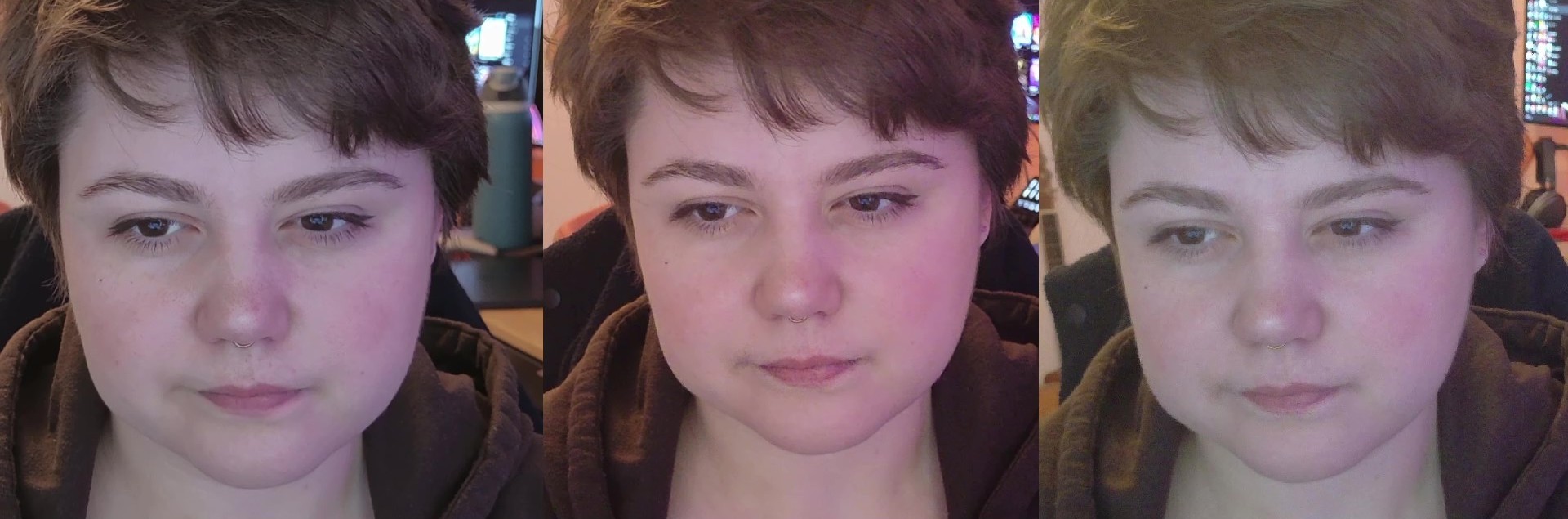
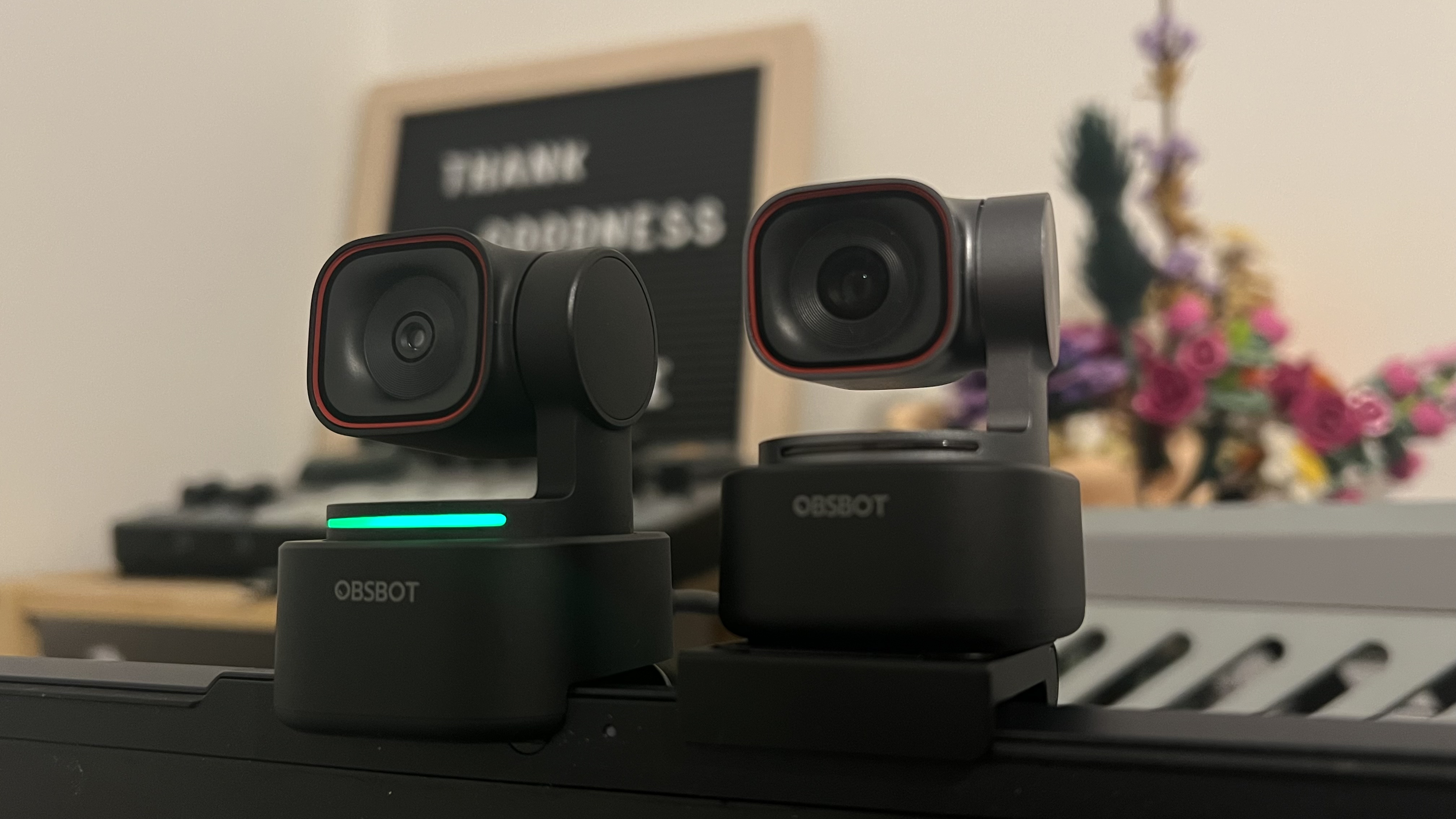
I had something of a Tiny family union and put the Tiny 3, the Tiny 3 Lite, and the Tiny 2 Lite to the test at the exact same time. The previous generation of cam is noticeably outclassed, but the differences between the flagship 3 and its Lite version are far subtler. What really tips the scales in the Tiny 3’s favor is how it performs in lower light, but that being worth almost $150 more is a hard sell. For a more detailed rundown of how the Lite sizes up, check out the full Tiny 3 Lite review.
Picture quality aside, Tiny 3’s real party trick is supposed to be its AI Tracking 2.0, which adjusts the camera’s gimbal and digital zoom to follow people or objects. Sure enough, when I set it to track me, the Tiny 3 consistently adjusts the framing in line with my movement. It’s even fairly reliable in less-than-stellar lighting conditions. Objects like coffee cups and pens passed the test too. The only hiccup in the whole process comes when your tracking speed is set too low, as the cam can’t quite keep up.
In the Obsbot Center software, you can fine-tune speed and framing, and enable some specialty modes like Desk Mode (which directs the cam downwards) and Whiteboard Mode. Whiteboard Mode locks to writing surfaces, which worked well in my testing but with the prevalence of screen sharing and digital whiteboards like Miro, it’s hard to imagine too many practical applications for this mode in 2026.
To save you messing about in Obsbot Center too often, there are a number of remote ways to control your Tiny 3. For example, you can raise your hand to have the webcam track and untrack you, or use an L-shape gesture to zoom in and out. In my experience, the Tiny 3’s gesture controls are handy to use, but not quite perfect. Notably, the webcam struggled on occasion to identify my hands when gesturing in front of white walls (though I’ll admit this could be partially my fault for not getting enough sun).
You want to go fully hands-free, the Tiny 3 also sports voice controls via commands like “Sleep, Tiny” and “Zoom in closer”. I’m Irish, but my accent is pretty faint. So, I’m equal parts confused and peeved at just how inconsistent the Tiny 3 is at responding to my requests. Across multiple sessions and even after a total factory reset/update, it’s like I’m speaking a different language half the time. Irish, perhaps?
I think my best results are using voice controls with the exaggerated annunciation of an 1980s American games show host. But even when I put on this really annoying affectation, the webcam is like a boisterous puppy: picking up on commands most of the time but occasionally just doing its own thing.
It’s not like its omnidirectional mics can’t pick me up, they really are very solid. While webcams aren’t known for having tremendous integrated audio, the Tiny 3 is a pretty pleasant surprise. It isn’t pro production level (you’ll probably want an external mic for that anyway) but it’s definitely head and shoulders above what you’d expect. It has five audio modes, tuned to varying recording environments.
However, while recording or streaming at 1080p or higher, the only audio mode available is Smart Omni mode (recommended for multi-person meetings). Even in modes which are supposed to have dedicated AI noise reduction, I found that the mic picked up a little more background sound than I’d like. This is almost sweet when you’re interrupted by the tweeting of birds in the garden, but maybe not so pleasant if the noise outside your window is traffic.
Listen to the microphone test below:
Alongside its suite of actually useful features, the Obsbot Tiny 3 sports some pretty rogue ones too. For example, there are a whole menu of settings in the Beauty tab meant to ‘enhance’ your face and body. Out of journalistic duty, I committed to shifting sliders and choosing digital makeup until I found myself transformed into the pallid, uncanny Douyin babe of my dreams and/or nightmares.
✅ You’re a creative / content creator: The Tiny 3’s broad array of AI-powered features plus its video quality are wasted on the average Zoom meeting, but are far better suited to spice up a stream or video.
✅ You want a webcam to travel with: Thanks to its teensy footprint and included carry case, the Tiny 3 is ideal for folks whose work frequently extends beyond the home office.
❌ You want a no-fuss, plug-and-play webcam: If you think heaps of settings and customisation are more of a nuisance than a selling point, the Tiny 3 won’t be a good fit for you.
❌ You’re keen to save money: You don’t have to drop $300+ to get a 4K webcam with AI features. If you’re on a tight budget, you might find something like the Obsbot Meet 2, or even the Tiny 3 Lite to be more up your street.
While the Tiny 3’s ‘Beauty’ edits are a decent bit more convincing than the average TikTok filter, the whole experience gets very The Substance. So, these aren’t tools I’d recommend earnestly making use of—both for your own well-being and the well-being of those who have to look at you.
The Obsbot Tiny 3 is seriously overkill for most folks shopping for a webcam.
I think it’s worth thinking about which of its selling points justifies the price tag for you and your needs. If you’re looking to pick up a webcam solely for work and social calls, I’d pass on the Tiny 3. 4K webcams are a market that have grown considerably in the last few years but still, most video conferencing platforms like Google Meet and Zoom don’t support 4K, and will downscale your video output to conserve bandwidth. Unless you’re a Nitro subscriber, you’re limited to 1080p on Discord too. Plus, any swanky AI tracking is more likely to be an unwelcome distraction than a game-changing asset to your work meetings.
That said, if you’re a content creator or streamer, you might find this pocket-sized cam to be a real powerful player in your low-footprint setup. Be ready to pay a pretty penny for it though, Oh, and maybe don’t get your hopes up on those voice controls.
About Author