What do you want from gaming mouse software? If you’re anything like me, your immediate reaction to that question is probably ‘not much.’ But over the years, I’ve noticed that asking for ‘not much’ actually seems to be quite a lot to ask for, judging from over-bloated and over-complicated software that we’re often served up.
We’re often given exactly the kinds of things people don’t want from their peripheral software. A nice colour scheme and fancy animations are fine, sure, but ultimately, all that often matters for most gamers is how quickly and easily they can get in, adjust their DPI or polling rate, maybe check for a firmware update, and get out again.
At no point in that process do you need to manage an entire ecosystem of devices, and if you do want to do that, why should that burden be placed onto others who need just a minimal app? A separate app for such things could work just fine. But instead, we’re often lumped with lighting hub management, community elements, and even ads.
Even if, like me, you’re into configuring some of the lesser-used mouse features such as sensor rotation and lift-off distance (LOD), you’re not diving into your peripheral software for extended periods of time. It’s still just a utility, to be jumped in and out of very quickly and very occasionally. It’s meant to stay out of your way.
Since I’ve started looking beyond the biggest manufacturers for my gaming mice, though, I’ve seen how mouse software can and should be done. In fact, I’ve discovered that you can, in fact, have your cake and eat it. You can have an extensive list of important features inside a snappy, responsive, and good-looking GUI that, importantly, well and truly stays out of your way.
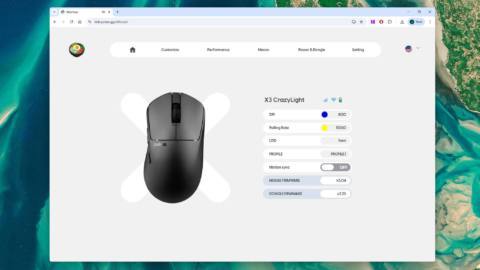
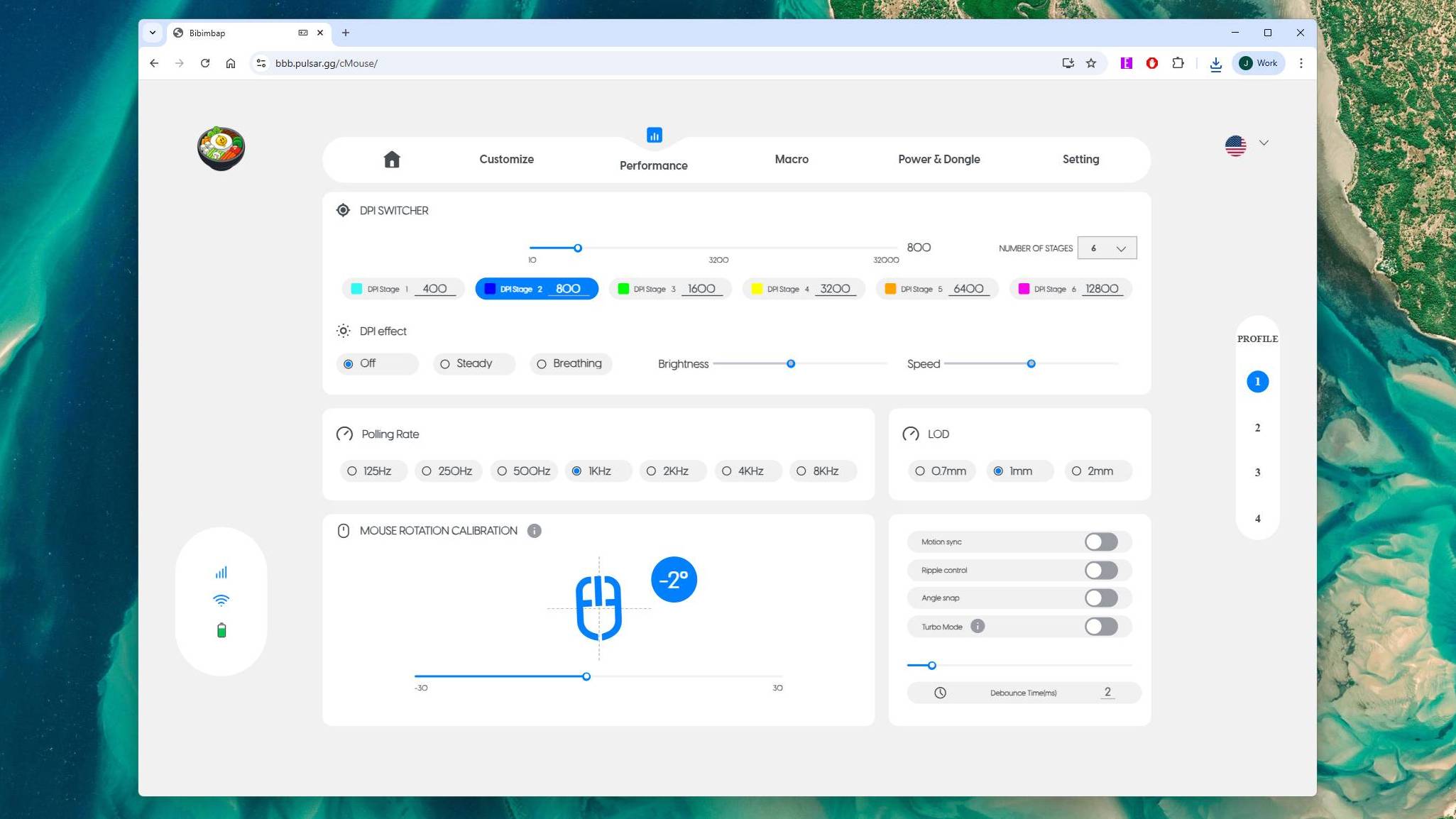
The best example I’ve seen of this is Pulsar’s web software. This takes all the functionality of the desktop app—yes, there’s one of those, too—sprinkles in a little extra, and wraps it up in a funky and very snappy web app. You’re greeted by all the important info, including DPI, battery life, and so on, and the tabs at the top are clearly labelled, responsive, and not excessive.
There are a ton of actually useful mouse features, and it never feels cluttered or overwhelming, because function is put first. The company previously expressed that it’s “listening to the community” next to a video of new sensor rotation functionality, which users had clearly been asking for. To many, such things might seem superfluous, but I’ve discovered these kinds of settings can be very useful.
Getting rotation calibration right, for instance, can have your mouse movement map much better onto what you intend when you swipe, without you having to subconsciously adjust your aim to account for a slight angle to how you hold your mouse.
It turns out, you can do that and still have something that looks and feels great to use, too, because the Pulsar web software looks the best of the many I’ve tested.
Pulsar isn’t as big of a brand as Razer, Logitech, Corsair, and so on, but it’s far from unknown. But I’ve found that even smaller brands can manage software that packs in tons of features and keeps itself out of the way.
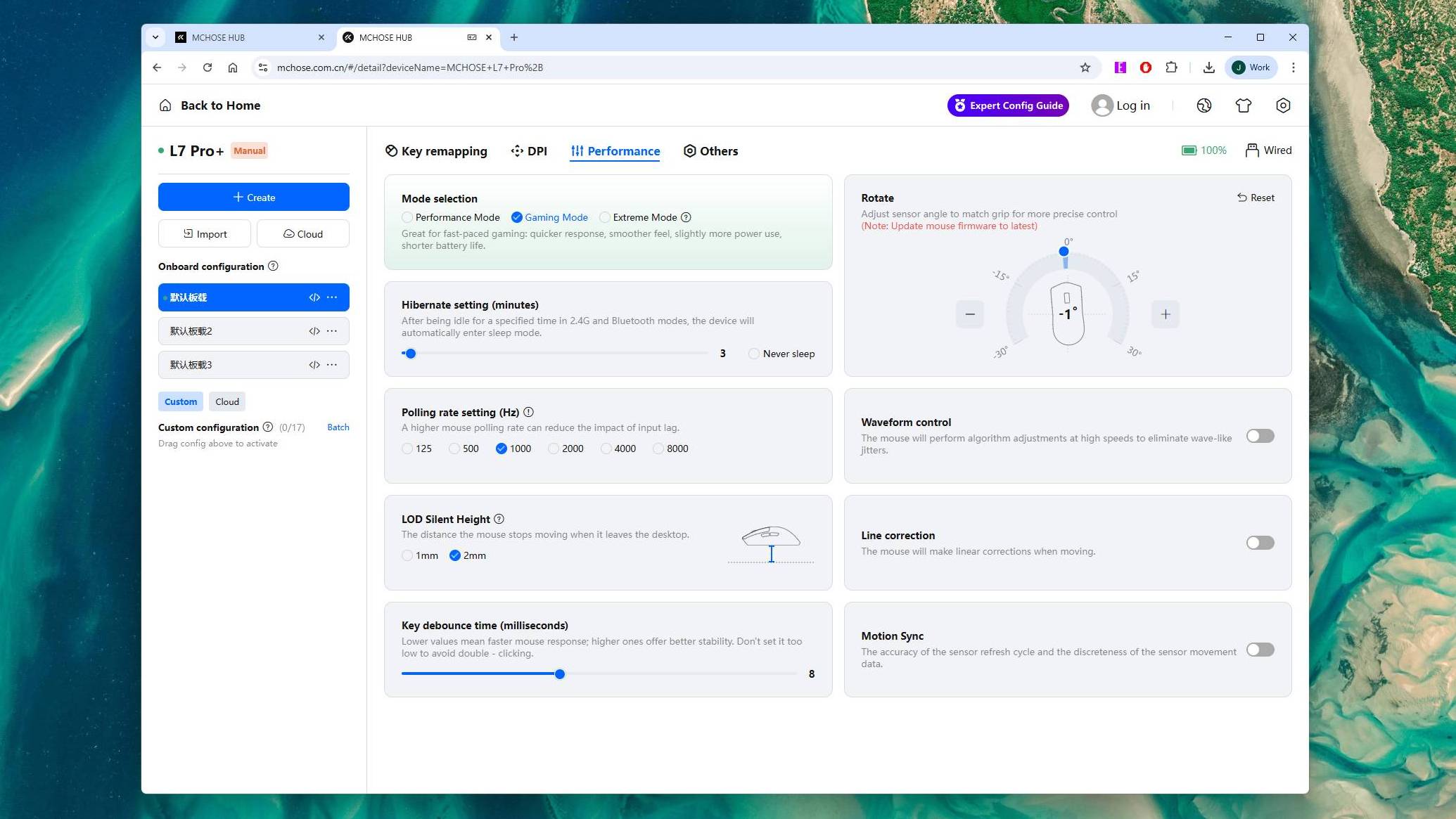
The software that Chinese mouse ‘clone’ brand Mchose distributes comes in both web and desktop versions, and while it looks a little cluttered, it’s still easy to find the settings you’re looking for, and these aren’t hidden behind obfuscating multi-layered tab sections and unnecessary bloat.
I’ve also found both Pulsar’s and Mchose’s software to chew through much less RAM than some of the more bloated apps, as you can see from the chart below, based on my own testing. Which is nice considering mouse software should be, as I said, just a utility. It’s not something you should have to worry about clogging up your precious RAM supply.
Mouse software RAM usage
RAM (MB)
| Product | Value |
|---|---|
| Razer | 712 |
| SteelSeries | 515 |
| Logitech | 230 |
| Corsair (web) | 210 |
| Pulsar (web) | 159 |
| Glorious | 150 |
| Mchose (web) | 142 |
| Akko | 67 |

The importance of the fact that software from these manufacturers comes in both local and browser-based flavours shouldn’t be understated, either. There are reasons to opt for both. Web apps are great because they mean you don’t have to have yet another app installed on your PC, clogging it up, and they don’t even have to be completely bespoke, as they can use the WebUSB API. But local apps are good to have in case your internet or the website goes down.
Either way, though, what you ideally want is something you don’t have to keep running, meaning you can save your settings to your mouse’s onboard memory. This does, of course, also depend on your mouse being able to store different settings, but most mice can do so these days.
One way you can have the best of both worlds when it comes to web and local software is to have the web app installable in your browser for offline use. Corsair lets you do this with its Web Hub software. Admittedly, this does actually install a local app, but all that app does is launch the software in your browser, online or offline, so it saves you from having a completely separate app installed.
Feature | Pulsar | Logitech | Razer | Glorious | SteelSeries | Corsair | Mchose | Akko |
|---|---|---|---|---|---|---|---|---|
Web / local | Both | Local | Local and limited web (beta) | Local | Local | Both (mouse-dependent, web tested) | Both | Local (no install required) |
Button mapping | ✅ | ✅ | ✅ | ✅ | ✅ | ✅ | ✅ | ✅ |
Macros | ✅ | ✅ | ✅ | ✅ | ✅ | ✅ | ✅ | ✅ |
DPI | ✅ | ✅ | ✅ | ✅ | ✅ | ✅ | ✅ | ✅ |
Polling | ✅ | ✅ | ✅ | ✅ | ✅ | ✅ | ✅ | ✅ |
Lift-off distance (LOD) | ✅ | ✅ | ❌ | ✅ | ✅ | ✅ | ✅ | ✅ |
Sensor rotation | ✅ | ❌ | ✅ | ❌ | ❌ | ❌ | ✅ | ❌ |
Debounce time | ✅ | ❌ | ❌ | ✅ | ❌ | ❌ | ✅ | ✅ |
Motion sync | ✅ | ❌ | ❌ | ✅ | ❌ | ✅ | ✅ | ✅ |
Angle snap | ✅ | ❌ | ❌ | ❌ | ✅ | ✅ | ✅ (called Line correction) | ✅ |
Ripple control | ✅ | ❌ | ❌ | ❌ | ❌ | ✅ | ✅ (called Waveform control) | ✅ |
Other | Turbo Mode | Sensor calibration matching, per-surface sensor tracking adjustments | Smart polling switcher, smart surface tracking | – | Acceleration, deceleration | Surface optimisation (Corsair MM only) | Sensor FPS modes | Sensor FPS mode toggle, quick DPI switch toggle |
This chart is based on my own in-app testing at the time of writing; features can be changed and added.
The fact that Corsair has a web app at all is a good sign, as it shows big manufacturers aren’t blind to what some of the smaller brands are getting right. Though, Corsair still has a way to go to catch up to others in terms of overall layout design and structure, as some settings are in weird places, and it’s all quite barebones. Razer, too, I should note, launched Synapse Web in beta earlier this year, which is another good sign.
I should emphasise that this isn’t necessarily a big vs little brand thing, too, as not all apps from smaller brands are great. For instance, Akko’s app for the Dash Ultra even lacks a close window button, and its firmware and software update buttons are completely unresponsive.
What would be ideal, in the end, would be something not proprietary at all, but something akin to Via, the open-source, browser-based keyboard software that’s supported by an increasing number of keyboards. The mouse itself is the product, after all, not the software, so from the consumer’s perspective, there’s little need for separate, proprietary software to manage it. We’ve come a long way over the last few years with mouse software, though, so there’s reason to be hopeful things could still move in this direction.
About Author