Subnautica 2 has just released into early access, and I’m already shaking in my boots. Despite having a deep distrust of the sea (and all the terrible things that live in it), I’ve been a very brave boy and spent some time testing the game’s performance using two modern graphics cards: an 8 GB tiddler in the form of the lesser-VRAM-ed RTX 5060 Ti, and a whale-sized RTX 5080.
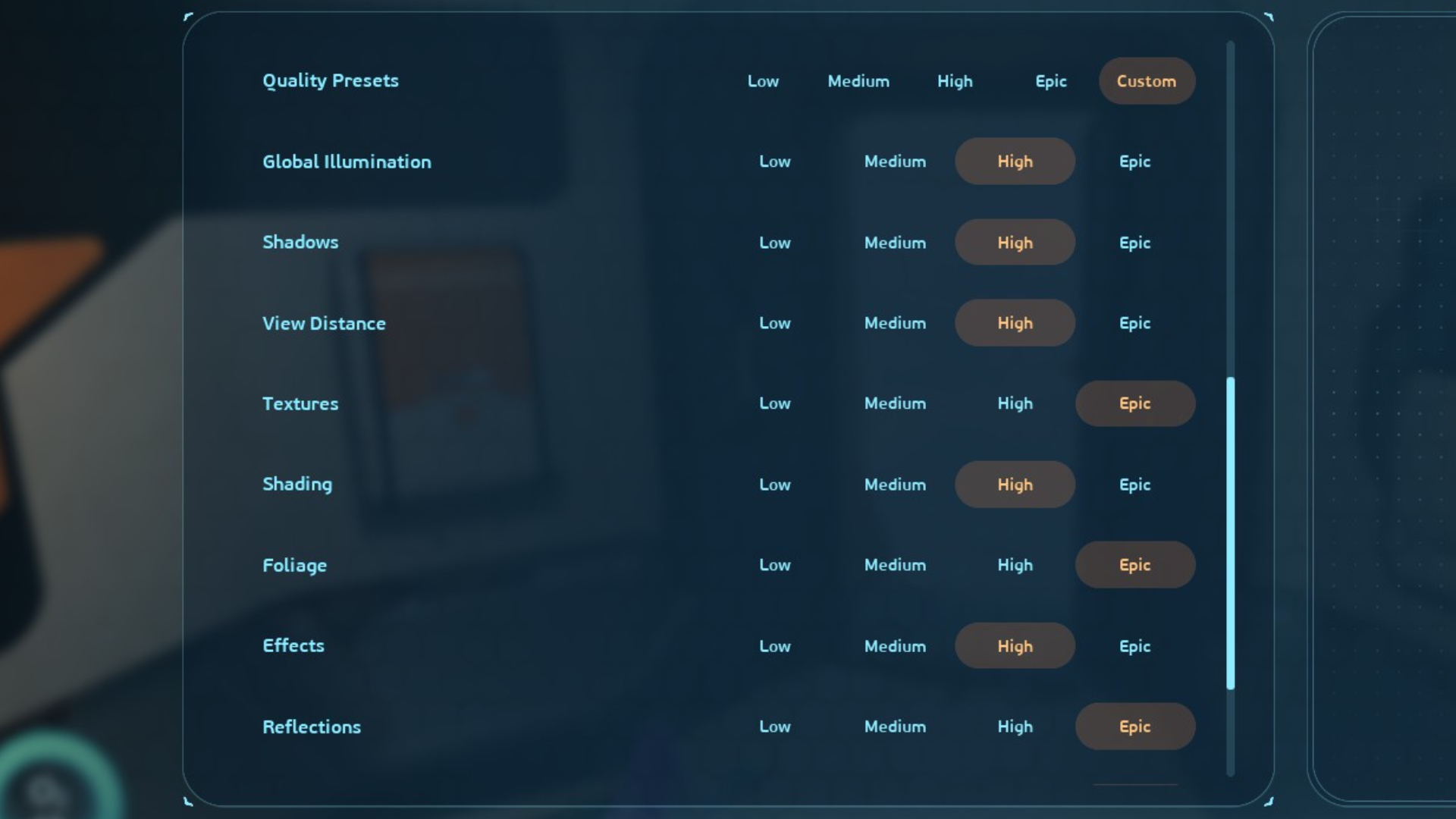
After swimming with the alien fishes, I’m pleased to report that Subnautica 2 is capable of running well on both—providing you’re prepared to drop a few settings. The Epic preset can result in some crunchy frames, but turning down five key graphics options by a single notch can add up to a huge performance improvement overall. Those options are:
- Global illumination
- Shadows
- View distance
- Shading
- Effects
Subnautica 2 has a fairly expansive settings menu at first glance, but there are a few omissions worth noting. For a start, there’s no current FSR support, so AMD GPU owners will have to make do with TSR for upscaling duties until it’s added in at a later date. Similarly, Nvidia owners can enable DLSS Frame Generation, but there’s no alternative option for AMD or Intel users.
And finally, the game looks to be making use of Unreal Engine 5’s Lumen dynamic lighting and reflections tech—but lacks the ability to toggle it on and off directly.
However, many of the Lumen-related settings above can provide some mega frame rate gains when set below maximum, even when they’re dropped down by a single step. To demonstrate, let’s first take a look at the performance on Epic settings with Quality upscaling enabled on both our cards.
Subnautica 2 1080p and 1440p performance
Epic settings
Avg FPS
1% Low FPS
| Product | Value |
|---|---|
| RTX 5060 Ti 8 GB | 60 Avg FPS, 36 1% Low FPS |
| RTX 5080 | 102 Avg FPS, 61 1% Low FPS |

As you can see, the RTX 5060 Ti 8 GB has a tendency to struggle with everything turned up to the guns, even in early game areas. And while the little Nvidia card records a 60 fps average at 1080p, I’d ask you to pay attention to the 1% lows. Subnautica 2 has a tendency to stutter on this GPU at max settings, and it can lead to the exact opposite of smooth sailing.
Subnautica 2 | RTX 5060 Ti 8 GB | 1440p | Epic settings
Switching over to a deep sea monster, the RTX 5080’s 100 fps+ result is fairly impressive at first glance—until you remember it’s a $1,000+, 4K capable card. 1080p and 1440p should be small fry for such a GPU, but a 78 fps average at the latter resolution isn’t all that impressive.
I’ve left frame generation off for all my testing, but with Quality upscaling at reasonable resolutions, I was expecting a few more frames than this from Nvidia’s near-top-of-the-range graphics cruncher.
The good news, though, is that a mix of Epic and High settings leads to a much, much better frame rate result for both our GPUs. On my test machine, turning down global illumination, shadows, view distance, shading, and effects to High keeps much of the image quality, but with a massive difference to the performance.
Subnautica 2 | RTX 5060 Ti 8 GB | 1440p | Mix of Epic and High settings
In the case of the RTX 5060 Ti 8 GB, these changes add up to a 29 fps gain at 1080p, and a massive 33 fps gain at 1440p. And as for the RTX 5080? A 30 fps gain at 1080p, and 29 fps extra at 1440p. That’s a mega amount of frames to gain from dropping a few settings by a single step.
Subnautica 2 1080p and 1440p performance
Global iIllumination, shadows, view distance, shading, and effects on High, everything else Epic
Avg FPS
1% Low FPS
| Product | Value |
|---|---|
| RTX 5060 Ti 8 GB | 89 Avg FPS, 51 1% Low FPS |
| RTX 5080 | 132 Avg FPS, 75 1% Low FPS |
There is, of course, a reason for that performance improvement. While it’s not clear if dropping the settings down to this level disables Lumen entirely, there can be a difference in image quality in certain scenarios. Much of the murky, underwater world of Subnautica 2 looks the same, but heavily shadowed and brightly lit objects in shallow water can show some differences.
Well, when you start placing screenshots side by side, anyway:
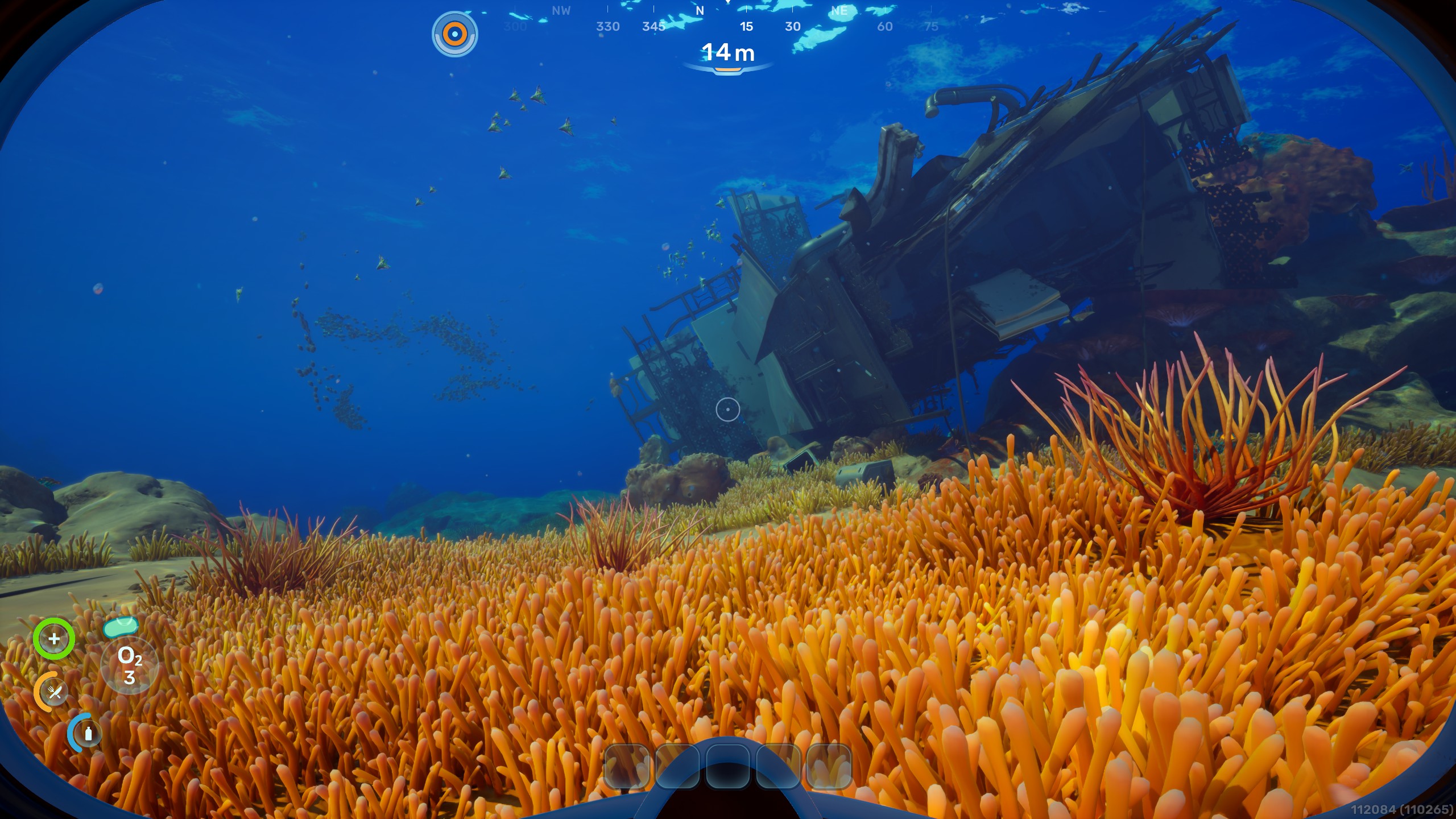
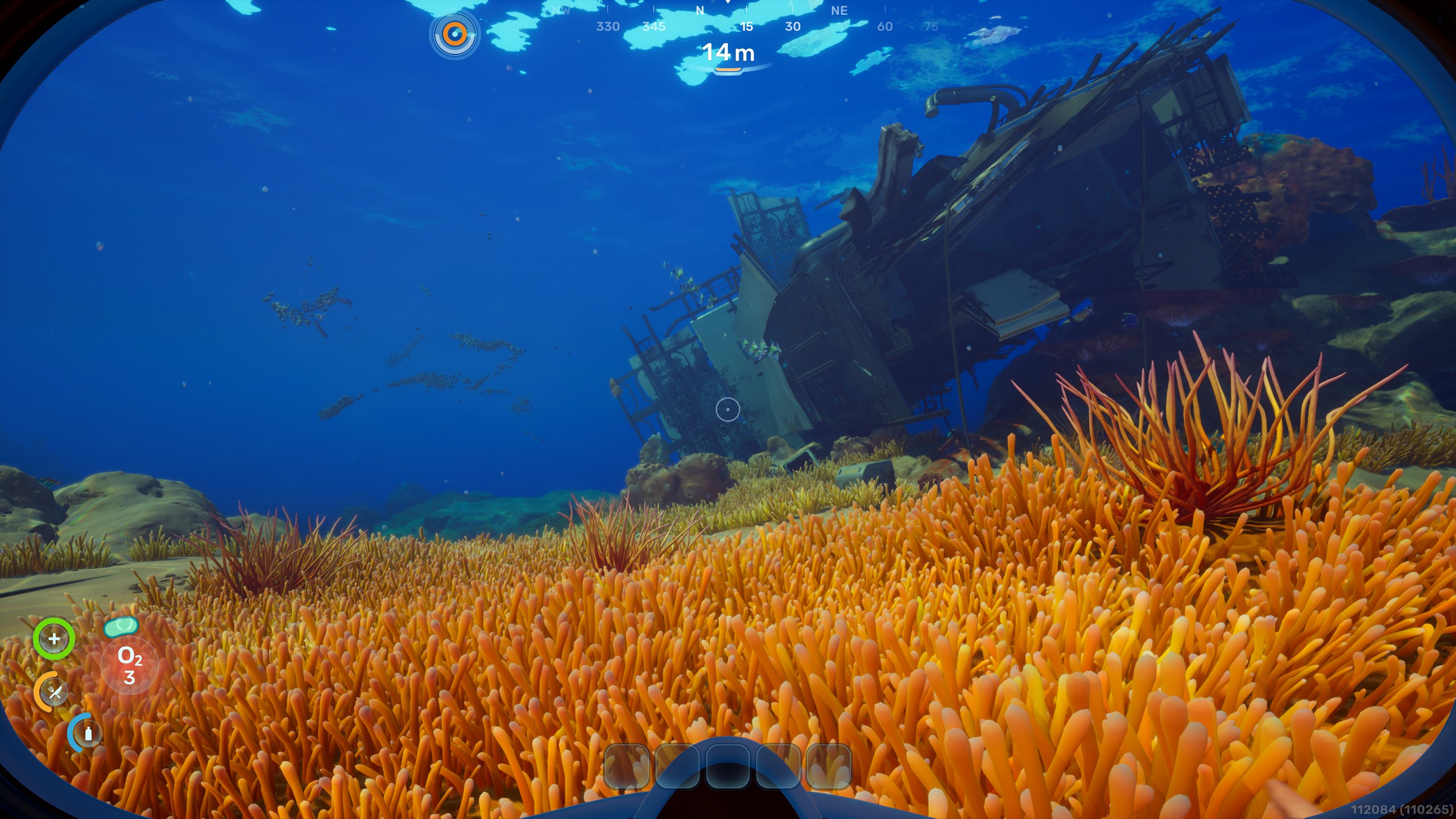

In all honesty, I only noticed the difference in shadowing between these two images when I put together the comparison above, and I’d say the game still looks great with Lumen turned down (off?). There are more fish in my Epic screenshot, too, although I don’t think this is down to the settings changes.
The little blighters simply wouldn’t stay still long enough for me to line them up properly. Curse you, mysterious aquatic beasties.
The other thing to be aware of is that, depending on the biome, there are likely to be some more GPU-heavy areas later in the game. Our Sean, who’s been cranking out Subnautica 2 guides at a serious rate of knots, reports that he’s currently getting an fps range between the high 60s to the mid 70s at a more advanced stage.
That’s at 1440p on an RX 6800 XT at Medium settings, so it looks like Subnautica 2 may become more demanding in areas I’ve not yet been able to reach. I’ll be doing some more testing to see how late-game performance is affected, but for now, I’ll say your mileage may vary as areas become more asset-heavy. Or should that be, shark-infested?
Still, having spent some time wrestling with the settings menu, I’d say that these five options are the ones to play with if your performance is less than shipshape. It’s encouraging to see that Subnautica is capable of running well on a range of graphics hardware at this stage, but being an early access game, it looks like there are still plenty of performance and optimisation nasties yet to be nixed.
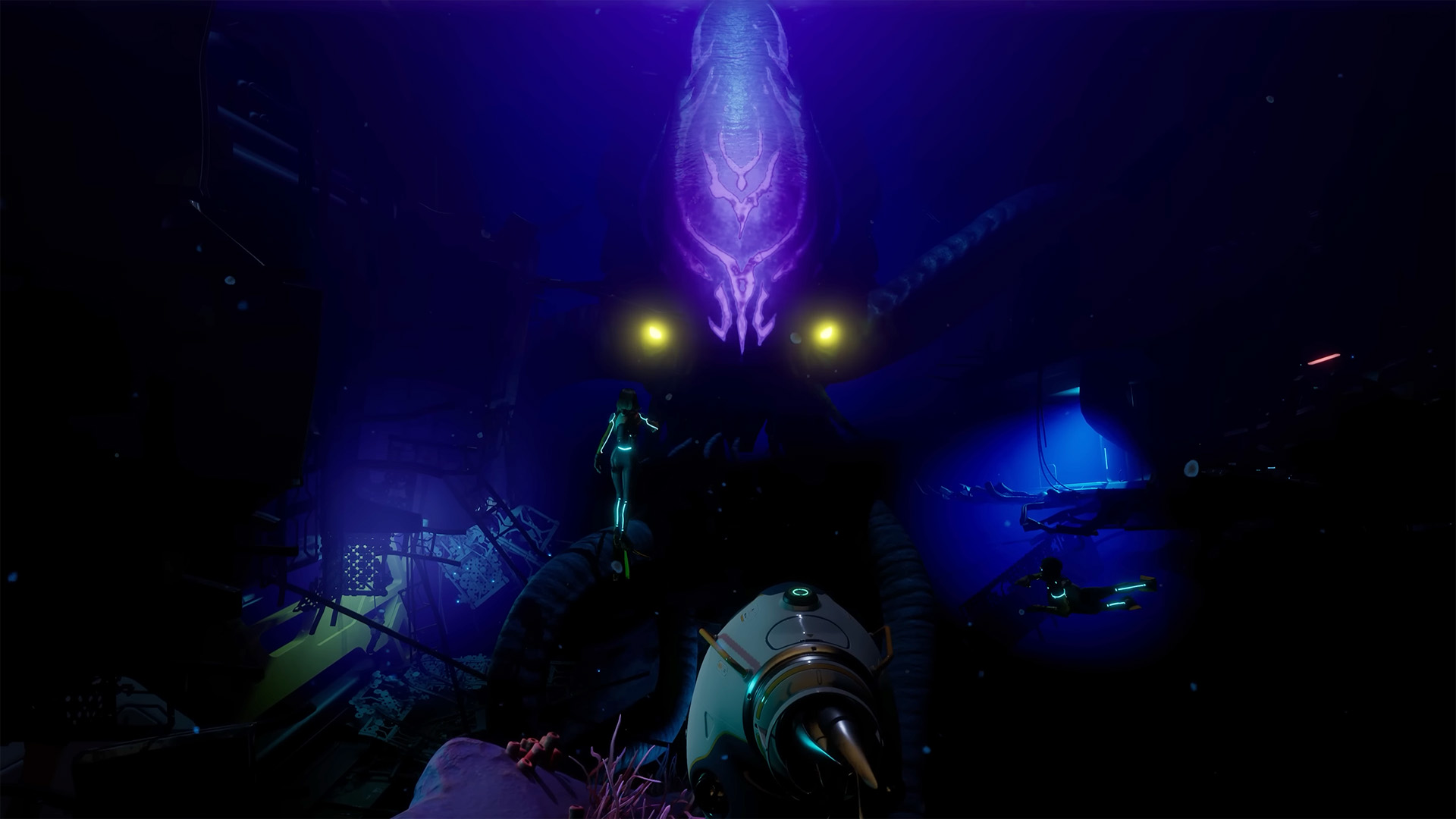
There’s also a 2x frame gen option to boost your performance, should you so wish. Well, for modern Nvidia graphics card owners, anyway. TSR does a pretty good job on the agnostic upscaling front, but this is definitely a game that benefits from a smooth frame rate, and more upscaling and frame generation options would certainly help.
But if you’re planning on jumping into Subnautica 2’s dangerous waters from the get go, these are the settings I recommend adjusting to gain some precious frames.
As for bravery-enhancers? You’re on your own there, alien seafarers. There be monsters down in these briny depths, and I’m climbing aboard my life raft and heading for shore. Cheerio, have fun—and don’t forget your water wings, for goodness sake.
About Author